User Manual HOW TO … February 16, 2010
Xynergi Media Production Centre Page 65
Bus-to-bus assignment is limited. Sub-Buses can be assigned to the Main Bus, but not to each
other. Main, Aux and MT Buses cannot be assigned to any other bus.
The Bus Assign screen is designed to assign multiple paths to one bus. If you wish to do it the
other way around (one path to multiple buses) use the
Path layout in the Pad. This is visible in
the Editor and Mixer Megamodes.
This guide will show you how to assign paths to Buses using the Bus Assign screen.
Get Ready
Press the green Setup button.
Press the
Bus Assign button.
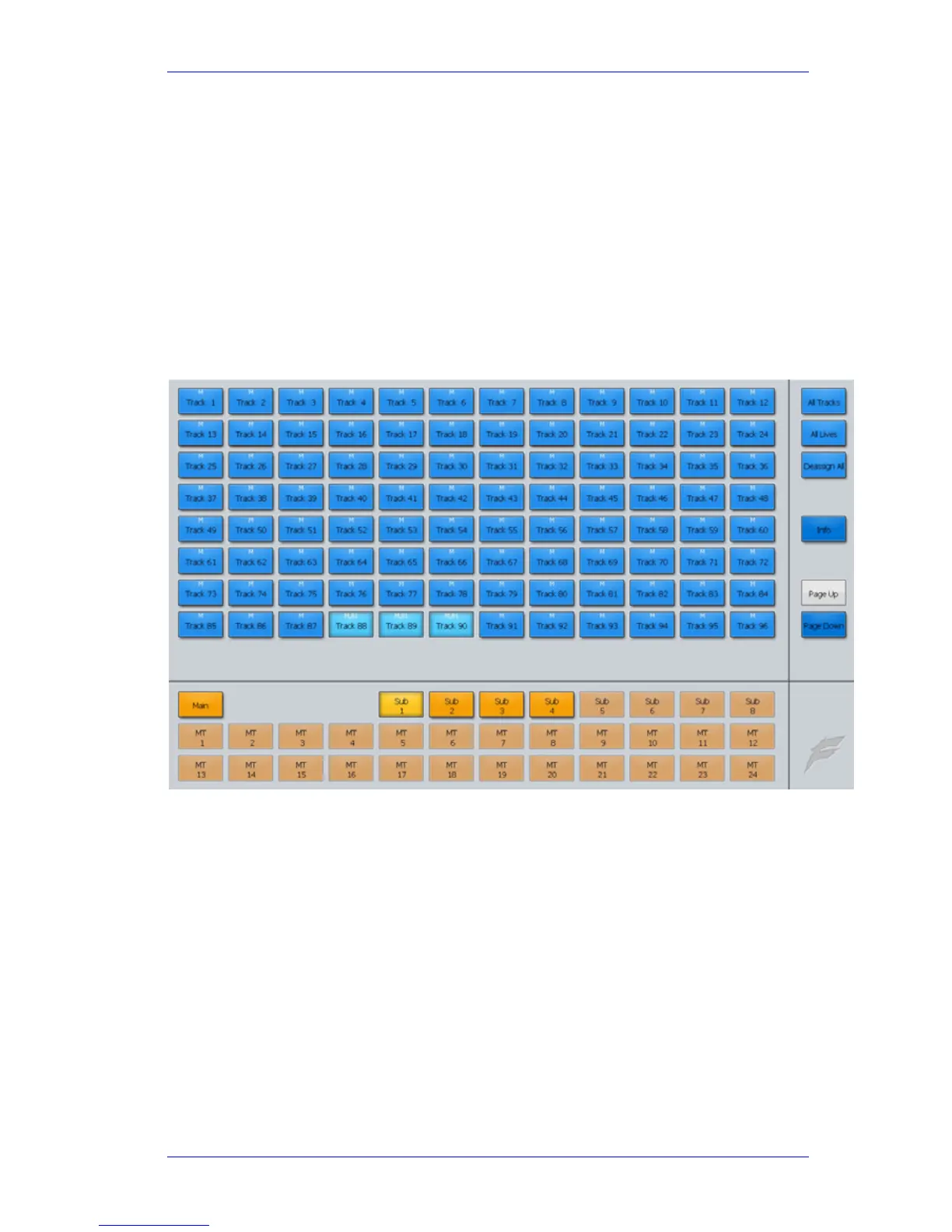
The Bus Assign Screen
Select a destination bus at the bottom of the screen (in the picture, Sub 1 is selected). Each path
already assigned to that bus is highlighted (tracks 88 to 90 are highlighted). Each path shows the
buses to which it is currently assigned.



 To Next Page