14 4812325559EN 2018-02-20
Instruments and controls – Description and function (cont.)
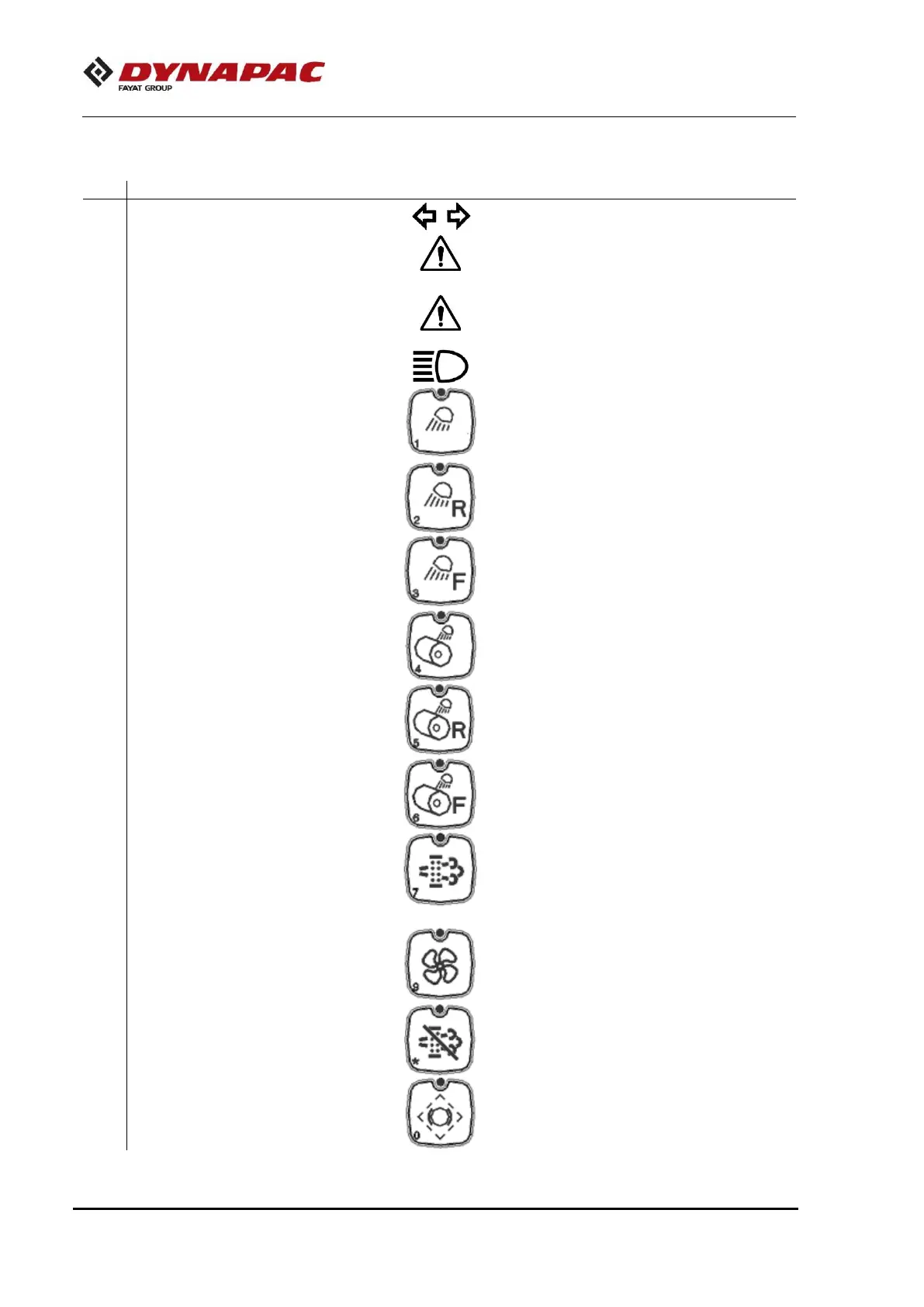
Indicates that the steering turning lights
are activated.
Machine warning light – yellow
Indicates that there is failure in the
machine. Refer to the multifunction
display (1) in order to check the failure.
Machine warning light – red
Indicates that there is failure in the
machine. Refer to the multifunction
display (1) in order to check the failure.
Indicates that the high beams are
activated (steering column switch).
Press to turn ON/OFF all working lights.
Rear working lights button
Press to turn ON/OFF all rear working
lights.
Front working lights button
Press to turn ON/OFF all front working
lights.
Night working lights button
(Optional)
Press to turn ON/OFF all night working
lights, if equipped.
Rear night working lights button
(Optional)
Press to turn ON/OFF all rear night
working lights, if equipped.
Front night working lights button
(Optional)
Press to turn ON/OFF all front night
working lights, if equipped.
Button to enable the regeneration
(Tier IV Engine)
Press to enable the regeneration Refer
to the “Operation” section (Tier IV
Engine).
Engine radiators assembly
cleaning button
Press to turn on the fan in order to clean
the radiators assembly. Refer to the
"Operation" section.
Button to disable the regeneration
(Tier IV Engine)
Press to disable the regeneration. Refer
to the “Operation” section (Tier IV
Engine).
Press to test the brake drive mechanism.



 To Next Page