2018-02-20 4812325559EN 67
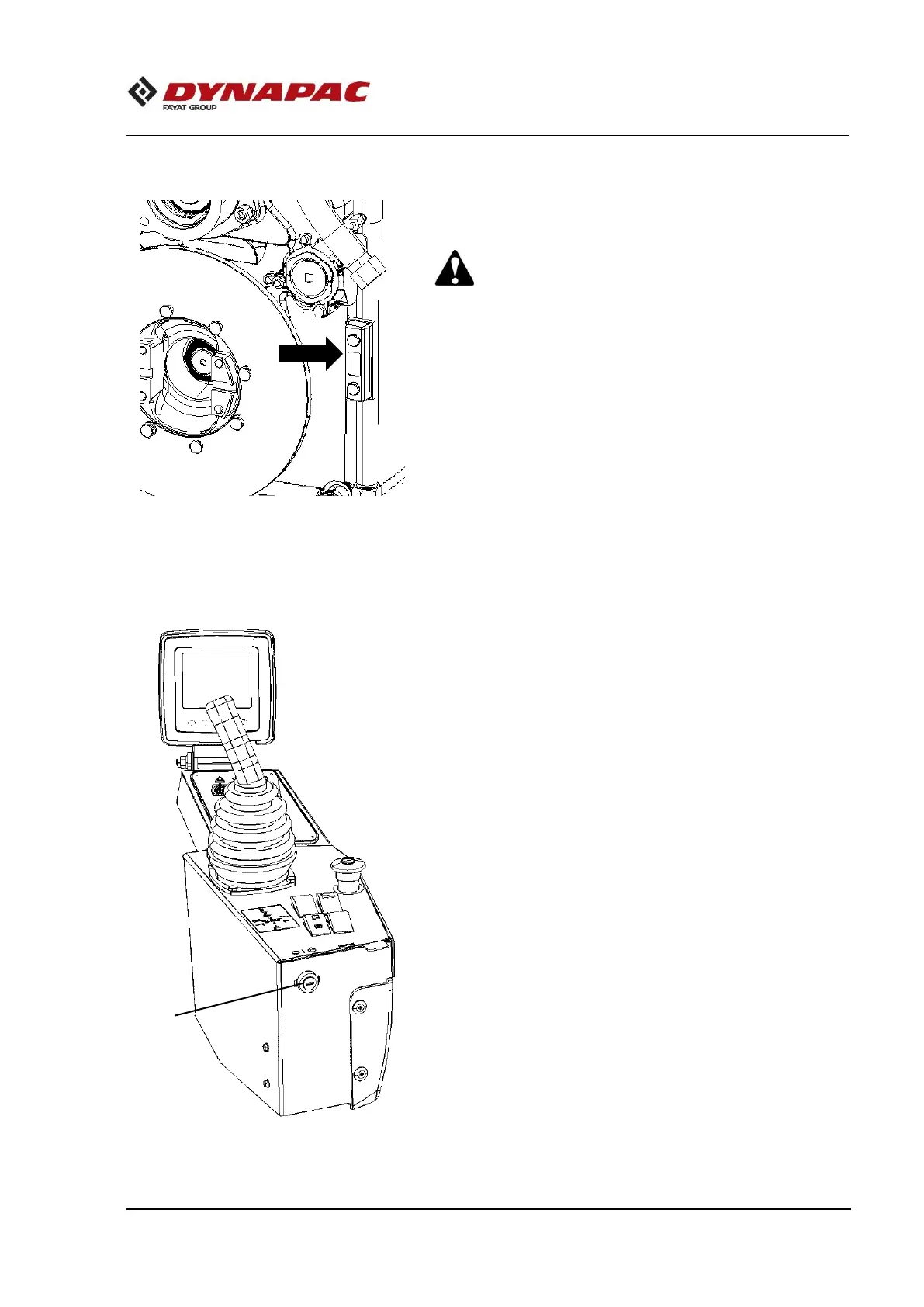
Check the transmission box oil level
1. Turn the steering wheel completely to the right, to allow better
access to the level display.
2. Check the oil level, with the engine working in low idle and
the transmission warmed up at 176 °F (80 °C), and through
the display located on the left side of the machine.
3. Oil should be at the designated level of the display. If it’s
below this mark, fill with the recommended oil.
Check the Multi-function display and the
operator's control keyboard
1. Turn the key starter switch (1) to the position "I". The screen
of the multi-function display and the keys light up, including
when there are failure indications.
2. In case of any control not turning on, replace it.



 To Next Page