2018-02-20 4812325559EN 13
Instruments and controls – Description and function
Shows the transmission and engine
functions. Refer to the "Before Starting the
Engine" Section.
Operator's Control Keyboard
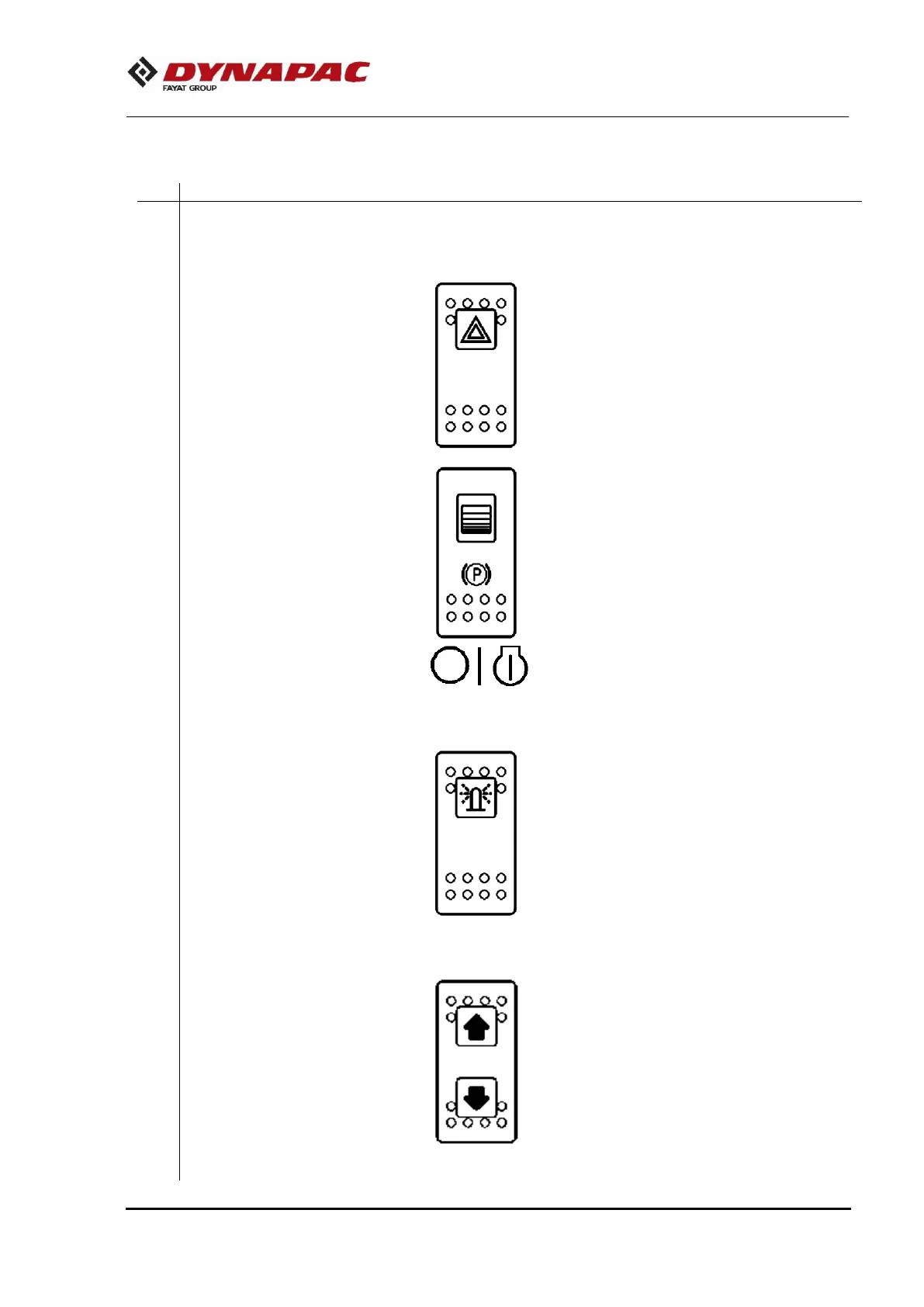
Beacon warning light switch
Press the switch to light on the beacon
warning lights.
When pressed, the parking brake is
activated.
To release the parking brake, slide the red
side backwards (towards the operator) and
change the switch's position.
NOTE: The parking brake must be activated
before turning on the machine.
Engine starter key switch
Turn the switch to the left to turn off the
electric system.
In the middle position the switch turn on all
the electric system.
Turn the switch to the right to activate the
starter motor.
Beacon warning light switch
(Optional)
Press the switch to activate the beacon
warning light, if equipped.
When this button is pressed the machine is
stopped and the engine is turned off. All
electric system will be also turned off.
In the occurrence of a failure, press the
switch in order to send the machine to be
repaired.
Perform the blade control functions Refer to
the "Blade Operation" Section.










 To Next Page