16 4812325559EN 2018-02-20
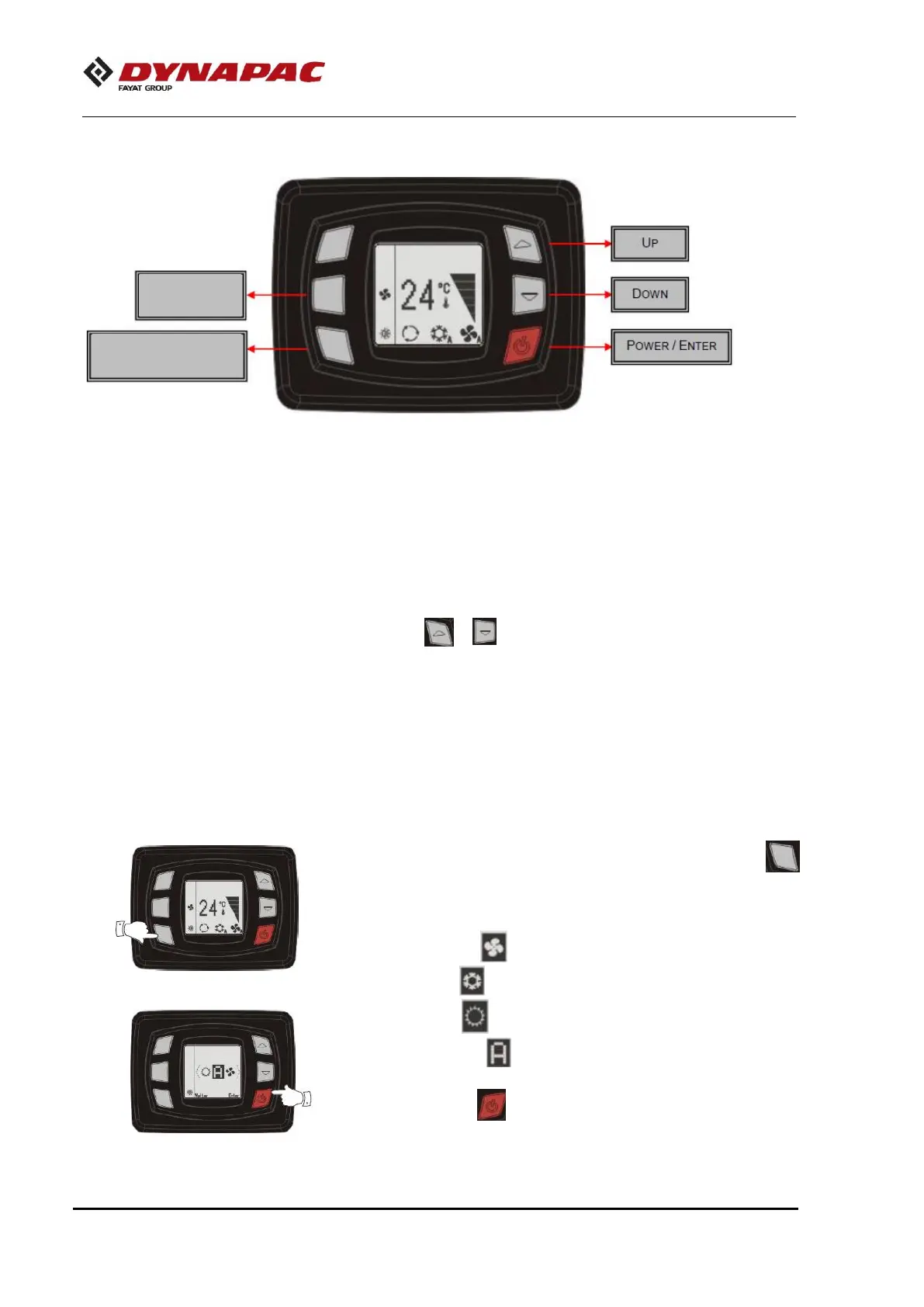
A/C – System operation
Power/Enter
By feeding the panel with 24VDC, the screen will be on,
indicating that the product is in standby mode.
Press to turn on the A/C, it will show the software version and
then the temperature. To return to standby mode you must press
the button for 3s.
Set point Up/Down
Set point is the desired temperature inside the vehicle. To set it
up press or . The set point temperature will flash on the
display; press until reaches desired temperature.
Display
The display shows set point value, bar graph evaporator speed,
active function and other information. It also serves to allow the
operator to view the coil and return temperature, as well as the
parameters. It also serves to alert when there is some system
flaws.
Operation Mode
To change the operation mode, press the button
(operation mode), select the desired mode:
The controller has 4 operation modes that are:
- Only ventilation
- Only cooling
- Only heating
- Automatic mode
Press the button to confirm or wait a few seconds to cancel.



 To Next Page