1. Installation
1-8
Festo P.BE-CPX-PNIO-E N en 1407c English
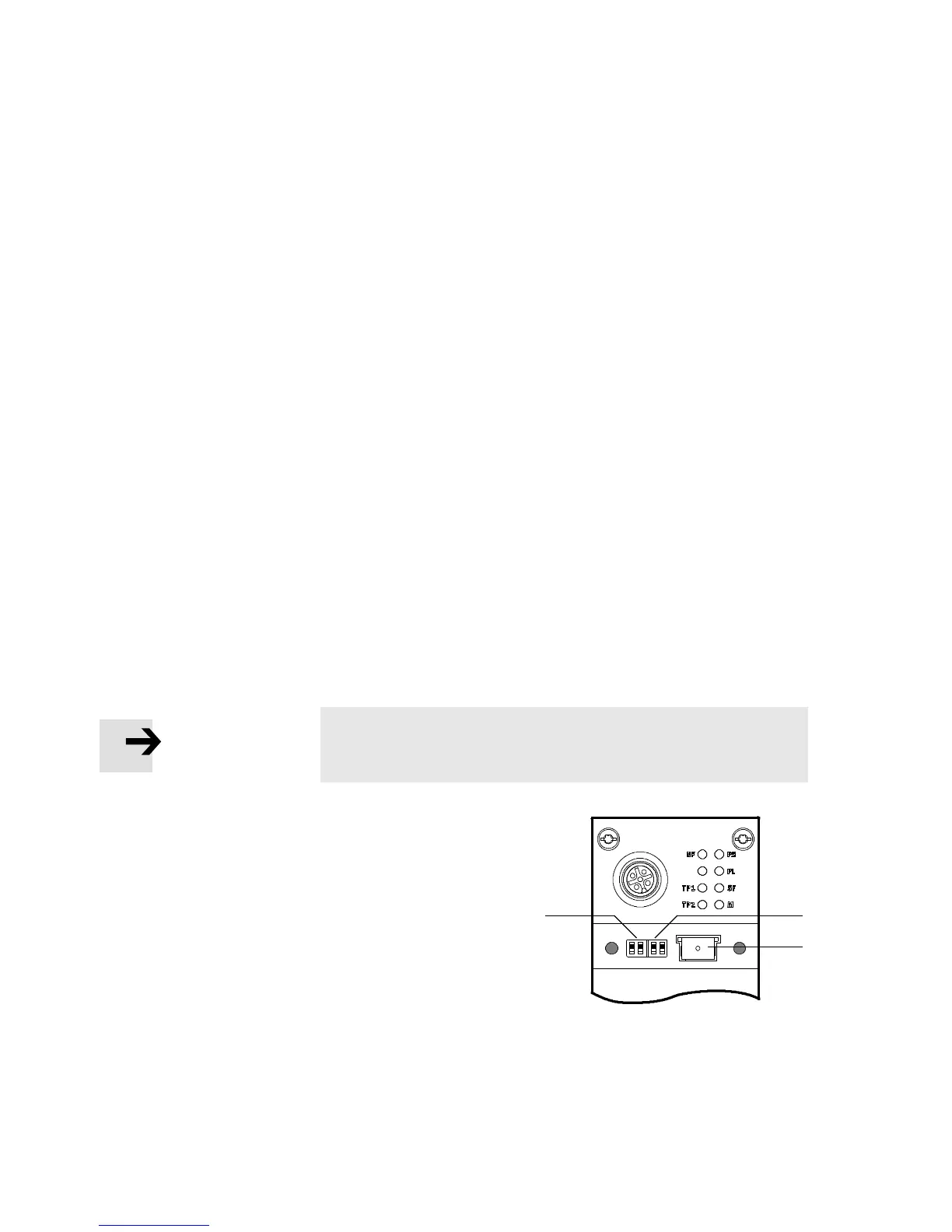
1.4.2 Settingthe DIL switches
You can set the follo wing parameters with the DIL switches
under the cover (see Fig. 1/3):
– bus node operating mode
– diagnostics mode (remote I/O operating mode only)
– data field size (only in remote contro l l er operating mo de).
Approach:
1. Switch off the power supply.
2. Remo ve the co ver (see section 1.4.1).
3. Carry out the required settings
(see Tab. 1/1, Tab. 1/2 and Tab. 1/4).
4. Install the cover again
(see section 1.4.1).
Note
•
Make sure that the seal is seated correctly.
1
DILswitch1.1+1.2:
bus node operating mode
2
DIL switches 2.1 + 2.2:
diagnostics mode (only in remote I/O operating
mode);
data field size (only in remote controller
operating mode)
3
Memory card
(see sectio n 1.4.3, 1.5 as well as 2.6.3 and 2.8.1 )
12
3
Fig. 1/3: Settings of the DIL switches in the bus node



 To Next Page