1. Installation
1-9
Festo P.BE-CPX-PNIO-EN en 1407c English
Setting the operating mode with DIL switch
1
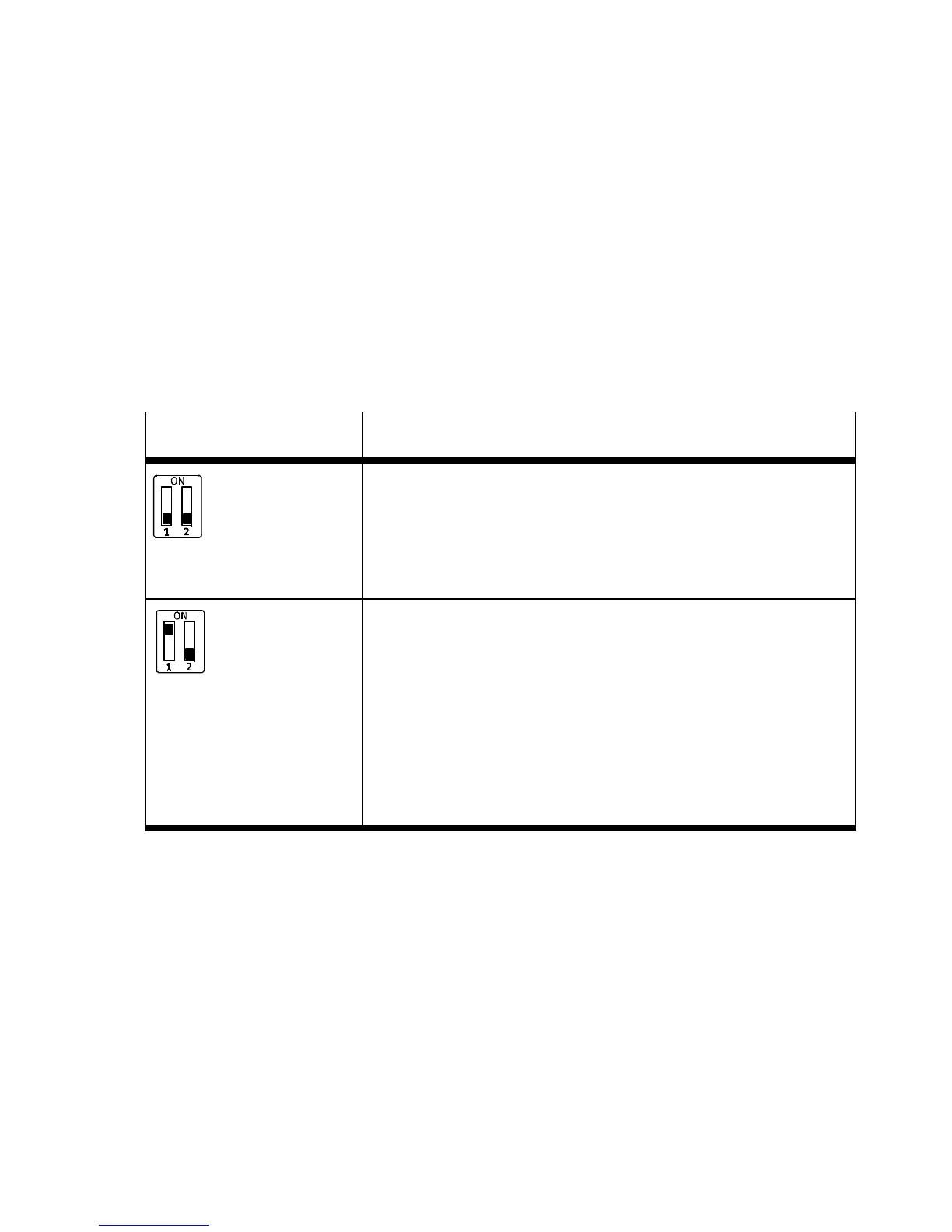
Y ou can set the operating mode of the bus node with switch
element 1.1 of DIL switch
1
(see Tab. 1/1):
– remote I/O operating mode
– remote controller operating mode.
DIL switch
1
Set bus node operating mode
DI L 1.1: OFF
DI L 1.2: OFF
(Factory setting)
Remote I/O operating mode
All functions of the CPX terminal are controlled directly by the
PROFIN ET-I/O controller or a higher-level PLC.
The bus node undertakes the required connection to PROF I N ET.
DI L 1.1: ON
DI L 1.2: OFF
Operating mode Remote Controller
Requirement:
A control block CPX-FEC or CPX-CEC is a component of the CPX
terminal.
The CPX-F EC or CPX-CEC control block integrated into the terminal
controls all functions of the CPX terminal, i.e. the control block takes
on the I/O control.
The bus node takes over the additional connection to PROFINET.
Tab. 1/1: Setting the bus node operating mode with DIL switch
1
Further explanations of the bus node operating mode can be
found in sectio n B.1:
– remote I/O operating mode Section B.1.1
– remote controller operating mode Section B .1.2
– additional functio n “Fast Start-up ” (FSU) Section B.1.3.



 To Next Page