2. Commissioning
2-30
Festo P.BE-CPX-PNIO-E N en 1407c English
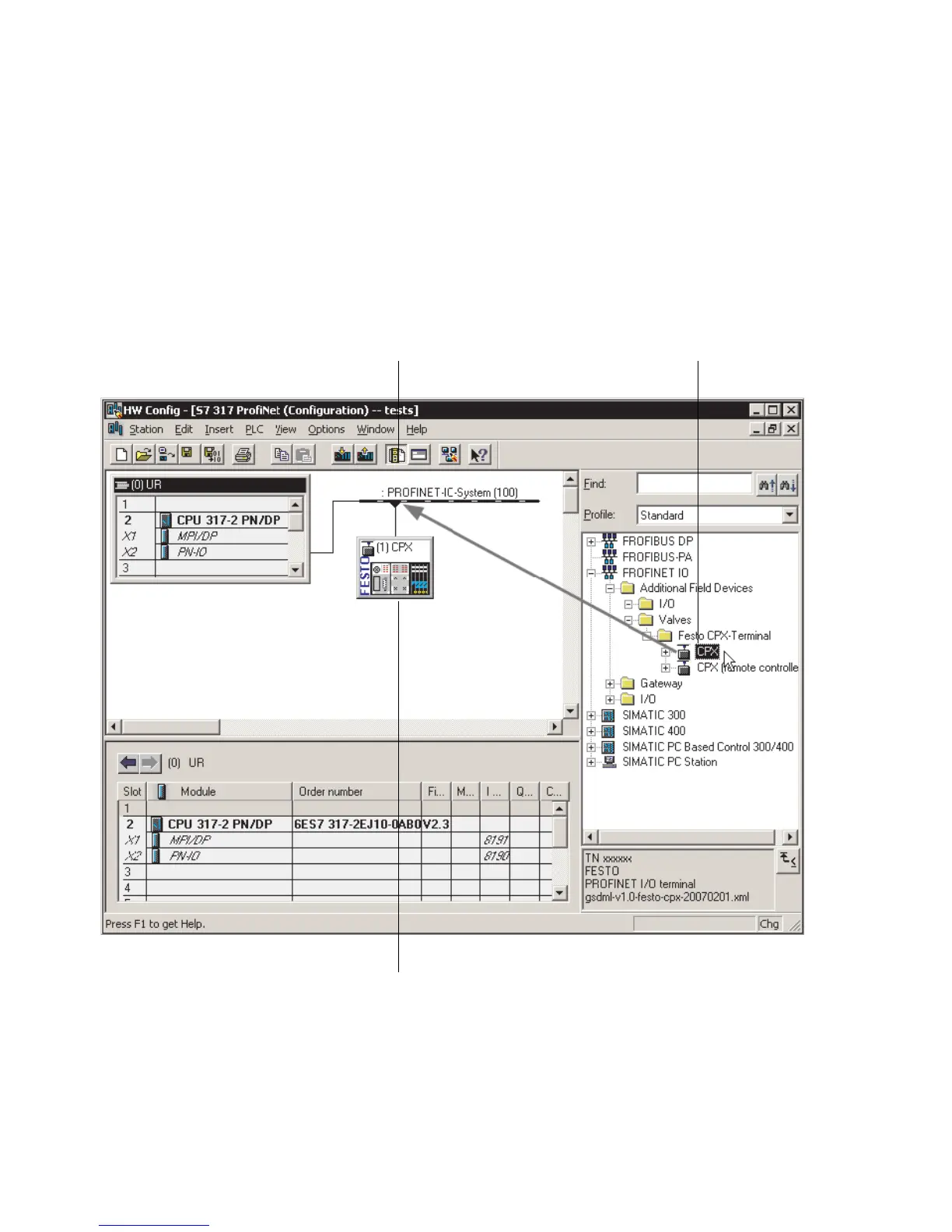
2.6.2 Select CPX terminal (station selection)
1. S tart the PROFINET hardware configuration in your config-
uratio n and programming software (e.g. HW Config in
Siemens STEP 7).
12
3
Fig. 2/2: Station selectio n using Siemens STEP 7 - HW Config
2. If the hardware catalogue is not opened:
Click on the catalogue symbol ( 1 in Fig. 2/2) or use the
keyboard combination [Ctrl] + [K].
The hardware catalogue is displayed.



 To Next Page