2. Commissioning
2-31
Festo P.BE-CPX-PNIO-EN en 1407c English
Select “Stati on”
(station symbol)
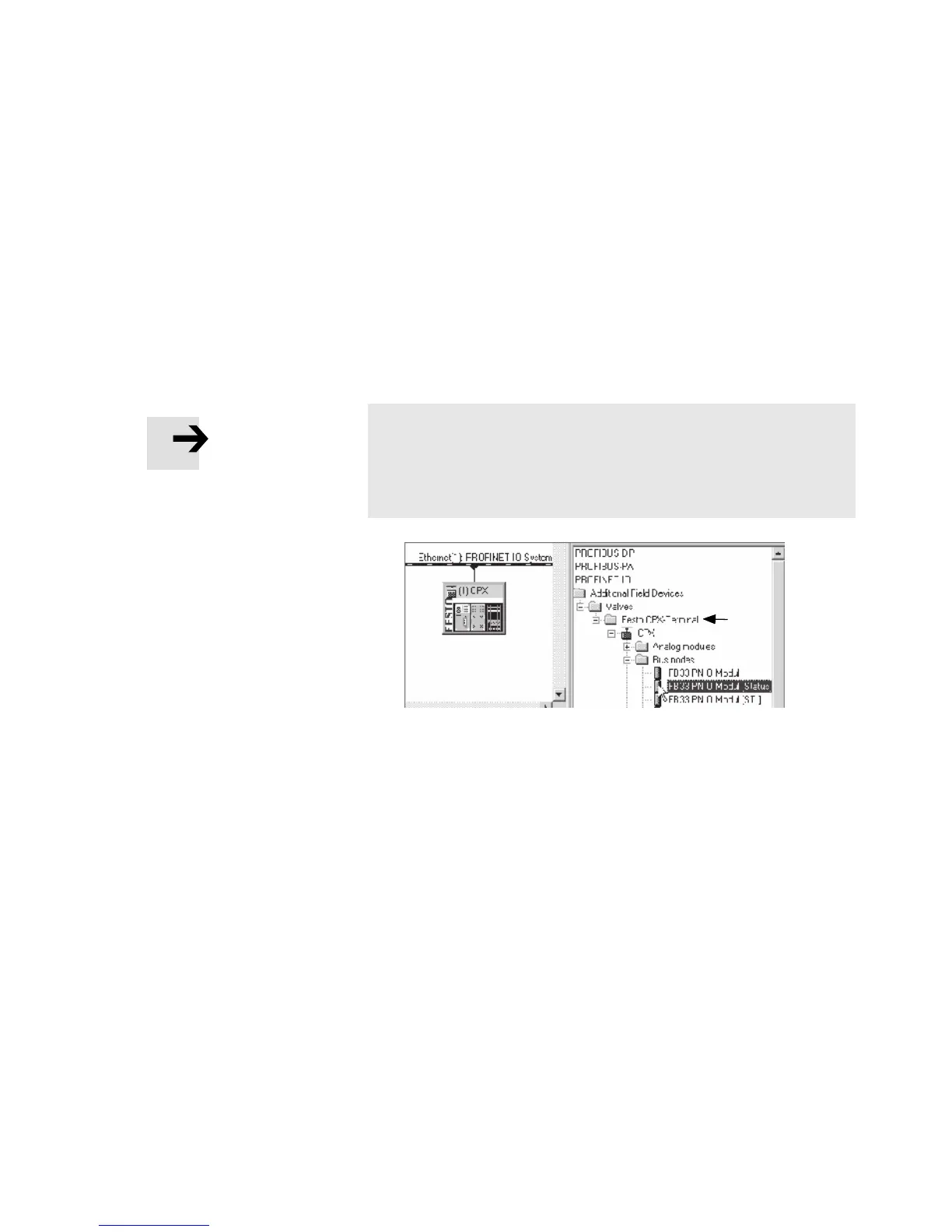
3. In the Hardware Catalogue (HW Con fig), open the folder:
– \PROFINET-IO\Wei tere Feldgeräte\Ventile\Festo CPX-Ter-
minal (German language version of the software)
– “\PROFINET-IO\Additional Field Devices\Valves\Festo
CPX-Terminal” (Engl i sh language version of the software)
Note
If the folder “Valves\F esto CPX-Terminal” is not displayed
(see Fi g. 2/3), repeat installati on of the device master file
(GSDML, see section 2.5.5).
Fig. 2/3: Station selection – selection of the station symbol
(Festo CPX termi nal s)
4. Choose the station symbol corresponding to your applica-
tion using th e foll owing T ab . 2/11 – dependent on:
– CPX revision code of the bus node
(see secti o n 2.5.2 or Tab. 2/10)
– operating mode of the bus node
(see section 1.4.2 or Tab. 1/1)
– additional functio n “Fast Start- up”
(FSU) see section B.1.3)
– Connection technology (M12 or RJ45 or SCRJ).



 To Next Page