1. Installation
1-10
Festo P.BE-CPX-PNIO-E N en 1407c English
In the remote I/O operating mode:
setting the diagnostics mode with DIL switch
2
The function of the DIL switch
2
depends on the setting of
the DIL switch
1
or the set operating mode of the CPX ter-
minal ( Tab. 1/1):
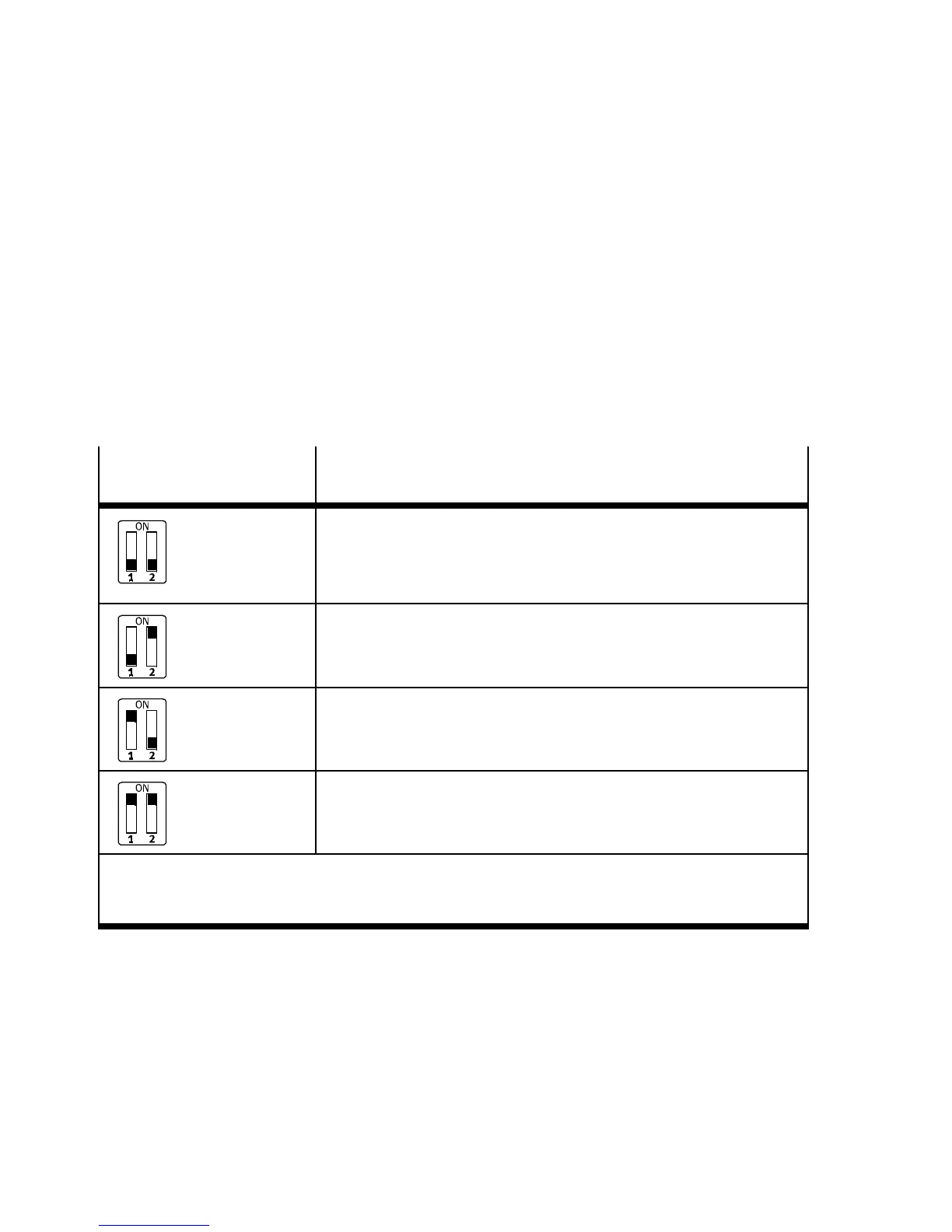
The diagnostics mode is set with DIL switch
2
in the remote
I/O operating mode ( Tab. 1/2).
DIL switch
2
Set diagnostics mode:
(in the remote I/O operating mo de)
DI L 2.1: OFF
DI L 2.2: OFF
(factory setting)
I/O diagnostics interface and status bits are switched off or
diagnostics mode is set via the hardware configuration of the
configuration software
3)
(+ 0 byte I / 0 byte O)
DI L 2.1: OFF
DI L 2.2: ON
Status bits are s witched on
(+ 1 Byte E / 0 Byte A)
1)
DI L 2.1: ON
DI L 2.2: OFF
I/O diagnostics interface is switched on
(+2bytesI/2bytesO)
2)
DI L 2.1: ON
DI L 2.2: ON
Reserved for future extensions
1)
Diagnostics mode status bits occupy 1 byte of address space (8 I bits)
2)
Diagnostics mode I/O diagnostics interface occupies 4 bytes of address space (16 I and 1 6 O bits)
3)
From Revision 21
T ab. 1/2: Setting the di agno stics mode with DIL switch
2



 To Next Page