2. Commissioning
2-44
Festo P.BE-CPX-PNIO-E N en 1407c English
If the folder “Valves\F esto CPX-Terminal” is not displayed,
repeat installation of the device master file (GSDML, see
section 2.5.5).
1
2
3 4
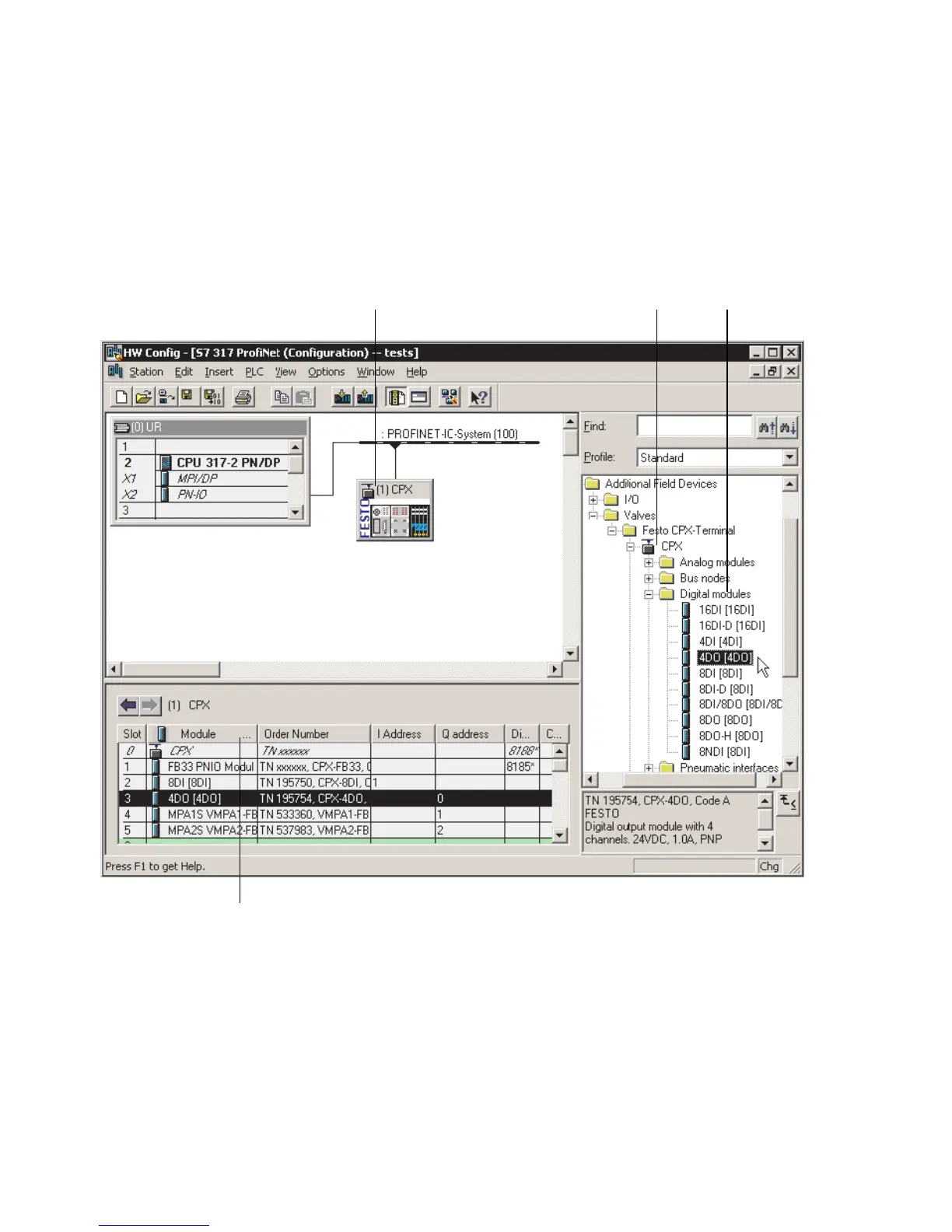
Fig. 2/11: CPX terminal configuration with Siemens STEP 7 – HW Config
4. Click on the symbol of the CPX terminal to be configured
in the PR O FINET Hardware Configuration (HW Config, 1
in Fig. 2/11).
The configuration table ( 2 in Fig. 2/11) is displayed (be-
low the schematic representation of the PROFINET-IO sys-
tem). If necessary, increase the size of this area of the HW
Config window.



 To Next Page