69
CONNECT NAV+
The keypad on the right has the fol-
lowing functionalities:
– alphanumeric characters (including
space);
– string or last entered character
deletion;
– active list: enter a character se-
lecting it by rotating and pressing the
knob 15-fig. 1, the system searches
and displays automatically the first
stored entry, in the relevant data base,
that begins with the same letter.
The keypad includes the following characters:
To compose the following charac-
ters:
À Á Â Ã Ä Å È É Ê Ë Ì Í Î Ï Ò Ó
Ô Õ Ö Ù Ú Û Ü Y
´
Ÿ Ñ, combined
use of the following symbols:
´ ` ¨ ^ ° ~ is required.
Example: if the user selects E and
then ¨ the two characters are replaced
by their corresponding single charac-
ter Ë.
Blank and symbols , - _ ‘ ( ) are word
separator characters.
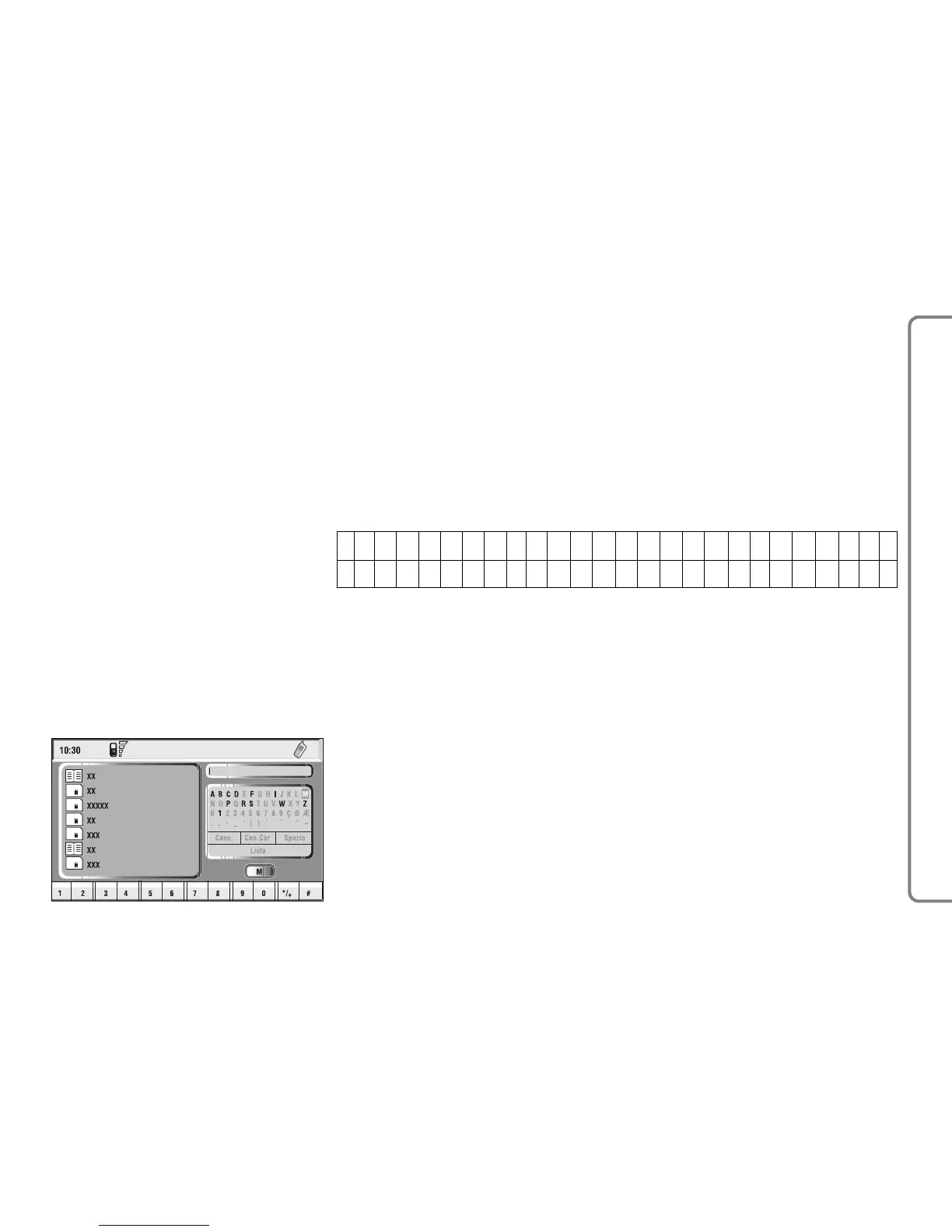
After selecting “List” by rotating and
pressing the knob 15-fig. 1:
– the keypad disappears and an en-
try of the list can be selected fig. 51;
a scrolling lift key appears on the left
when the list is shown and the items
cannot be displayed together, the lift
indicates the focus position in the dis-
played position;
– after selecting the required entry,
press button
ß
3-fig. 1 to start the
call;
ABC D E F GH I J K L M NOP QR S TU VWXYZ
0123456789ÇØÆ. , -_‘ ()´ ` ¨^°~
fig. 50
F0Q3049g
Proceeding with the editing box
composition, as soon as the system
finds an entry present in the data base,
selection moves automatically to the
directory list; press the knob 15-fig.
1 to confirm;
– fast data input: to speed up data in-
put, the system provides immediate
positioning to the bottom and to the
top of the list setting respectively be-
fore and after the last character by ro-
tating the knob 15-fig. 1.



 To Next Page