70
CONNECT NAV+
– pressing the knob 15-fig. 1 takes
to a window with detailed information
about selected name and number.
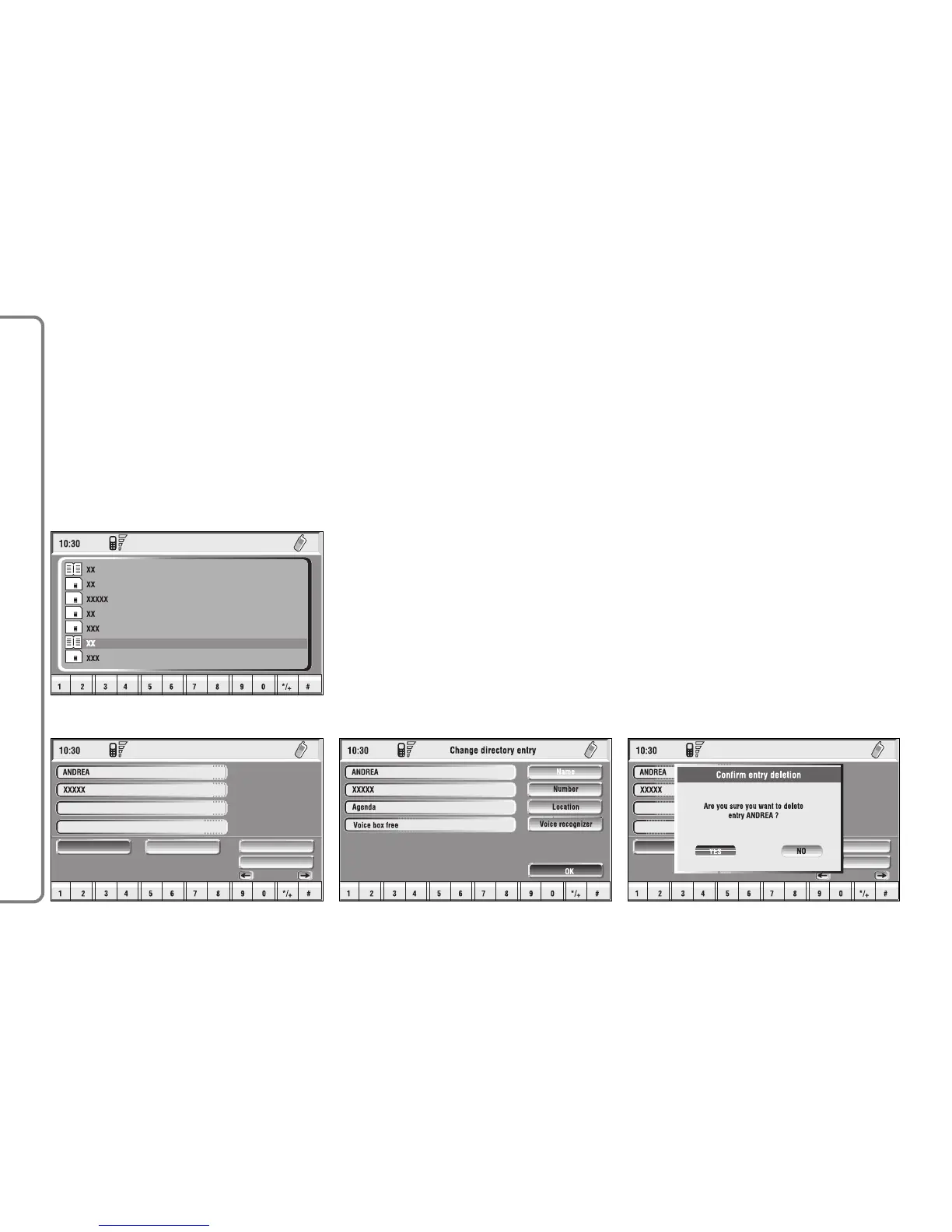
Icons “Call”, “Change”, “Delete” and
“Save in..” are available on the display
fig. 52.
IMPORTANT A SIM card element
cannot be associated to a voice sam-
ple.
“Call”: selecting this icon key by ro-
tating and pressing the knob 15-fig. 1,
starts call to the selected number; the
display goes back to “call in progress”
screen.
“Change”: selecting this icon key by
rotating and pressing the knob 15-fig.
1, it is possible to change the name,
the phone number and the relevant
voice sample. “Location” cannot be
changed fig. 53.
“Delete”: clears off a directory entry.
– rotate the knob 15-fig. 1 to select
“Delete”; a confirmation box with
“YES” -”NO” fig. 54 will come up;
– select “YES” by rotating the knob
15-fig. 1;
– press the knob to confirm; during
deleting operation the display shows
“Please wait …” then goes back to
main directory screen.



 To Next Page