FISCHER Mess- und Regeltechnik GmbH Operation | 5
BA_EN_FT90 37/108
5.1.4 Navigation in the menu tree
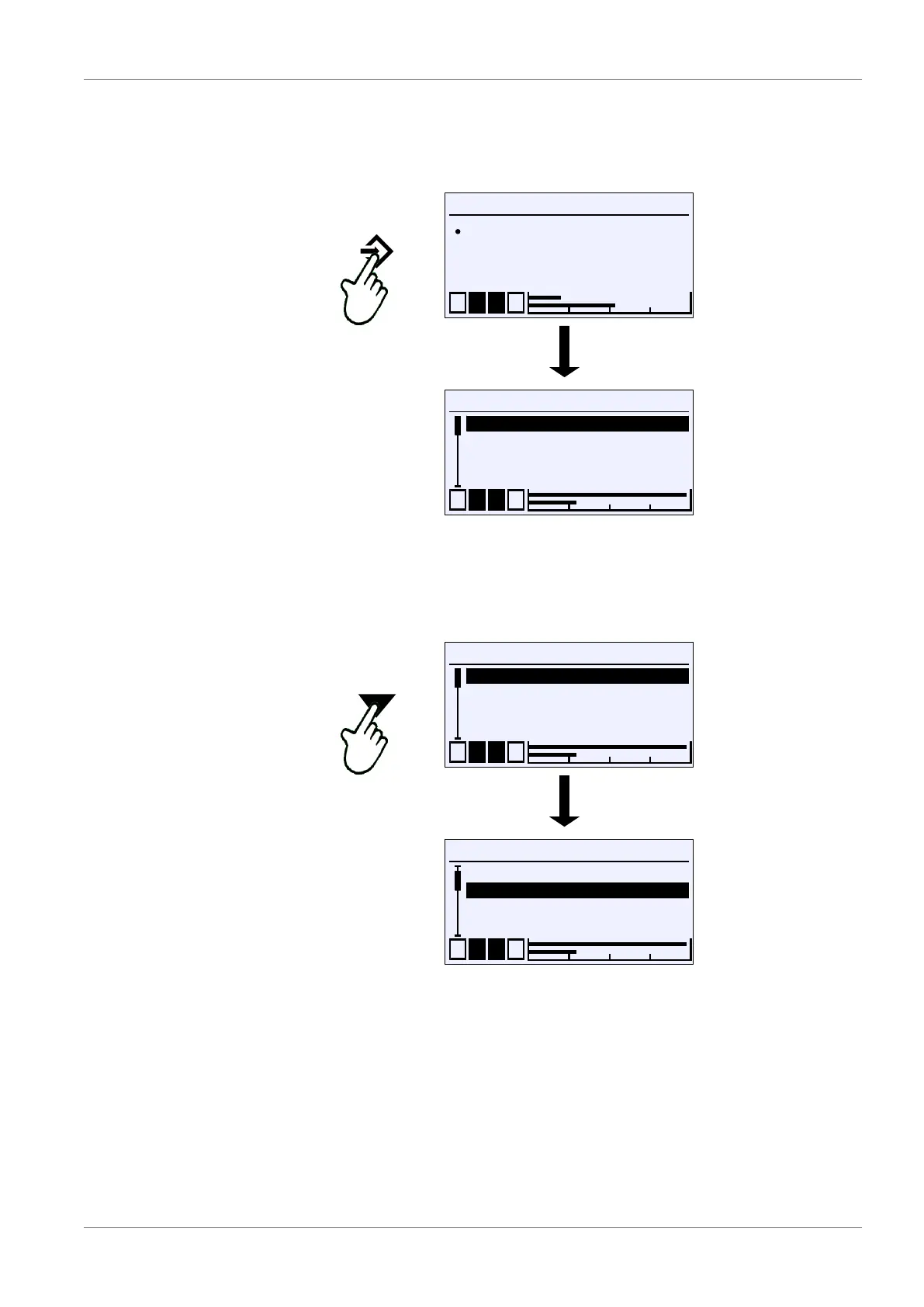
Pressing the button û takes the user from the 'Meas.data display' screen to
the main menu.
Measurement point 1
C1
C2 %rF
Pa21.4
Pa54.6
1 2 3 4
°C
U
\
1 2 3 4
Login
Quick access
Configuration
Info
A
A
A
A
U
Fig.49: Call of main menu (level 0)
The menu has up to five levels. The levels are numbered from 0 to 4. Level 0 is
the main menu. No distinction is made between menus and parameters in the
display. However, a menu can be recognised by the indicator A .
\
1 2 3 4
Login
Quick access
Configuration
Info
A
A
A
A
U
\
1 2 3 4
Login
Quick access
Configuration
Info
A
A
A
A
U
Fig.50: Moving down in the menu (level 0)
The buttons ÿ and þ are used to move the cursor through the menu. The
button û opens the menu and the submenu of the next level appears on the
display.













 To Next Page