FISCHER Mess- und Regeltechnik GmbH Operation | 5
BA_EN_FT90 81/108
5.5.3.2 SP1 function
Path: \Configuration\Switch output\SP1 function
Level: 3
\...\...\SP1 function
1 2 3 4
Normally open
Normally closed
Back
S
E
U
R
Fig.119: SP1 function
The function of this contact is defined with this parameter.
5.5.3.3 Switching function
The function of the individual parameters is explained for all switch points using
Switch point 1 as an example.
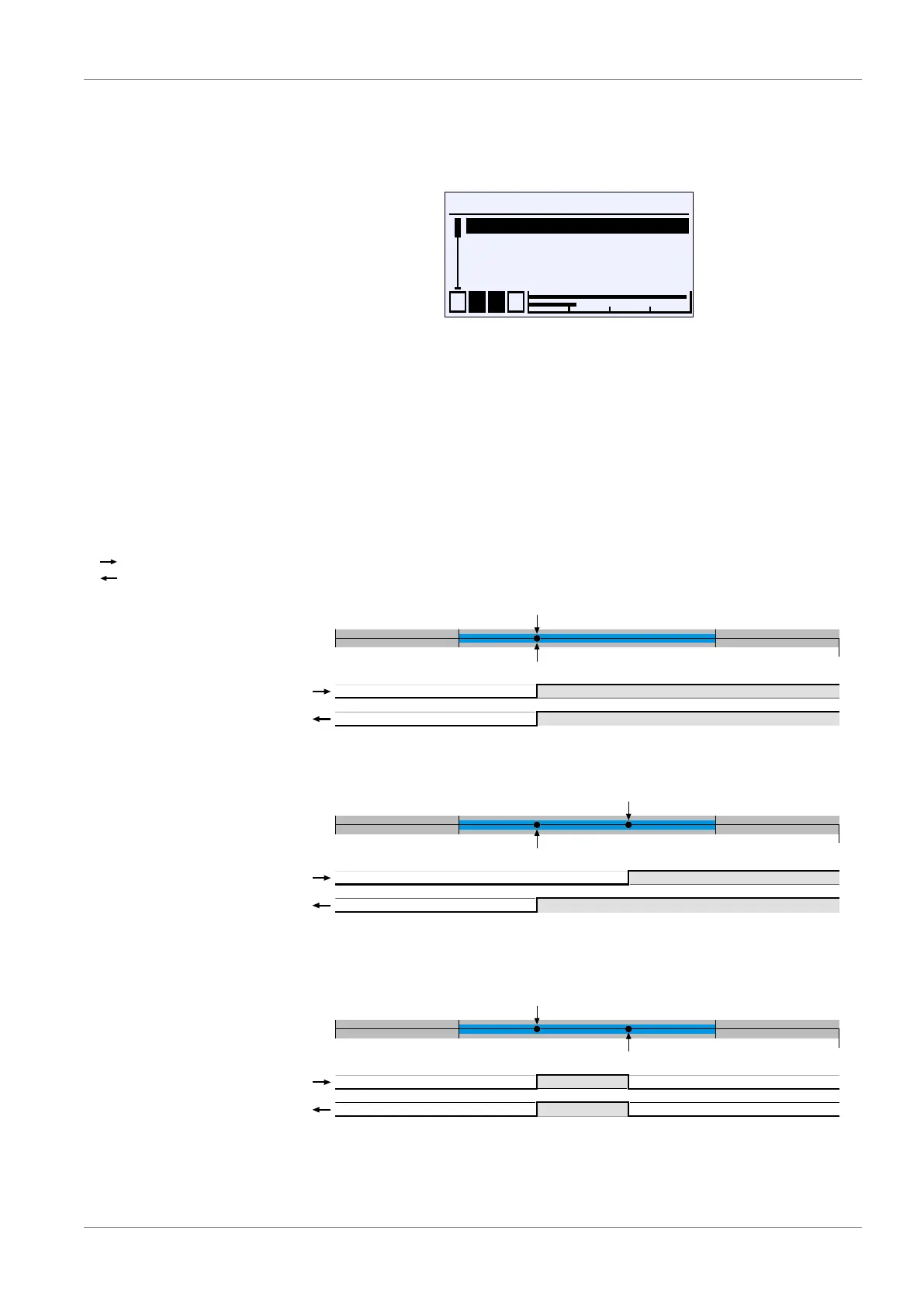
SP1 On defines the activation point, SP1 Off the deactivation point of
switch output 1. The values are shown in the valid unit and set accordingly. The
values are shown in the valid unit and set accordingly. Both parameters can be
set independently over the entire value range.
Increasing input signal
dropping input signal
If the parameter SP1 on = SP1 off , the contact pulls, if the measured
value exceeds the parameter value. If the measured value undercuts the para-
meter value, the contact drops.
If the parameter SP1 on > SP1 off , the contact pulls, if the measured
value exceeds the SP1 on. The contact only drops again if SP1 Off is undercut.
If the parameter SP1 on < SP1 off , the contact pulls, if the measured
value lies between the parameter values:
SP1 on<Measured value<SP1off. Otherwise the contact will drop.
Fig.120: Switch point setting













 To Next Page