FISCHER Mess- und Regeltechnik GmbH Operation | 5
BA_EN_FT90 45/108
5.3.1 Log in / log out
Path:\Login\Log in
Level: 2
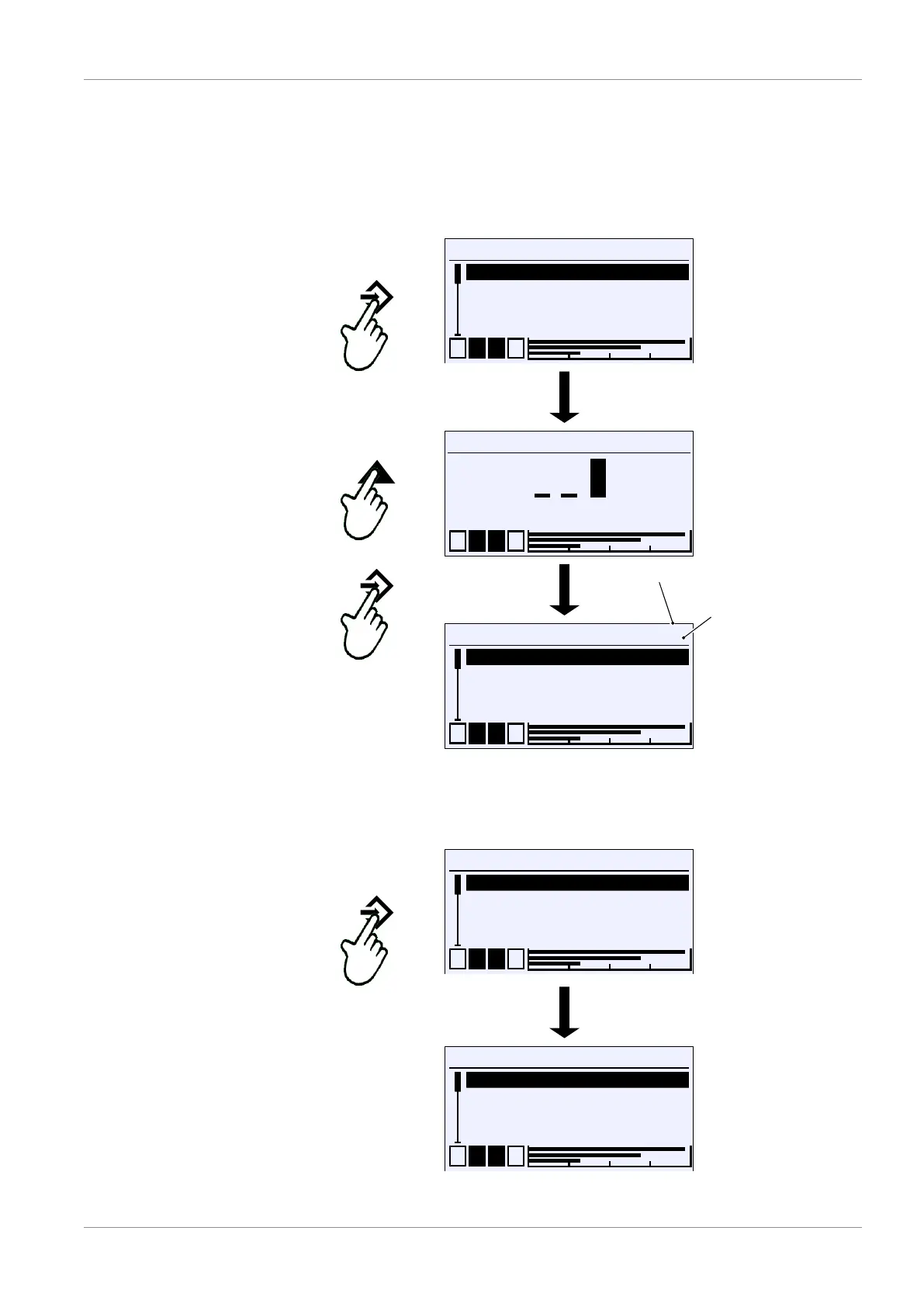
Users log in by entering a numerical value. Once the correct password has
been entered, the menus for which the user in question has access rights are
unlocked.
\Login
Log in
Timeout
Manage users
Reset passwords
L
L
L
1 2 3 4
\Login
Log out
Timeout
Manage users
Reset passwords
A
U
1
1 2 3 4
Symbol:
Logged-in user
User no.
Fig.63: Log in
Users log out by selecting the menu item in question and confirming with the
button û . A key in the top right corner of the display indicates the logged-in
user.
\Login
Log in
Timeout
Manage users
Reset passwords
L
L
L
1 2 3 4
\Login
Log out
Timeout
Manage users
Reset passwords
A
U
1
1 2 3 4
Fig.64: Log out













 To Next Page