FISCHER Mess- und Regeltechnik GmbH Operation | 5
BA_EN_FT90 41/108
Meas.range C1 start
020.000
Pa
-100.000 100.000
2
U
1 2 3 4
Meas.range C1 start
OK CancelEdit
020.000
Pa
U
1 2 3 4
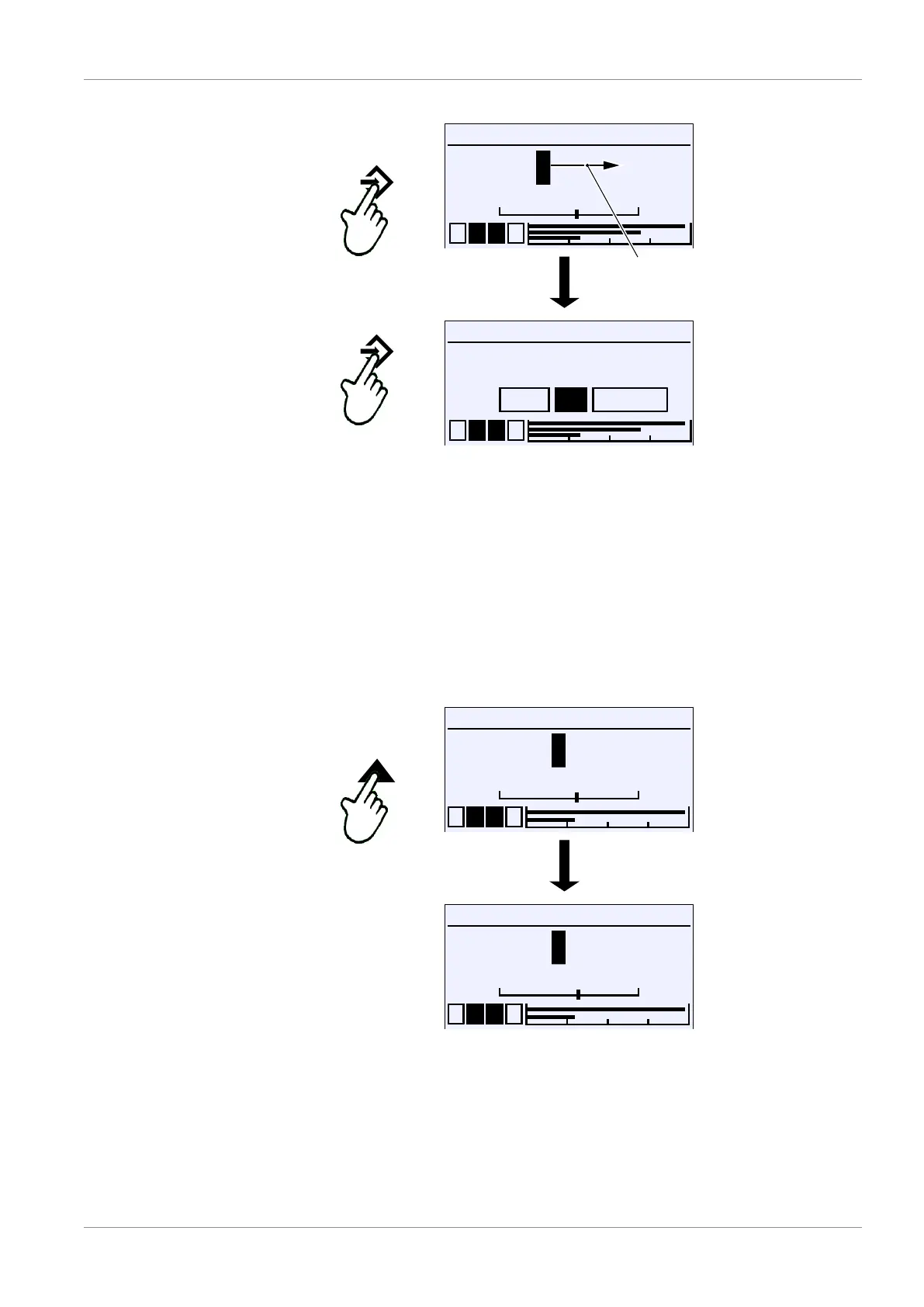
Movement direction of the cursor
Fig.58: Entry of numerical values, 2nd position
A û button repeat automatically returns the user to the action selection. Press-
ing the button again saves the value.
Number overflow
If the number 9 is set for one position and the button þ is pressed again, a
number overflow occurs. In this example, the value is incremented from 29 to
30. Holding the button þ down (repeat) causes the value to increase gradually
like a counter.
Counting takes place in the opposite direction if you press the button ÿ . The
value becomes negative after the zero point is reached.
Meas.range C1 start
1 2 3 4
020.000
Pa
-100.000 100.000
9
U
Meas.range C1 start
1 2 3 4
030.000
Pa
-100.000 100.000
0
U
Fig.59: Number overflow
The value is always incremented from the cursor position. If, for example, the
cursor is on the first decimal place, the digit in that decimal place is incremen-
ted:
29.0 → 29.1 → 29.2 …
However, if the cursor is in the final position, that digit is incremented as follows:
29.000 → 29.001 → 29.002 up to the overflow 29.999 → 30.000 etc.













 To Next Page