Limitorque
®
MX Electronic Actuator FCD LMENIM2306-09-AQ – 08/17
6
Figures
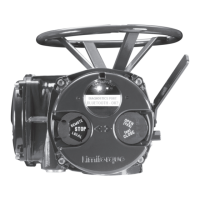
Figure 1.1 – MX-05 Actuator 8
Figure 2.1 – Electrical operation 12
Figure 2.2 – Handwheel operation 13
Figure 3.1 – B4 base 15
Figure 3.2 – B4E base 16
Figure 3.3 – Exploded view of B4/B4E base (MX-05 shown) 16
Figure 3.4 – B1 base 17
Figure 3.5 – Exploded view of B1 base 17
Figure 3.6 – A1 base 17
Figure 3.7 – Exploded view of A1/A1E base (MX-05/10/20/40 only) 18
Figure 3.8 – Exploded view of thrust base (MX-85 only) 20
Figure 3.9 – Exploded view of thrust base (MX-140/MX-150 only) 21
Figure 3.10 – Power terminal connector size limitations 24
Figure 3.11 – Terminal block rating; power terminals 24
Figure 3.12 – Control terminal connector size limitations 24
Figure 3.13 – View of terminal block 26
Figure 3.14 – Standard wiring diagram 26
Figure 3.15 – Removing outer plastic jacket 27
Figure 3.16 – Separating cable parts 27
Figure 3.17 – Stripping conductors and applying heat shrink tubing 28
Figure 3.18 – Ring tongue connectors 28
Figure 3.19 – Terminal block shield 31
Figure 3.20 – User network connection for loop topology/Typical for all two-wire network protocols 32
Figure 3.21– External earth/ground connection – housing 32
Figure 3.22 – View settings 34
Figure 3.23 – Position setup – electrical operation 36
Figure 3.24 – Declutch lever shows direction of engagement (MX-05 shown) 37
Figure 3.25 – Control panel 38
Figure 4.1 – Entering the setup mode 40
Figure 4.2 – Main menu selections 41
Figure 4.3 – Changing settings 41
Figure 4.4 – Password entry 42
Figure 4.5 – New password 43
Figure 4.6 – Torque Switch Timer 44
Figure 4.7 – MX Nameplate 45
Figure 4.8 – Torque setup 45
Figure 4.9 – Electrical operation 47
Figure 4.10 – Handwheel operation 47
Figure 4.11 – Modutronic option 49
Figure 4.12 – Modutronic signals 50
Figure 4.13 – DDC 51
Figure 4.14 – FF 54
Figure 4.15 – Profibus DP 55
Figure 4.16 – Profibus PA 56
Figure 4.17 – DN option 58
Figure 4.18 – HART 59
Figure 4.19 – Status and alarm contacts (Shown with optional boards needed) 62
LMENIM2306-09 AQ.indd 6 Mittwoch23.08.17 08:53







 To Next Page