EasyManua.ls Logo

Fluke 6270A - Service Manual

Fluke 6270A
144 pages
Print Icon
To Next Page IconTo Next Page
Loading...
August 2016 Rev. 1, 6/17
© 2016-2017 Fluke Corporation. All rights reserved. Specifications are subject to change without notice.
All product names are trademarks of their respective companies.
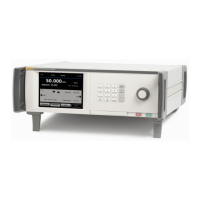
6270A
Pressure Controller/Calibrator
Service Manual

Table of Contents

Other manuals for Fluke 6270A

Questions and Answers

  • G
    Glenn TurnerAug 19, 2025
    What to do if my Fluke 6270A product does not turn on?
    • R
      Randy LambAug 20, 2025
      If your Fluke Test Equipment does not turn on, make sure it is plugged in and that power is available. Check the fuse, and ensure the main power switch is ON. Also, check the fan. If the fan is on or you hear a solenoid click, refer to the 'Display does not turn on' troubleshooting steps. If the fan isn't running, have the power supply serviced and verify internal power connections.
  • J
    Jessica BrockAug 22, 2025
    What to do if the display on my Fluke 6270A Test Equipment does not turn on?
    • C
      Cynthia SotoAug 22, 2025
      If the display on your Fluke Test Equipment isn't turning on, first ensure that the chassis is receiving power. Check if the screen saver is activated and verify power to the front panel. If the power plug to the front panel seems loose, ensure it is properly connected. If ? is yellow, push it to turn on the display. Open the front panel to check if the power plug is connected correctly.
  • D
    Dominic FisherAug 25, 2025
    Why won't my Fluke 6270A Test Equipment enter control mode?
    • B
      Bethany OwensAug 25, 2025
      If your Fluke Test Equipment won't enter control mode, verify that the modules (PCM and 1+ modules) are correctly installed and that the door is closed and properly sensed as closed. Confirm the door status and pressure supply to the PCM. Ensure all PMMs are fully installed according to the Installation and Setup steps. Apply the correct supply pressure and make sure the front panel is closed. Check the internal door-close sensor. Also, the system might be in remote operation mode.
  • M
    Margaret Knox MDAug 26, 2025
    Why does my Fluke 6270A Test Equipment product not reach the target pressure?
    • J
      Jennifer CampbellAug 26, 2025
      If your Fluke Test Equipment isn't reaching the target pressure, verify the pressure supply and perform a leak check. Ensure the test port is leak-tight. If the target pressure is set higher than the highest ranged PMM, install a PMM with the appropriate range. Also, check if the slew rate is set to zero; if so, increase it.
  • C
    Christian BuckAug 28, 2025
    What causes pressure leaks in measure mode on my Fluke 6270A?
    • E
      Edward Evans MDAug 28, 2025
      If your Fluke Test Equipment leaks pressure while in measure mode, it might be due to a lack of supply pressure. Ensure that supply pressure is provided if it is not connected.
  • G
    Gina BaileyAug 29, 2025
    How to fix rear panel drivers not operating on Fluke 6270A?
    • P
      parkeredwardAug 29, 2025
      If the rear panel drivers on your Fluke Test Equipment are not operating, inspect the connection for any looseness. If the maximum power rating has been exceeded, allow the internal fuse to cool and retry. Verify the rating of the external solenoids and limit the current of external solenoids.
  • L
    lynnhicksSep 1, 2025
    What to do if my Fluke Test Equipment does not control down?
    • K
      Keith HallSep 1, 2025
      If your Fluke Test Equipment does not control down, check for a blocked exhaust port and remove any shipping plugs or excessive restrictions. If the setpoint is applied below atmosphere, connect a vacuum pump. Also, ensure that the slew rate is not set to zero; increase it if necessary.
  • M
    margaret53Sep 2, 2025
    Why is there no pressure measurement shown on my Fluke 6270A Test Equipment?
    • T
      Thomas WagnerSep 3, 2025
      If there is no pressure measurement shown on your Fluke Test Equipment, verify that the front panel is closed, the USB connection to the front panel is proper, and the product is correctly installed. Also, ensure that a PMM and a PCM are installed.
  • A
    Alison CollinsSep 4, 2025
    Why is the display on my Fluke Test Equipment showing graphics but no numbers?
    • K
      Kevin CameronSep 5, 2025
      If your Fluke Test Equipment's display shows graphics but no numbers, the USB interface to the front panel might be disconnected. Open the front panel door and check the USB cable connection to the front panel. Reinstall the USB cable connection.
  • H
    Heather McmahonSep 6, 2025
    What to do if my Fluke Test Equipment product will not enter control mode?
    • A
      Amy RobinsonSep 7, 2025
      If your Fluke Test Equipment won't enter control mode, verify that the modules (PCM and at least one additional module) are correctly installed, ensuring the door is closed and properly sensed. Confirm the door status and pressure supply to the PCM. Also ensure that PMMs are fully installed. Apply proper supply pressure. If the internal door-close sensor failed, send the Product to Fluke Calibration for repair. The system may also be in remote operation mode.

Summary

Contact Fluke Calibration

Safety Information

Essential safety warnings and precautions for operating the equipment.

Product Manual Set and Specifications

Specifications

General technical specifications and operating parameters of the 6270A.

Control and Module Specifications

Control Specifications

Detailed specifications for pressure control performance and accuracy.

PM200 Modules

Specifications for various PM200 pressure measurement modules.

PM600 Modules

Specifications for various PM600 pressure measurement modules.

System Interfaces and Protection

Over Pressure Protection

Details on safety mechanisms to prevent over-pressurization.

System Operations and Updates

Software Upgrades

Procedures for updating the mainframe and PCM software.

Maintenance Procedures

Maintenance

Routine procedures to keep the product in optimal condition.

Access the Module Bay

Steps to open the module bay for access to internal components.

PMM and PCM Removal

Instructions for safely removing Pressure Measurement Modules and Control Modules.

Component Servicing

Fuse Replacement

Step-by-step guide for replacing the internal fuse.

Manifold Replacement

Instructions for removing and reinstalling the rear-panel manifolds.

Chassis Component Replacement

Repair and Replacement

General procedures for disassembling and reassembling product parts.

Static Awareness

Precautions and practices to prevent damage from electrostatic discharge.

Valve Maintenance

G- and B-Series Valves

Information on G- and B-Series valves and their associated parts.

Power Supply and Fan Service

Power Supply and Fan

Procedures for servicing the power supply and cooling fan.

Front Panel and Display Assembly Service

Front Panel and Display Assembly

Procedures for removing the front panel and display components.

PCM Component Service

PCM Assembly

Procedures for accessing and servicing the Pressure Control Module.

Replace the Control Valves

Detailed steps for replacing the main control valves within the PCM.

Sensor Calibration and Alignment

PCM Supply, Test, Exhaust Sensor Alignment

Procedure for aligning the PCM's pressure sensors.

Calibrate the Sensors

Step-by-step guide for calibrating the product's pressure sensors.

Calibration and Adjustment Procedures

Required Equipment

Lists all necessary equipment for calibration and adjustment.

Return to Service Recommendations

Return to Service - Safety Validation Recommendations

Essential checks and validation before returning the product to service.

Module Calibration Procedures

Module Calibration

Procedures for calibrating individual modules installed in the chassis or sled.

Troubleshooting and Diagnostics

Troubleshooting

Guidance for diagnosing and resolving common product issues.

Replacement Parts

Screw Torque Specifications

Fluke 6270A Specifications

General IconGeneral
CategoryPressure Controller/Calibrator
Control Stability±0.005% of full scale
Pressure MediaDry, non-corrosive gases
Pressure Unitspsi, bar, kPa, inH2O, mmHg
Power Supply100 to 240 V AC, 50/60 Hz
Battery LifeNot applicable
Storage Temperature-20°C to 60°C
Dimensions432 mm W x 495 mm D

Related product manuals