FRICK QUANTUM CONTROL PANEL
OPERATION
S90-010 O
Page 13
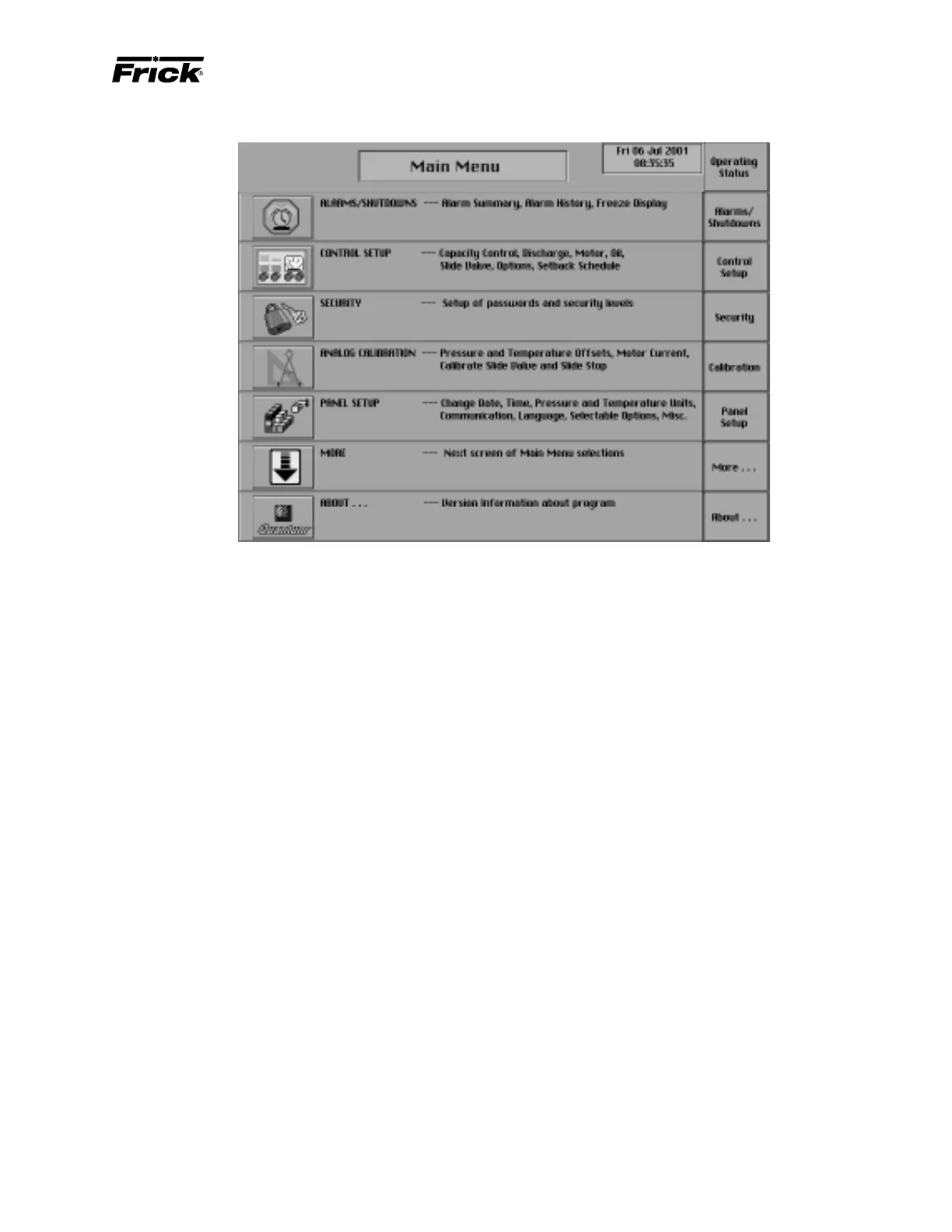
“MAIN MENU” SCREEN
“MAIN MENU” DISPLAY - SCREEN KEY SET
The “Main Menu” screen provides a selection of screen
keys to guide the operator through all the screens. The fol-
lowing are descriptions of each screen selection and a list-
ing of further selections:
[Operating Status] - Shows the “Operating Status” screen.
[Alarms/Shutdowns] - Shows the “Alarms/Shutdowns”
screen which shows in red text the current Failures, and the
Date, and Time of the Failure. The following selections are
available:
• [Clear Alarms]
• Alarms/Shutdowns History Screen
• Freeze Display
• Power Down Display
[Control Setup] - Shows the “Control Setup” menu screen.
The following items are selections:
• Capacity Control Setpoints
• Compressor Safeties Setpoints
• Motor Control
• Oil Setpoints
• Slide Valve Setpoints (If applicable, reference
“Compressor Model Differences”)
• Setback Schedule
• Options Setup
• Auxiliaries 3-8 (If applicable, see Panel Setup)
• Auxiliary Analog Temperatures and Pressures (If
applicable, see Panel Setup)
• Pumpdown/DX Circuit Setup (If applicable, see
Panel Setup)
[Security] - Shows the current security privilege level and if
setpoints are allowed to be changed from the keypad. Se-
curity can be changed on this screen.
[Calibration] - Shows the “Analog calibration” screen. From
this screen the following calibrations can be selected:
• Change Pressure Transducer Ranges and Offsets
• Change Temperature Probe Types, Ranges and
Offsets
• Calibrate Motor Current
• Calibrate Slide Valve and Slide Stop (If applicable,
reference “Compressor Model Differences”)
• Calibrate Remote Control Setpoint (If applicable,
see Panel Setup)
• Calibrate Slide Valve Position (If applicable)
• Calibrate Auxiliary Analog (If applicable, see Panel
Setup)
• Kilowatt Monitor Calibration and Setup (If appli-
cable, see Panel Setup)
[Panel Setup] - Shows the “Panel Setup” screen. This screen
has the following menu items for setup:
• Change Current Time and Date
• Pressure Units
• Temperature Units
• Language
• Change Communications
• Capacity Control Options
• Selectable Options
[About...] - Shows the “About” screen. This display shows
the software version, the sales order number, copyright no-
tification, main board information, analog boards informa-
tion and digital boards information.
[Real Time] - Real Time Trending feature.
[History] - Historical Trending and data logging.
[Service Screen] - This selection shows the “Service
Screen” that provides tools for troubleshooting and setting
up the Quantum.



 To Next Page