FRICK QUANTUM CONTROL PANEL
OPERATION
S90-010 O
Page 47
CONTROL SETUP -
OPTIONS SETUP -
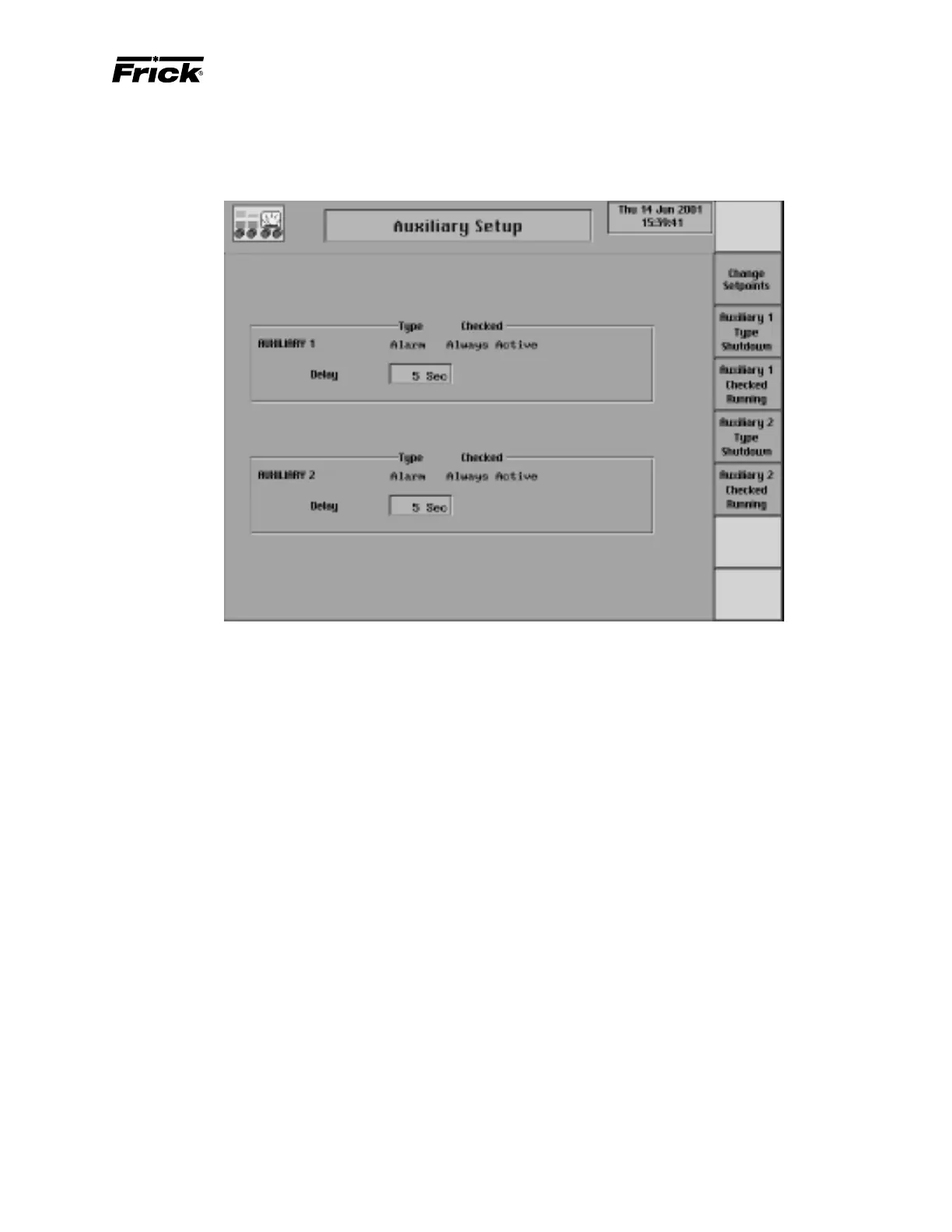
”Auxiliary Setup” SCREEN
This screen is shown if a type of “Auxiliary 1 and 2” control
was selected in Panel Setup. The auxiliary digital input
modules can be selected as an alarm or a shutdown when
the auxiliary input is de-energized. The auxiliary can be
checked either “Always Active” or “When running”. “Always
Active” means that at anytime the input module is de-ener-
gized, the selected type of auxiliary will occur if the module
remains de-energized for the length of the delay period.
“When running” means that only when the compressor is
running and the input module is de-energized, the selected
type of auxiliary will occur if the module remains de-ener-
gized for the length of the delay period.
The following screen keys are used to setup how the auxil-
iary will function:
[Change Setpoints] - Changes the number of seconds
to delay prior to producing either an alarm or a shut-
down.
A toggle key is provided that changes between the follow-
ing types of auxiliary:
[Auxiliary 1 Type Alarm] - If the Auxiliary 1 is presently
a shutdown type of auxiliary this screen key is shown
so that the operator can change the auxiliary to an
alarm type.
[Auxiliary 1 Type Shutdown] - If the Auxiliary 1 is pres-
ently an alarm type of auxiliary, this screen key is shown
so that the operator can change the auxiliary to a shut-
down type.
A toggle key is provided that changes when the auxiliary is
checked:
[Auxiliary 1 Checked Always] - If the Auxiliary 1 input
module is presently checked “When running”, this
screen key is shown so that the operator can change
when it is checked to “Always Active”.
[Auxiliary 1 Checked Running] - If the Auxiliary 1 in-
put module is presently checked “Always Active”, this
screen key is shown so that the operator can change
when it is checked to “When running”.
Note: If an Auxiliary 2 option was also selected, then the
screen keys described above but labeled “Auxiliary 2”
are relevant to setting up the Auxiliary 2 input module.



 To Next Page