FRICK QUANTUM CONTROL PANEL
OPERATION
S90-010 O
Page 51
Low Alarm - If the analog reading is less than or equal to
this setpoint, for the alarm time delay, an alarm occurs.
Low Alarm Delay - The minimum time in seconds that
the analog reading is less than or equal to the analog
alarm setpoint before notification of the alarm.
Low Shutdown - If the analog reading is less than or
equal to this setpoint, for the shutdown time delay, the
compressor will shut down.
Low Shutdown Delay - The minimum time in seconds
that the analog reading is less than or equal to the analog
shutdown setpoint before the compressor will shut down.
The following screen keys are used for each auxiliary ana-
log to setup how the analog reading will be used:
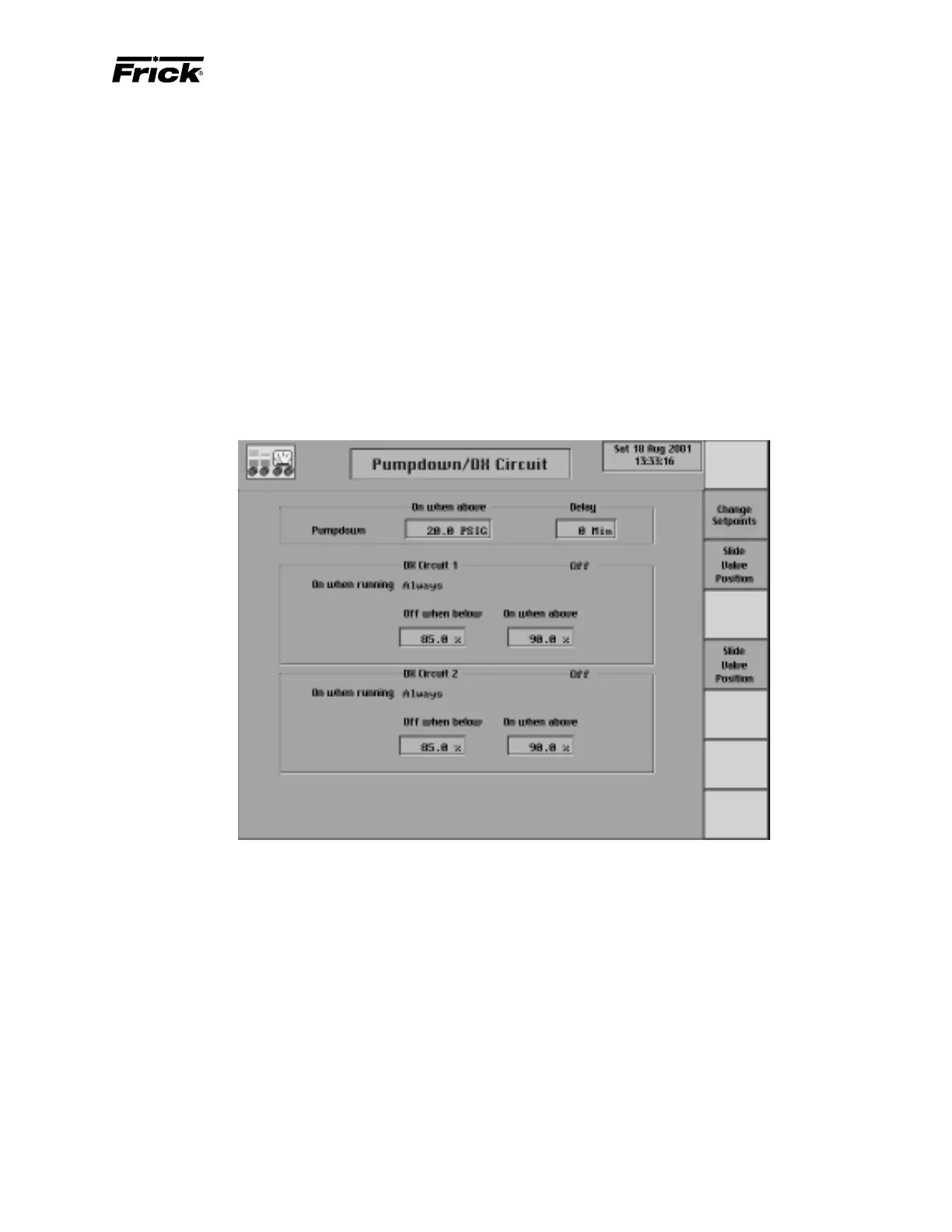
CONTROL SETUP - “PUMPDOWN/DX CIRCUIT SETUP” SCREEN
[Change Setpoints] - Changes the alarm settings and
delay seconds that produce either an alarm or a
shutdown.
A toggle key is provided that changes when the failure is
checked:
[Analog 1 Checked Always] - If the Analog 1 input
module is presently checked “When running”, this
screen key is shown so that the operator can change
when it is checked to “Always Active”.
[Analog 1 Checked Running] - If the Analog 1 input
module is presently checked “Always Active”, this
screen key is shown so that the operator can change
when it is checked to “When running”.
This screen is shown if ”Pumpdown/DX Circuit” control was
enabled in Panel Setup. Pumpdown provides for pumping
down the refrigerant (removal of the refrigerant gas). For ex-
ample, this can be used for removing the refrigerant from a
shell and tube heat exchanger to prevent its standing water
from freezing. When Pumpdown is enabled and the com-
pressor is stopped, the DX circuit’s digital outputs are de-
energized; but the compressor remains running for the delay
period. The time remaining for Pumpdown is displayed on
the “Operating Status” screen in the compressor status box.
When the delay period times out or the Suction Pressure
falls below the “On When Above” setpoint, the compressor is
turned off. To force a compressor that is in Pumpdown to stop,
press the compressor stop screen command key again.
This screen has the following setpoints for Pumpdown:
On when above - After sending the compressor stop
command, if the Suction Pressure reading is above this set-
point, Pumpdown will be invoked. In Pumpdown, the com-
pressor will stay on to continue vaporizing the refrigerant.
Delay - The amount of time in minutes the compressor
will Pumpdown before it is stopped.
This display provides for the setup of the DX (direct expan-
sion) circuits (DX Circuit #1 and DX Circuit #2). The settings
will determine when to turn on and off these digital outputs.
This display shows the current status of the digital outputs.
This screen has the following slide valve setpoints for both
DX Circuits:
Off when below - If the compressor is running and
control was selected as “and at proper Slide Valve po-
sition”, then the DX Circuit output is off if the Slide Valve
is below this setpoint.



 To Next Page