FRICK QUANTUM CONTROL PANEL
OPERATION
S90-010 O
Page 40
Load Falls - If the current reading of the process vari-
able falls to or below the “Stop” setpoint, then the last
compressor in the order of “A”, “B”, “C”, and “D” that is
running will be unloaded to its “Min. Slide Valve Posi-
tion” setpoint, followed by the next running compres-
sor in reverse sequencing. For example, if “A” and “B”
are running, “B” is unloaded to it’s “Min. Slide Valve
Position” setpoint and then “A” is unloaded to it’s “Min.
Slide Valve Position” setpoint.
Only the last two running compressors may unload to
their “Min. Slide Valve Position” setpoint while any other
running compressor will remain loaded. If a running
compressor drops below its “Min. Slide Valve Position”
setpoint, it will be given a load pulse every 15 seconds
to bring it back to the “Min. Slide Valve Position”. If more
than one compressor is running and the compressors
have unloaded to their “Min. Slide Valve Position” set-
point, then the last compressor in the sequence will be
stopped if the “Current Value” is less than the “Stop”
setpoint for the “Stop Delay” time and the compressor
has run for longer than it’s “Min. Run Time” setpoint.
If only one compressor is running, then this compres-
sor may unload completely and stop when the current
reading of the process variable is less than the “Stop”
setpoint.
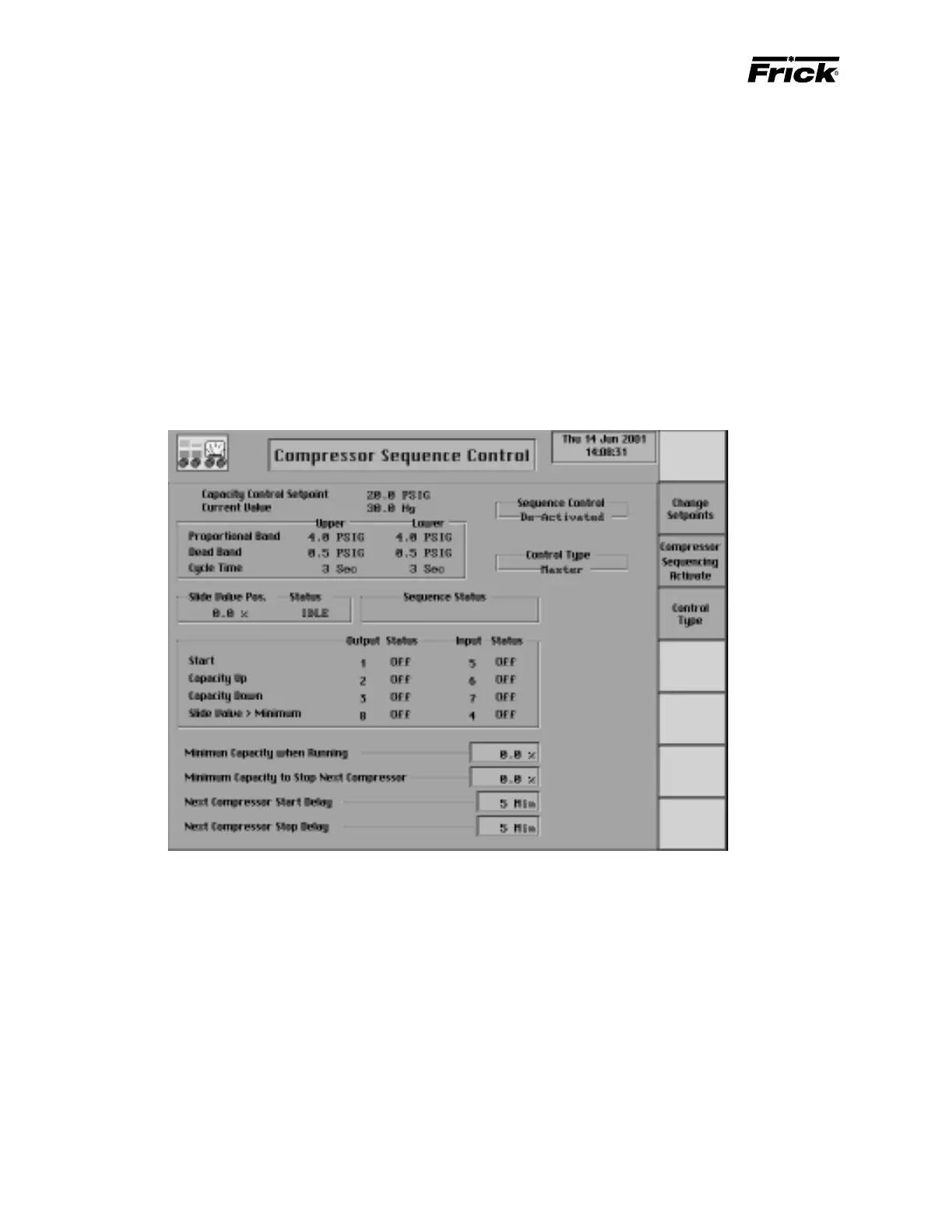
CONTROL SETUP - OPTIONS SETUP -
”Compressor Sequence Control” (MODE 2) SCREEN
This display is shown if the Compressor Sequencing Mode
2 option was selected in Panel Setup. This option is not
applicable for standard Frick products. It is only available
for Gram compressors. Compressor Sequencing setpoints
are based on the suction level that the compressors to be
sequenced are operating on. The compressors must be on
the same suction level because each suction level has its
own settings to maintain. The settings on this display are
used to sequence the compressors when a compressor is
in the remote mode of operation and in remote Slide Valve
mode and not in shutdown. This sequence control is only
used for compressors with a variable Slide Valve. The pan-
els selected for compressor sequence control mode 2 must
be connected via the proper hardware connection.
Compressor Sequence Status
The active capacity control setpoints and Capacity Control
reading are shown here for referencing.
The following data is displayed for this compressor:
• Sequence Control:
• Activated - This compressor is being controlled
from the “Compressor Sequencing Mode 2” con-
trol logic.
• De-Activated - This compressor is not being con-
trolled from the “Compressor Sequencing Mode
2” control logic.



 To Next Page