FRICK QUANTUM CONTROL PANEL
OPERATION
S90-010 O
Page 52
On when above - If the compressor is running and
control was selected as “and at proper Slide Valve po-
sition”, then the DX Circuit output is on if the Slide Valve
is above this setpoint.
A toggle key is provided for each of the outputs to deter-
mine when the output is energized:
[Slide Valve Position] - The Slide Valve setpoints will
be used to turn on and off this digital output, when the
compressor is running.
[Always] - This output will always be turned on when
the compressor is running.
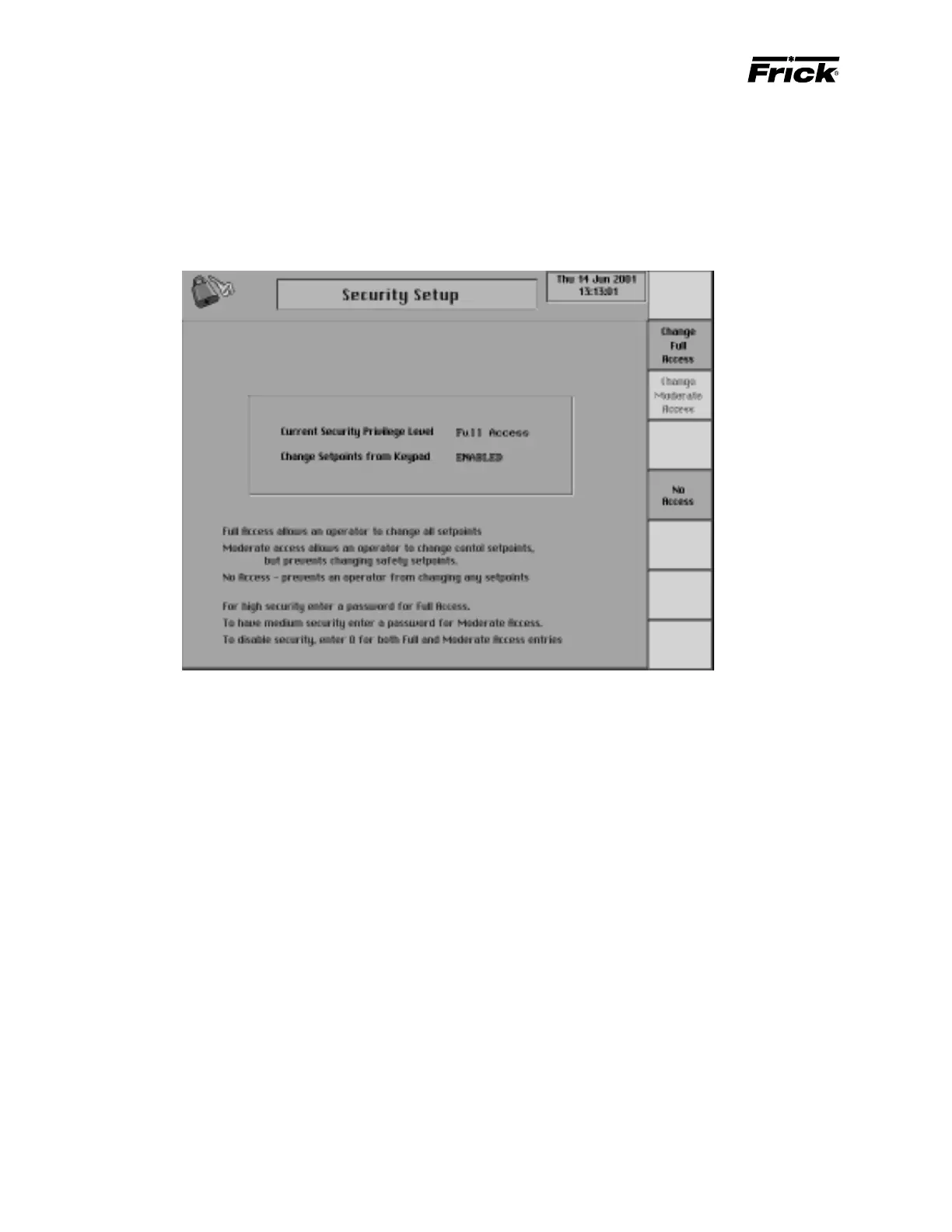
MAIN MENU SELECTION - ”Security Setup” SCREEN
Security can be setup to allow different operators different
access rights to setpoints. If access is presently denied when
an operator selects to [Change Setpoints] then a message
box will appear prompting the operator to enter a password.
If an operator has not changed any setpoint within the last 15
minutes, the access level will change to no access.
Three levels of access rights to changing setpoints are pro-
vided:
1. Full access - allows an operator to change all setpoints.
2. Moderate access - allows an operator to change set-
points, but prevents changing safety setpoints.
3. No access - prevents an operator from changing any
setpoint.
To have full access requiring a password, enter a password
other than zero for the full access entry. To have moderate
access, enter a different password for the moderate access
entry than the full access entry. If an operator does not know an
entered password then they are prevented from changing any
setpoints. To disable security, enter zero for both full and mod-
erate access entries. Disabling security allows any operator to
change all setpoints without entering a password.
The following information about the current security access
is shown:
Current Security Privilege Level:
1. No Access
2. Moderate Access
3. Full Access
Change Setpoints from Keypad:
1. Enabled
2. Disabled
If a password exists, then selecting a screen key will cause a
password entry box to appear. To change a password the
operator must enter their password and accept it (OK) which
will cause another password entry box to appear. It prompts
the operator to enter the password for this access level. Ac-
cepting it will cause another password entry box to appear. It
prompts the operator to reenter the password to verify it. Prop-
erly reentering the password will cause a message box to
appear that says “Pass Number Changed”. Improperly reen-
tering the password will cause a message box to appear that
says “Bad Verify Pass Number Not Changed”.
The following screen keys are used to setup security.
[Change Full Access] - Select this key to change the
full access password. The operator can also enter the
current password to acquire full access privilege with-
out changing the password.
[Change Moderate Access] - Select this key to change
the moderate access password. The operator can also
enter the current password to acquire moderate ac-
cess privilege without changing the password.



 To Next Page