FRICK QUANTUM CONTROL PANEL
OPERATION
S90-010 O
Page 8
sumed to be PSIG, an entry less than or equal to 29.7 will
cause a message box to appear after pressing the [EN-
TER] key. This message prompts the operator to select
the unit of measure. The operator must select either the
[HG] or the [PSIG] key.
COMMON TERMINOLOGY
Shutdown - A critical safety limit has been reached or ex-
ceeded and the compressor has been shutdown.
Alarm - An alarm setpoint has been reached or exceeded.
The compressor will continue to run if running.
Manual - The device is being controlled from direct com-
mands or keys at the local controller.
Auto (Automatic) - The device is being controlled from
setpoints at the local controller.
Remote - The device is being controlled by a remote con-
troller.
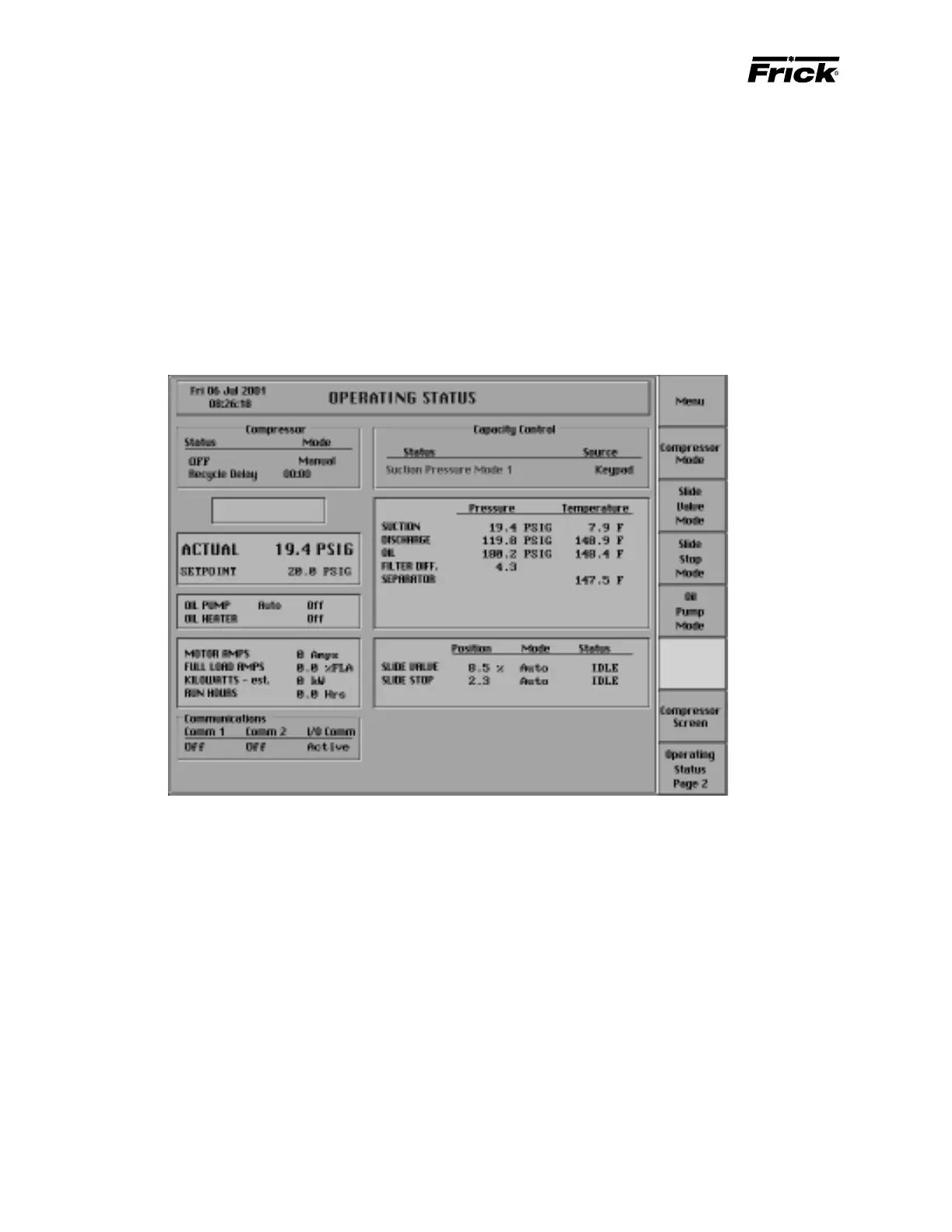
GRAPHIC SCREEN
“OPERATING STATUS” SCREEN
Also called the “Home” screen. The most important infor-
mation about the compressor unit and the subsystems op-
eration is displayed here. This screen is shown when power
is first turned on and when a key is pressed after the screen
saver has turned off the backlight. The “Operating Status”
screen is continuously updated and provides a variety of
information in regard to the current condition and perfor-
mance of the compressor unit and subsystem.
The following information is shown on the left side of this
display:
COMPRESSOR DATA BOX:
Shows the present operating status of the compressor and
from what source it has been initiated:
• Status - One of the following messages is shown:
• Off
• Starting
• Running
• Stopping 00:00
• Mode - One of the following messages is shown:
• Manual - A compressor manual start or stop
command was sent.
• Automatic - The compressor auto command
was sent. The compressor starting and stop-
ping is being controlled from automatic cy-
cling control setpoints at the panel. The auto-
matic cycling control setpoints of the active
capacity control are used.
• Remote - The compressor remote command
was sent. The compressor starting and stop-
ping is through the serial com2 channel.
Note: If there is a shutdown in response to a
safety setting, a compressor in “Remote” or
“Automatic” mode is placed into “Manual” mode
requiring operator intervention.
• Recycle Delay - This message shows the remaining
time in minutes for Recycle Delay. If the compressor
has started and shut down within the recycle time de-



 To Next Page