FRICK QUANTUM CONTROL PANEL
OPERATION
S90-010 O
Page 67
Remote Enable Energized when in – The output for
channel 2, board 2 (Remote Enable) will be ener-
gized when the Compressor Mode has been set for
Remote operation and one of the following parameters
have been selected:
Remote Start and Remote Slide Valve
Remote Start and Remote Slide Valve (4-20 ma)
Remote Start Only
Digital Board 2 Module 1 Configuration –
Ready to run – If the module inserted into this
position is an output module, it will be energized if
the unit is able to be started.
PLC control – If the module inserted into this posi-
tion is an input module, it will be used to deter-
mine PLC Control. If the input signal is lost, the
mode is switched to Automatic. Also the input must
be energized before going into Remote.
Run Hours - The [Change Setpoints] key is provided to
change the number of hours the compressor ran.
Power Assist - This provides for using the Power As-
sist digital output to get hot gas to the check valve
when the compressor is stopped. A key is provided for
Power Assist Setup that further provides a toggle key
that changes between the following selections:
[Enable] - This key is provided if feature is disabled.
[Disable] - This key is provided if feature is enabled.
A [Change Setpoints] key is provided to change
the number of seconds that the power assist out-
put is energized after the compressor is stopped.
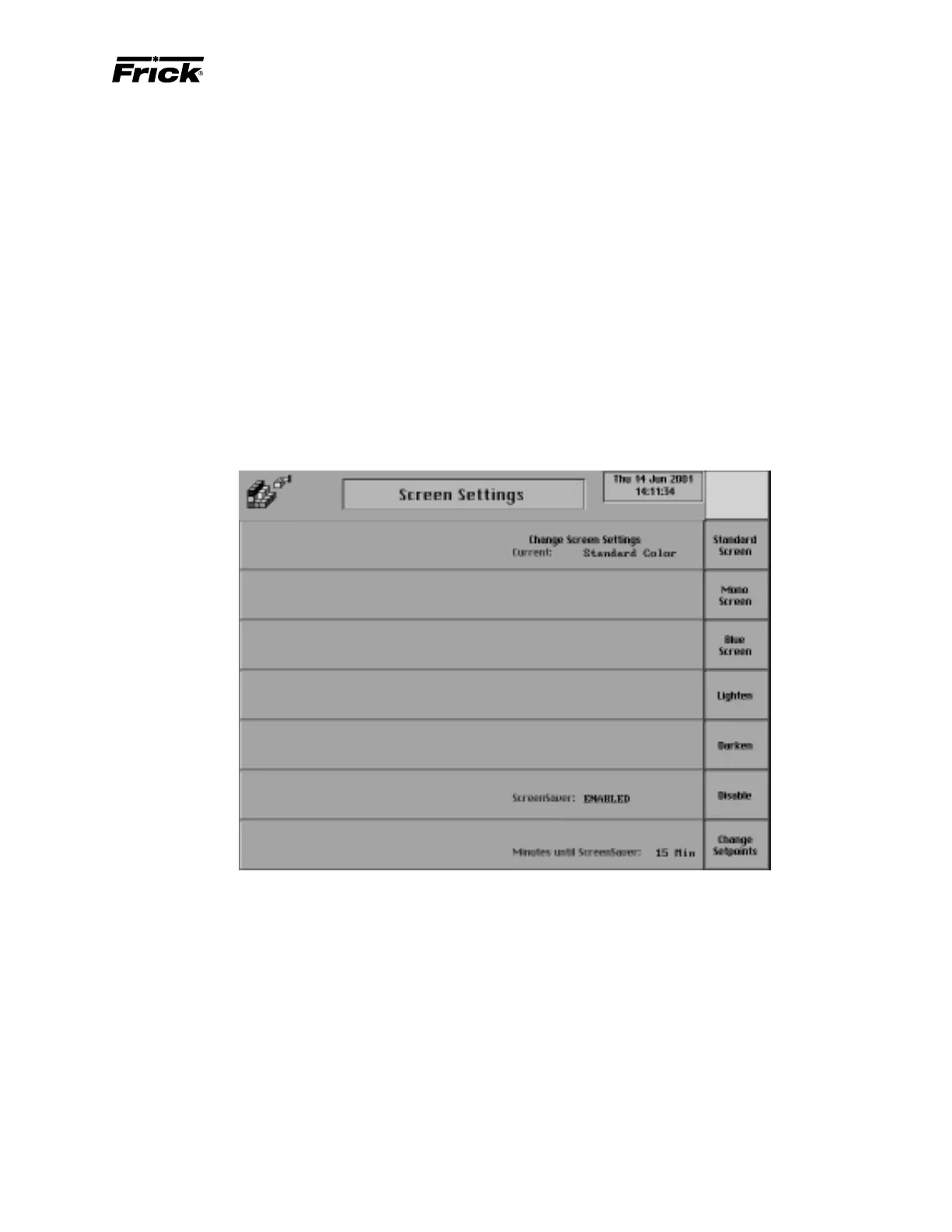
Change Screen Settings
The following key is provided:
[Screen Setup] - Shows a display for changing
the screen settings.
PANEL SETUP - SELECTABLE OPTIONS - “Screen Settings” SCREEN
The other options that can be selected are removed from the
screen and the following selections are provided:
[Standard Screen] - Frick “Blue” screen color is used.
[Mono Screen] - A gray screen color is used.
[Blue Screen]
[Lighten] - The screen color is lightened.
[Darken] - The screen color is darkened.
ScreenSaver - A toggle key is provided:
[Disable] - Disables the screen saver.
[Enable] - Enables the screen saver. When there is no
keypad activity at the panel this screen saver will turn off
the backlight until a key is pressed. The screen saver
increases the life of the backlight.
[Change Setpoints] - Select to change the “Minutes
until screen saver:” setpoint.



 To Next Page