FRICK QUANTUM CONTROL PANEL
OPERATION
S90-010 O
Page 58
table, both depict what is presently selected to be calibrated.
The minimum Slide Valve value represents the furthermost
position the Slide Valve can be unloaded to and is always
set at 0%. The maximum Slide Valve value represents the
furthermost position the Slide Valve can be loaded to and is
always set at 100%. The current reading is the reading that
changes when increasing or decreasing the Slide Valve.
An invalid current reading is indicative of the need to cali-
brate. The volts reading corresponds to the metered volt-
age that is measured when the Slide Valve is at the dis-
played position. The screen keys are positioned in the or-
der they should be used. The following keys are provided:
[Decrease Slide Stop] - The initial selection of this key
will cause the Slide Stop to continuously decrease. Se-
lecting this key again will stop the Slide Stop at the cur-
rent position. For proper calibration of the slide valve,
the Slide Stop should be decreased to the minimum
point.
[Unload Slide Valve] - The initial selection of this key
will cause the slide valve to continuously unload. Se-
lecting this key again will stop the Slide Valve at the
current position.
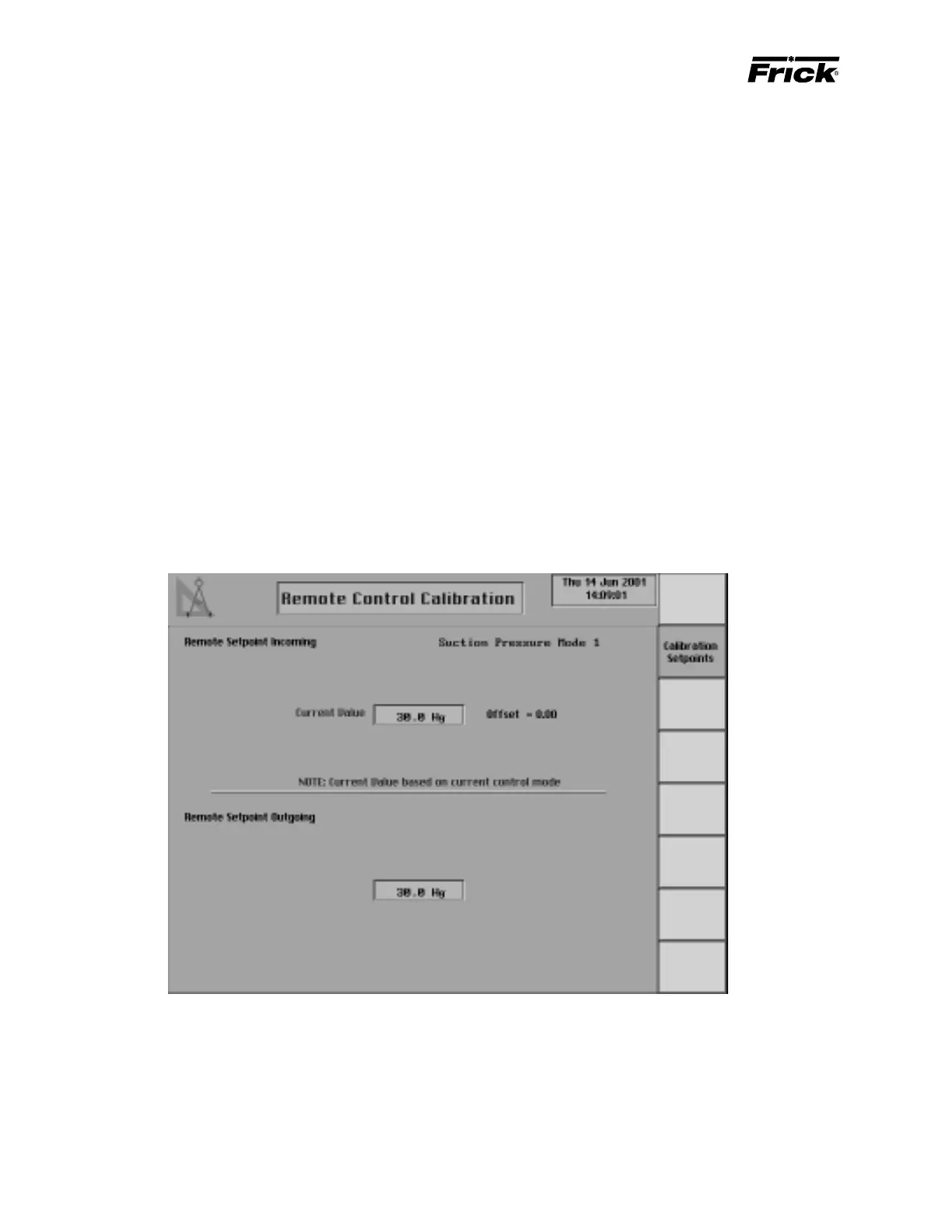
ANALOG CALIBRATION -
”CALIBRATE REMOTE CONTROL SETPOINT” SCREEN
[Set Minimum Point] - This key should be selected
when the Slide Valve is at the furthermost unload posi-
tion. The minimum Slide Valve value of 0% will then be
set as the current Slide Valve value.
[Load Slide Valve] - The initial selection of this key will
cause the Slide Valve to continuously load. Selecting
this key again will stop the Slide Valve at the current
position.
[Set Maximum Point] - This key should be selected
when the Slide Valve is at the furthermost load position.
The maximum Slide Valve value of 100% will then be
set as the current Slide Valve value.
[Slide Stop Calibration] - Shows the Slide Stop cali-
bration display.
Note: If a force unload or a stop load condition is present
as shown on the “Operating Status” screen, this will in-
terfere with the proper calibration.
This shows if the “Remote Control Setpoint” was enabled in Panel
Setup. This screen is used to calibrate the analog signal of the
Remote Control Setpoint input and the Remote Control Setpoint
output. The “Remote Setpoint Incoming” is used to calibrate the
analog signal of the Remote Control Setpoint input. Enabling [Re-
mote Setpoint] from the from the Selectable Options on the
“Panel Setup” screen, selects the “Remote Setpoint Incoming” as
the Capacity Control setpoint. The active Capacity Control mode is
shown because the current value is based on this control value. The
“Remote Setpoint Outgoing” is used to calibrate the analog signal of
the Remote Control Setpoint output. The “Remote Setpoint Outgo-
ing” is the corresponding calibrated output signal of the current
active Capacity Control setpoint.



 To Next Page