80
24 Interface settings
24.1 LCD backlight settings
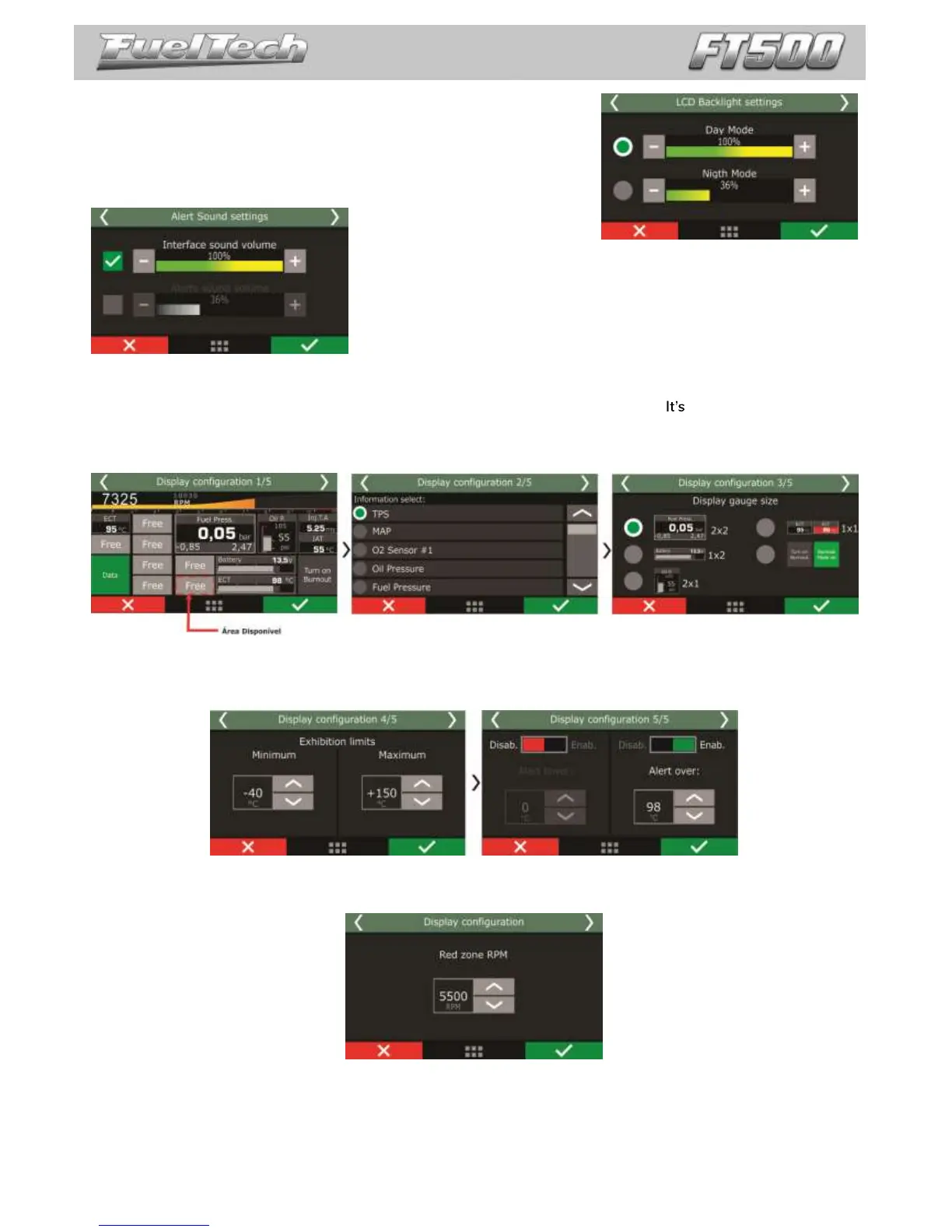
Adjust LCD brightness and select between night and day modes.
24.2 Alert sound settings
This parameter allows for the setting the volume of sounds generated
by touching the display. When the mute option is selected, the ECU is silent
when the screen is touched.
24.3 Dashboard setup
There are 24 configurable positions on the dashboard, with minimal size of 1x1. possible to select sizes as
1x2, 2x1 and 2x2.
First, select the position where you want the information to be, then the reading that will be displayed and the
reading size.
Exhibition limits and alerts
On some sensors, maximum and minimum values may be set up to activate alerts on the dashboard. In this case,
the sensor changes his color to indicate something is wrong.
RPM bar
When clicking the RPM bar parameter, it is possible to setup the RPM where the red zone starts.


 To Next Page