82
24.7 Measurement units
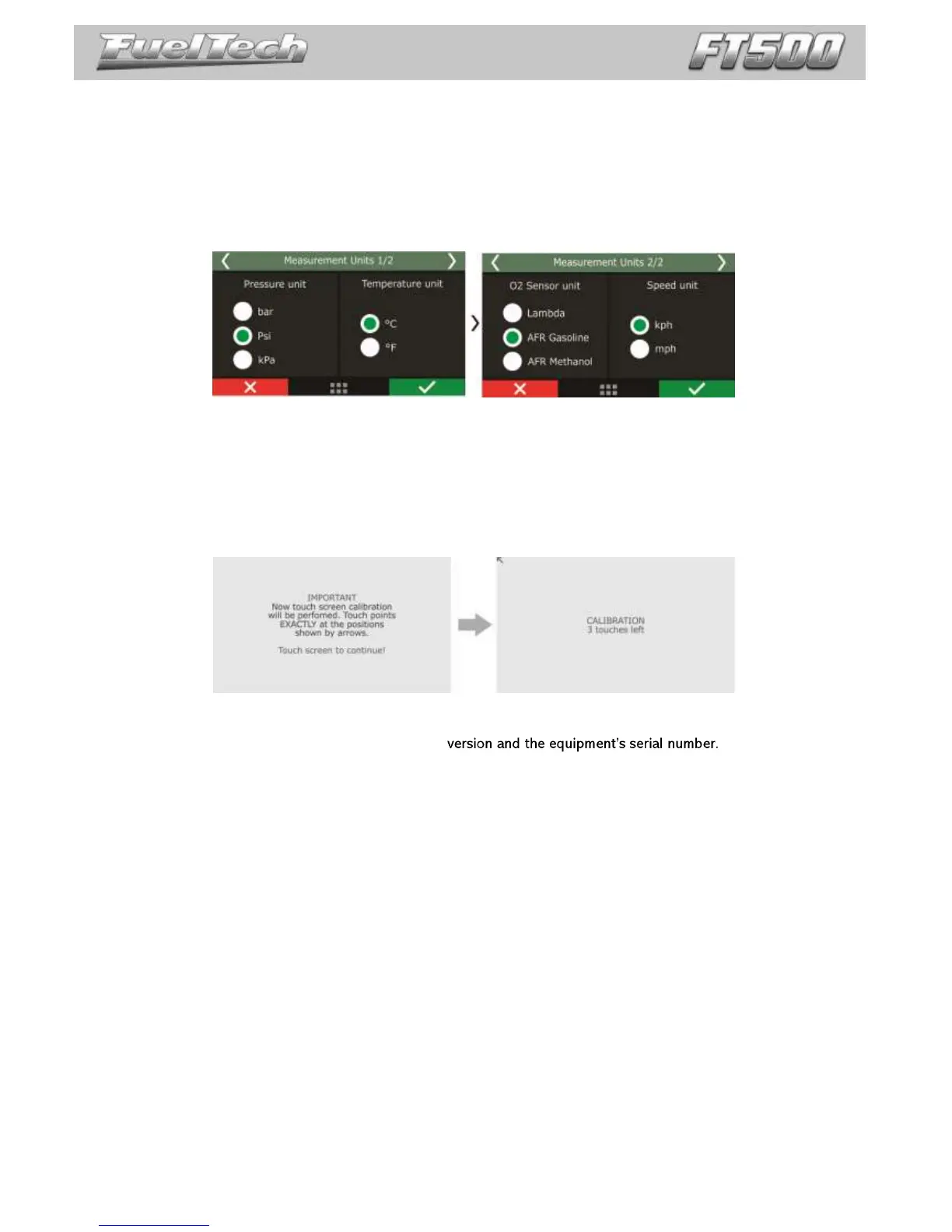
In this menu it is possible to change the measurement unit for some parameters as pressure, temperature, speed
and O2 readings.
Pressure units: bar, PSI or kPa;
Temperature units: °C or °F;
O2 sensor units: Lambda, AFR Gasoline or AFR Methanol;
Speed units: km/h or mph.
24.8 Demonstration mode
The demonstration mode can be enabled to show the main features of FuelTech FT500 and its working. You can
set the waiting time to get in the demo mode. To exit, just touch the screen.
24.9 Touchscreen calibration
This function allows the touchscreen recalibration, use it whenever you notice the screen is unresponsive.
Calibrate the screen with you finger or with a pen.
24.10 Serial number and software version
In this menu, it is possible to verify the software
Make sure you have these numbers in hand whenever the FuelTech Technical Support is contacted to facilitate
and optimize the assistance.


 To Next Page