Installing the ETERNUS CS800 Components Installing the CS800 System in the Rac
U41842-J-Z125-1-76 47
Dokuschablonen qua19x24 Version 1.1us für FrameMaker V7.x vom 25.03.2010 © cognitas GmbH 2001-2010
1. April 2010 Stand 11:05.09 Pfad: G:\allgemein\CS800\1000500_FTS-Doku\1000502_GettingStartedGuide\GettingStarted.k06
Installation of the RX300 S5 Server in PRIMECENTER/DataCenter Rack
For installation in a PRIMECENTER/DataCenter rack, the following parts are required:
● Support bracket
● One support system on the left and one on the right
I
General information is provided in the Technical Manual for the PRIMECENTER
and/or DataCenter Rack.
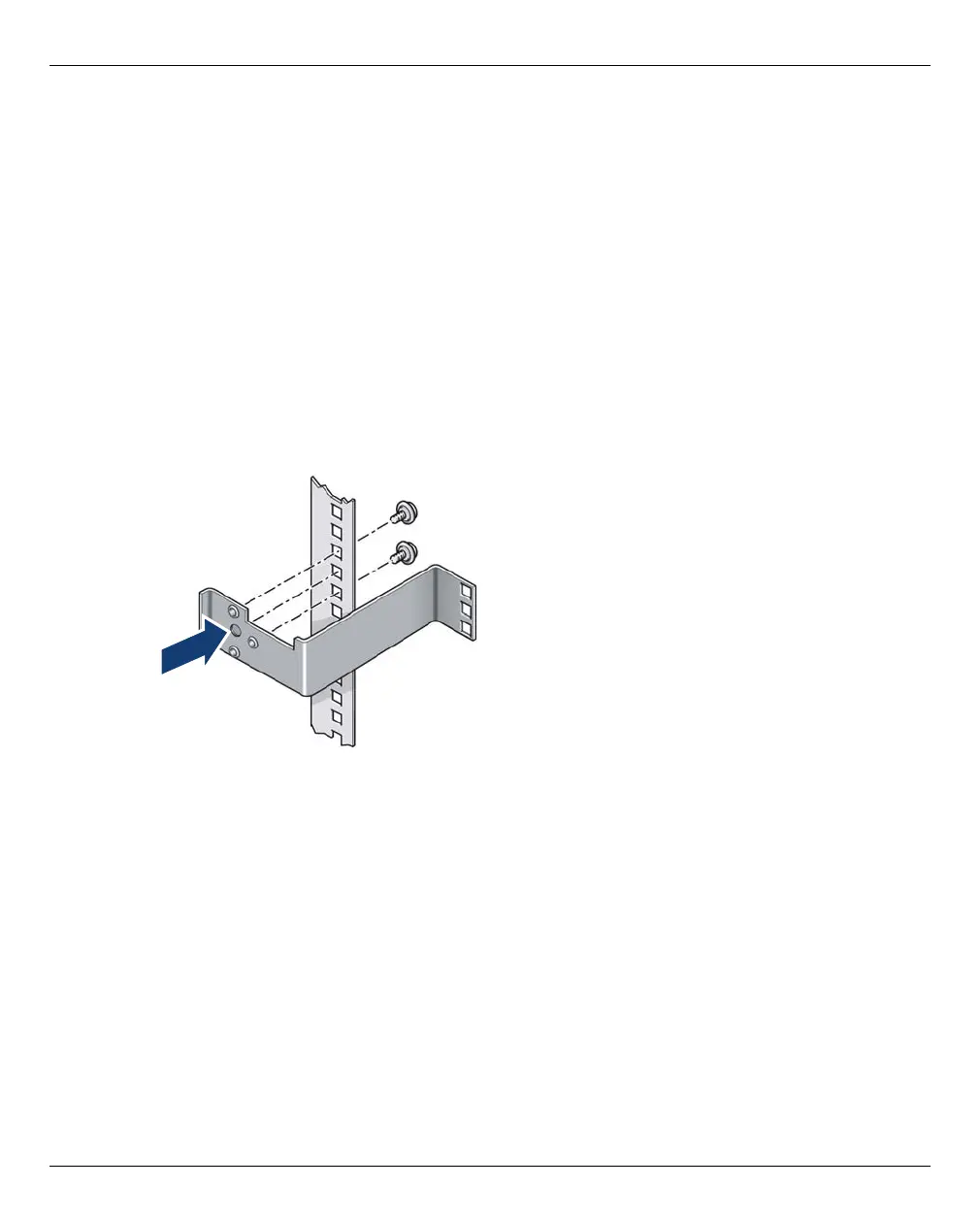
Fitting the Support Bracket
When mounting the left telescopic rail in the PRIMECENTER/DataCenter Rack, the
supplied support bracket must first be mounted on the rear left support upright flush with
the bottom edge of the device.
Figure 22: Fitting the support bracket
Position the support bracket at the corresponding height on the rear left support upright,
(place knob in the corresponding hole and secure it as described in the Technical Manual
for the rack in question.



 To Next Page
 Loading...










