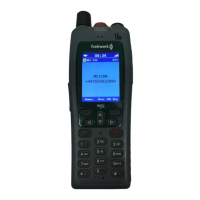
FC4 / FC4 Ex (HS) connected with Mobility Server
102
GB
Annex
Menu structure
Idle display
From the idle display, the [Menu] softkey brings you to (1)
(1) Main menu:
Continue with a [coloured key] to (2), (3), (4) or (5)
Main menu entries
(2) Call lists:
Continue with a [coloured key] to (6), (7), (4), (8) or (9)
(3) Message lists:
Continue with a [coloured key] to (10) or (11)
(4) Missed calls:
Select a name entry with the selector key [Up arrow] or [Down
arrow]. Continue with [Options] and the selector key [Up arrow] or
[Down arrow] to (22), (24), (25) or (27).
(5) Setup:
Continue with a [coloured key] to (18) bis (21)
Entries of call list menu
(6) Phonebook:
Using the first character of the name or using the selector key [Up
arrow] or [Down arrow], select a name entry. Continue with [OK].
Using [Options] and the selector key [Up arrow] or [Down arrow],
select one of the functions (22), (23), (24), (25) or (26). Go to the
selected function with [OK].
(7) Redial:
Select a name entry using the selector key [Up arrow] or [Down
arrow]. Using [Options] and the selector key [Up arrow] or [Down
arrow], select one of the functions (22), (24), (25) or (27). Go to the
selected function with [OK].
(8) Missed calls:
Select a name entry using the selector key [Up arrow] or [Down
arrow]. Using [Options] and the selector key [Up arrow] or [Down



 To Next Page