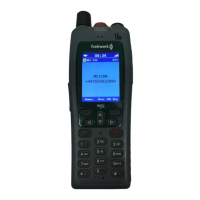
FC4 / FC4 Ex (HS) connected with Mobility Server
36
GB
Phone calls as usual
You can make phone calls with your handset as you are used to from other
phones in your telephone system.
Within the telephone system (internally): Dial the direct extension of the
person you wish to call.
Outside of the telephone system (externally): First dial the exchange dial
number (frequently zero) and then the calling number of the person you
wish to call.
Calling (block dialling)
1
2
A B C
7
P Q R S
6
M N O
dial the calling number, e.g. 1276
Answer (go off-hook). The dialling process starts.
Alternative: Hook off first, then dial the calling number.
Calling from the phonebook
Call up the main menu [Menu] with the right softkey.
4
G H I
4
G H I
4
G H I
4
G H I
Press the green number key four times
(Menu > Call lists > Select Phonebook and call it up)
O K
or
O K
Scroll through the list with the Up and Down arrows of the
selector key and select any list entry for dialling.
Have the complete phonebook entry displayed first, using the right
softkey [OK]. Now …
O K
or
O K
Select the first or the second calling number for dialling using
the Up or Down arrow of the selector key if a second calling number
is available.
Open the list of options with the right softkey [Options].
(Highlight the ‘Call’ item if needed with
O K
or
O K
.)



 To Next Page