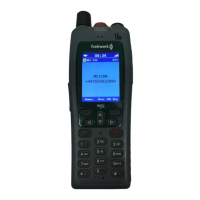
FC4 / FC4 Ex (HS) connected with Mobility Server
33
GB
1
The variable basic setting of the earpiece level will not influence the
basic setting of the loudspeaker during handsfree talking.
Basic rules for operation
Deactivating the key lock
Bei eingeschalteter Tastatursperre weist der Text [Freigabe] in der Fuß-
zeile über dem rechten Softkey auf diese Sperre hin. When the key lock is
activated, the [Unlock] text in the footer line above the right softkey points
to that lock.
Ü
Deactivating the key lock: Press the right softkey [Unlock] and
the [Star] key one after another. A suitable text in the status line will assist
you in the operation.
Automatic keyboard lock
At Menu > Setup > Security > Key lock, you may set up an automatic,
time-controlled keyboard lock.
6 1 2
The automatic keyboard lock locks the keyboard when no call and
no operation have occurred on the handset during the selected
period. Activating the keyboard lock manually is still possible.
Deactivating the keyboard lock does not require the PIN!
Unlocking a locked handset
When your handset was locked by way of Menu > Setup > Security >
Handset lock, only the emergency call release will work provided that an
emergency number has been set up.
When pressing any other key, the following information appears in the
status line: «HS (handset) locked, enter PIN». At the same time, the PIN
number entry field opens.
Enter the current PIN and confirm the entry by pressing the right softkey
[OK]. The handset is unlocked again.
Changing the earpiece volume temporarily during a conversation
The basic
1
earpiece volume setting can be changed from level 1 (soft) to
level 8 (loud) as described in section ‘Phone settings > Audio settings >
Earpiece volume’.



 To Next Page