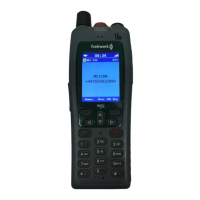
FC4 / FC4 Ex (HS) connected with Mobility Server
98
GB
Charging the battery in the FC4 Ex handset
Put the FC4 Ex handset into the Desktop Charger DC4 Professional. You
hear a confirmation tone provided this feature has been activated in the
“Phone settings > Audio settings > Tones > In charger”. The keyboard
illumination lights up for a short time provided this feature has been
activated in the “Phone settings > Display > Illumination > Keyboard”.
The handset switches itself on when it has been switched off before being
placed in the charger.
The battery symbol in the symbol line will be moving until the battery is
fully charged. The batteries heat up slightly during the charging process.
This is quite normal.
As soon as the battery is fully charged, charge retention starts. A fully
charged battery is indicated by a green ”Battery charged” symbol with a
flashing frame.
Charging the spare battery
An open bay intended for charging a spare battery is provided on the rear of
the Desktop Charger DC4 Professional. Put a battery with the contact faces
facing downwards and the locking screw bore facing the outside into the bay
and push it gently against the contact springs in the bay. As soon as the
contact is provided and charging starts, the LED at the bottom front of the
charger lights up red. When the battery is fully charged, the LED colour
changes from red to green. The LED goes out after removing the battery.
Information on battery use
After installing a battery, place the handset into the charger until the
battery symbol lights up green. The battery is now fully charged.
You may as well leave the handset in the charger for a longer period. The
battery charging management changes over from normal charging to
charge retention as soon as the battery is fully charged and thus prevents
harmful overcharging.
When the handset is not to signal any calls while being placed in the
charger, you must activate the “Silent charging” function (Menu > Settings
> Phone settings > Phone behaviour > Silent charging).
Leave neither the handset nor the battery in the blazing sun as high
temperatures shorten the battery’s service life.
FC4 Ex (HS) – Putting into operation



 To Next Page