7. OTHER FUNCTIONS
7-8
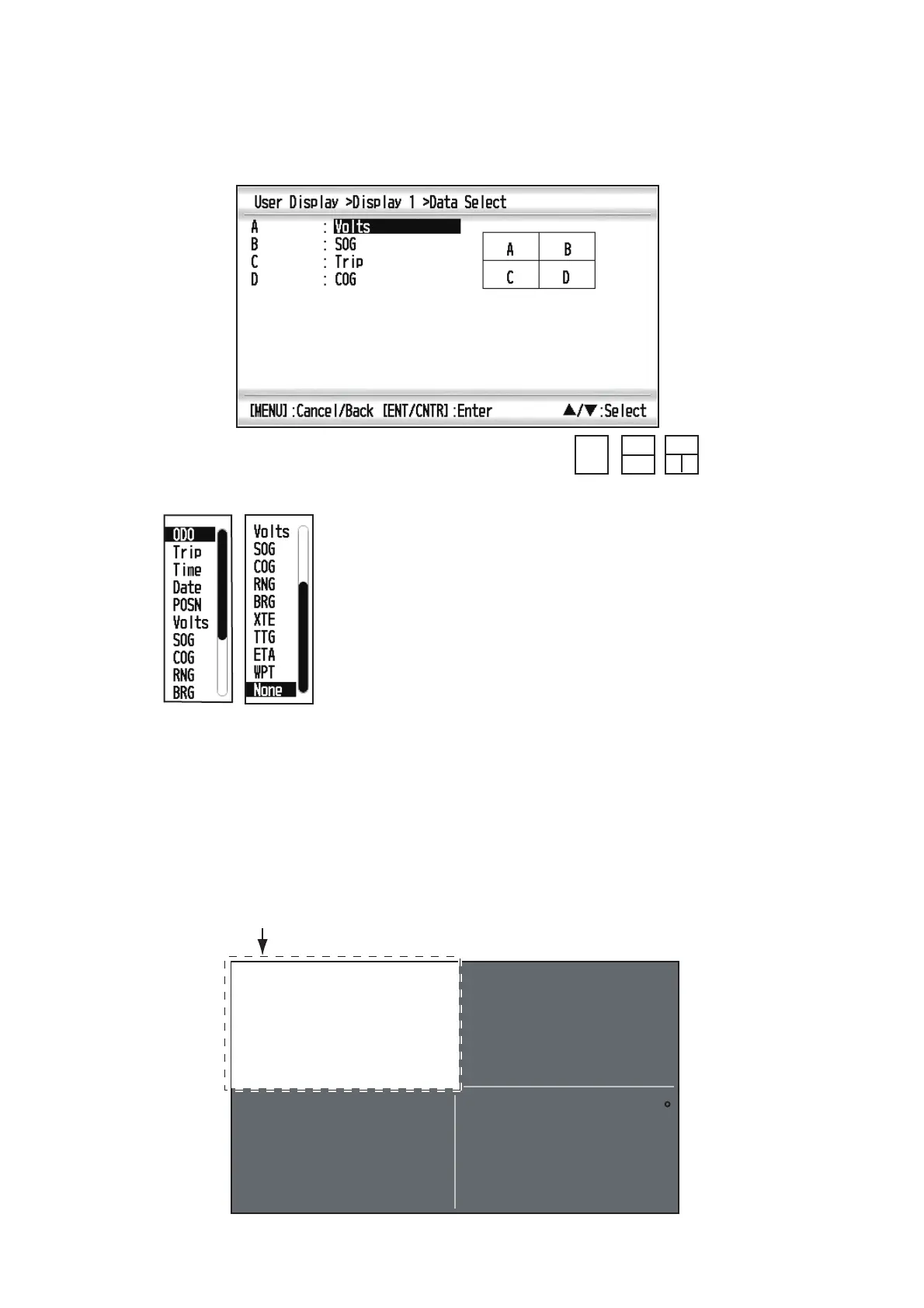
2. Select the screen division, which is the number of data to display, and press the
ENT/CNTR key.
The display now looks something like the one shown below, showing data choices
and screen division selected.
3. Select [A], [B], [C] or [D], and press the ENT/CNTR key.
4. Select data desired, and press the ENT/CNTR key.
5. Repeat steps 3 and 4 to set other data.
You can select digital data also from the User display 1 (display [6]) and 2 ([7]) directly.
1. Press the DISP key several times to show User display 1 or 2 desired, and press
the ENT/CNTR key to show the cursor.
*
: Depending on the selection at step 2.
A
A
B
A
B
C
*
㪧㪸㪾㪼㩷㪈
㪧㪸㪾㪼㩷㪉
ODO: Odometer distance
Trip: Trip distance
Time: Time
Date: Date
POSN: Position
Volts: Power voltage
SOG: Speed over ground
COG: Course over ground
RNG: Range
BRG: Bearing
XTE: Cross-track error
TTG: Time to go
(to destination)
ETA: Estimated time to
arrival (to destination)
WPT: Range and bearing
to waypoint
None: No display
15.8
Cursor (displayed approx. seven seconds)
23.9
Volts
(V)
SOG
(kn)
300
COG
M( )
100.0
Trip
(nm)



 To Next Page