Title Installing the Fist Mic and Mount
Identifier GUID-BB9F60B9-1549-4A0D-9DCE-9CFD26EACB5A
Language EN-US
Description
Version 1
Revision 16
Changes
Status Released
Last Modified 04/12/2020 16:05:33
Author hizerdanielle
Installing the Fist Microphone and Mount
Before you can attach the fist microphone mount to your dashboard, you must select a suitable location on the
dashboard.
WARNING
It is your responsibility to ensure the mounting location complies with all applicable laws and ordinances, and
does not block your view of the road during the safe operation of your vehicle.
NOTICE
Avoid wires, gauges, air bags, air bag covers, HVAC, and other items when drilling pilot holes and attaching the
mount to the vehicle. Garmin is not responsible for any damages or consequences arising from the installation.
NOTE: This feature is not available on all product models.
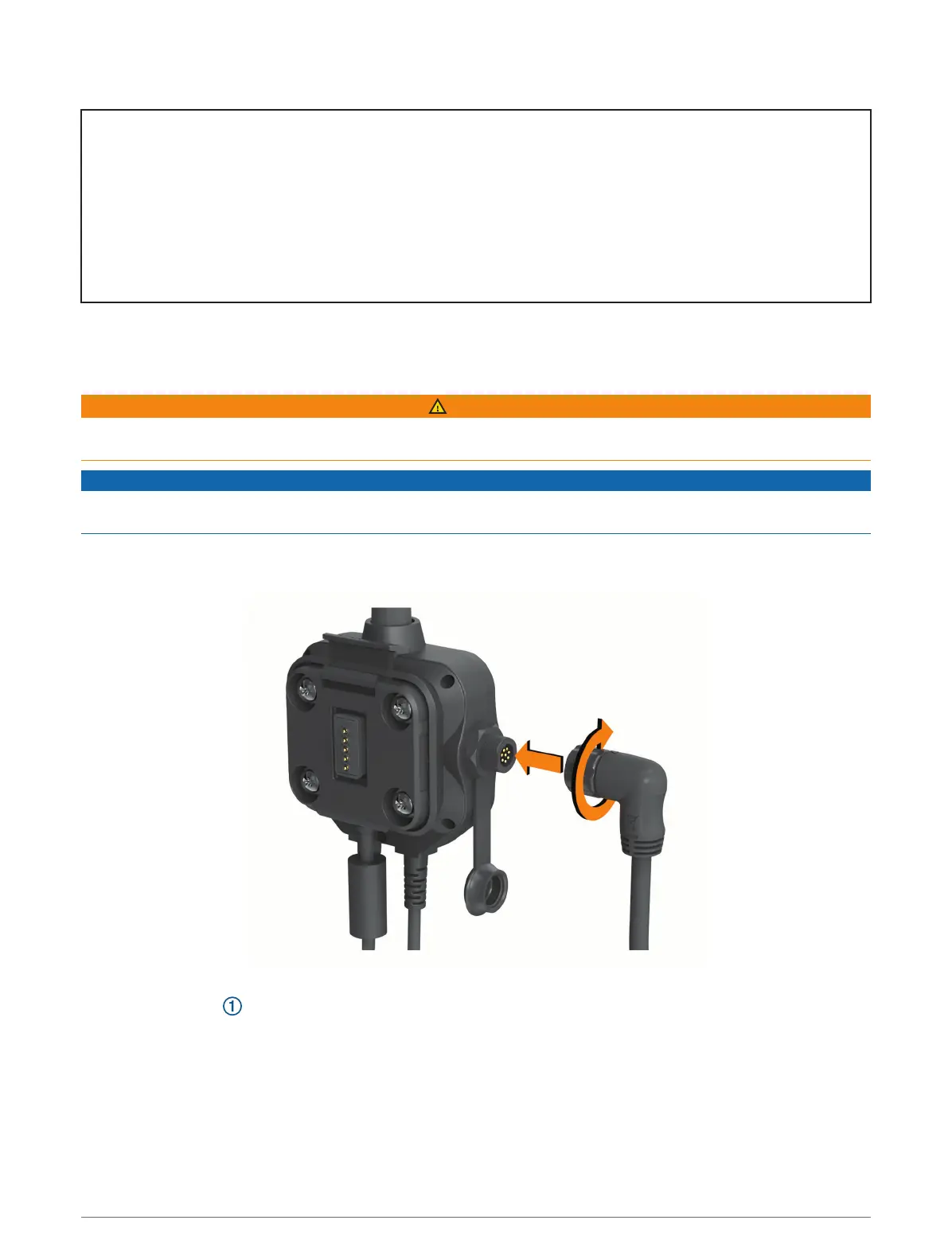
1 Align and insert the connector on the fist microphone onto the Group Ride mount.
2 Tighten the collar around the connected cable.
3 Place the mount on the selected location.
16 Installation














 To Next Page