Title Active Lane Guidance
Identifier GUID-E6EA81D1-5E15-4F3D-8021-4A8421F0BD0C
Language EN-US
Description
Version 5
Revision 2
Changes No English Changes. Versioned to fix JA-JP and KO-KR.
Status Released
Last Modified 30/12/2019 08:53:49
Author pullins
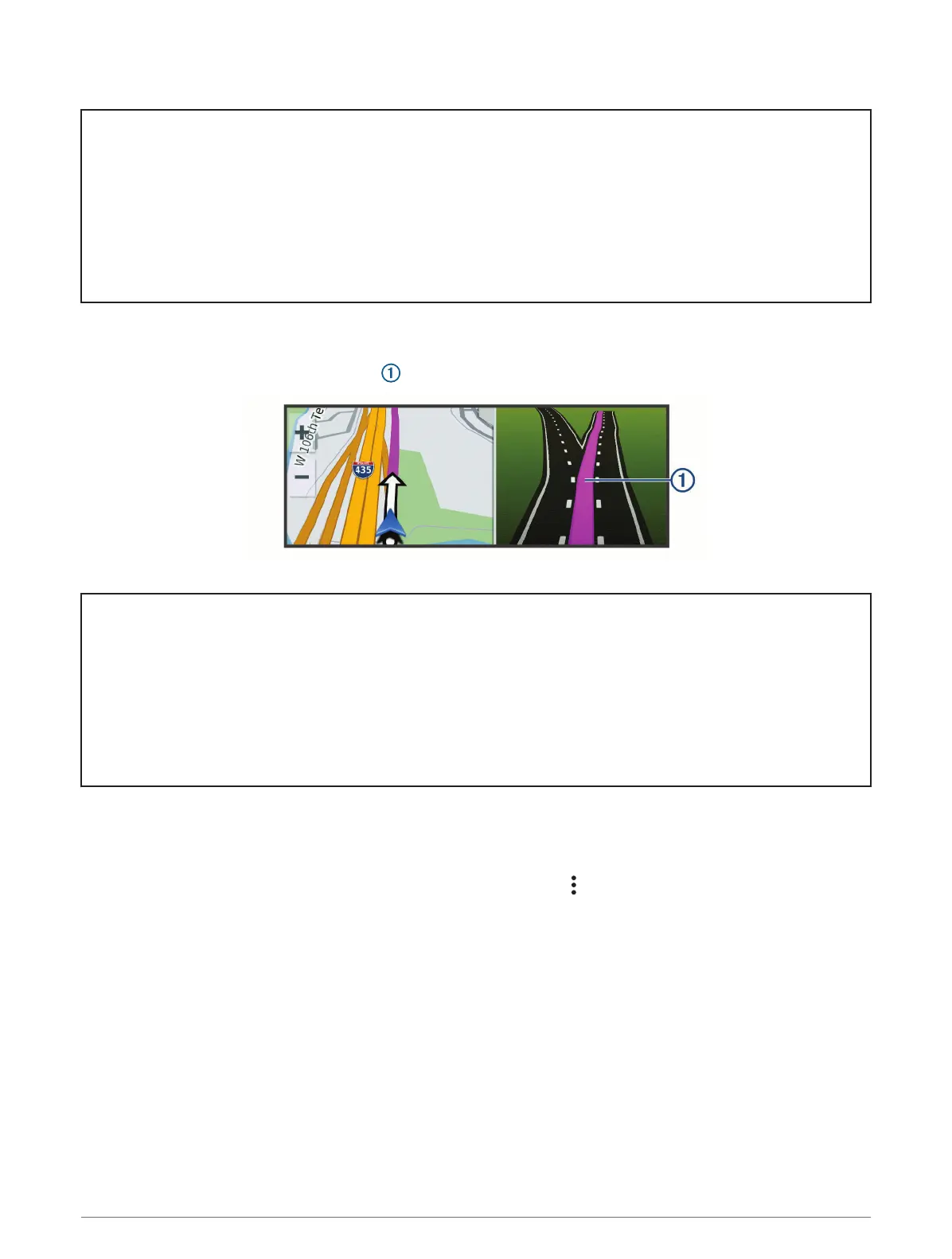
Active Lane Guidance
As you approach some turns, exits, or interchanges in your route, a detailed simulation of the road appears
beside the map, if available. A colored line indicates the proper lane for the turn.
Title Viewing Turns and Directions
Identifier GUID-71F7D1F6-45F1-426E-AA0D-A5488933B36C
Language EN-US
Description
Version 3
Revision 1
Changes No English change. Versioned to fix CZ.
Status Released
Last Modified 11/06/2021 15:39:34
Author pullins
Viewing Turns and Directions
While navigating a route, you can view upcoming turns, lane changes, or other directions for your route.
1 From the map, select an option:
• To view upcoming turns and directions as you navigate, select > Turns.
The map tool displays the next several turns or directions beside the map. The list updates automatically
as you navigate the route.
• To view the complete list of turns and directions for the entire route, select the text bar at the top of the
map.
2 Select a turn or direction (optional).
Detailed information appears. An image of the junction may appear for junctions on major roadways, if
available.
88 Street Navigation














 To Next Page