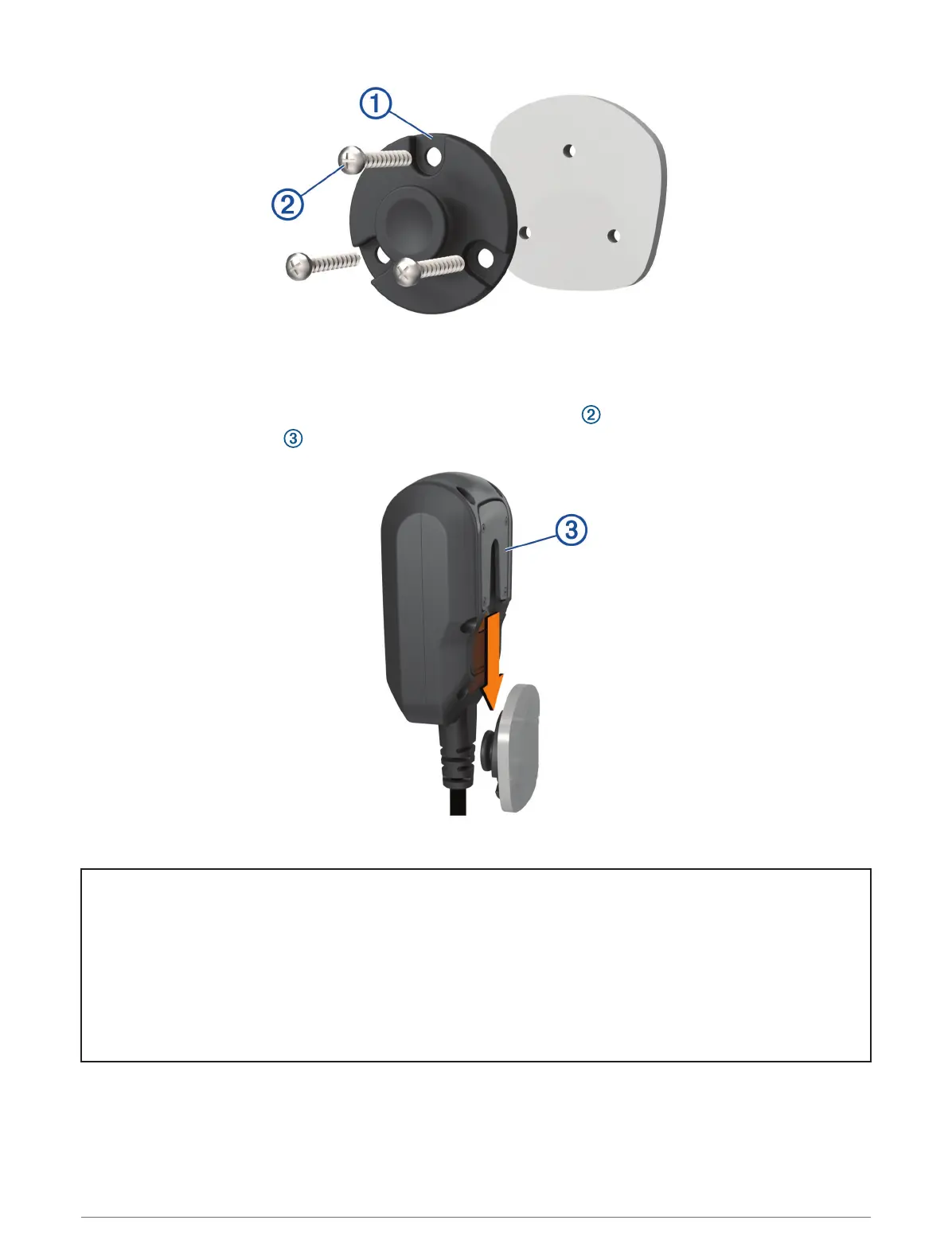
4 Using the mount as a template, mark the three screw locations.
5 Drill pilot holes (optional).
For some types of mounting material, drilling pilot holes is necessary.
6 Securely fasten the mount to the surface using the supplied screws .
7 Slide the fist microphone onto the mount.
Title Removing Your Device from the Backpack Mount
Identifier GUID-25CB1882-07F9-469C-A5D3-2966A18A72C7
Language EN-US
Description
Version 1
Revision 4
Changes
Status Released
Last Modified 25/11/2020 10:33:52
Author hizerdanielle
Removing Your Device from the Mount
1 Press the release button on the top of the mount.
2 Lift out the device.
Installation 17














 To Next Page