Title Straight Line Routes
Identifier GUID-2BDEF66C-8C39-4E99-91E0-A954CF3B83BD
Language EN-US
Description
Version 2
Revision 5
Changes Removing map perspective, updating context statement to remove off-road use specifically
Status Released
Last Modified 15/10/2021 09:41:39
Author hizerdanielle
Straight Line Routes
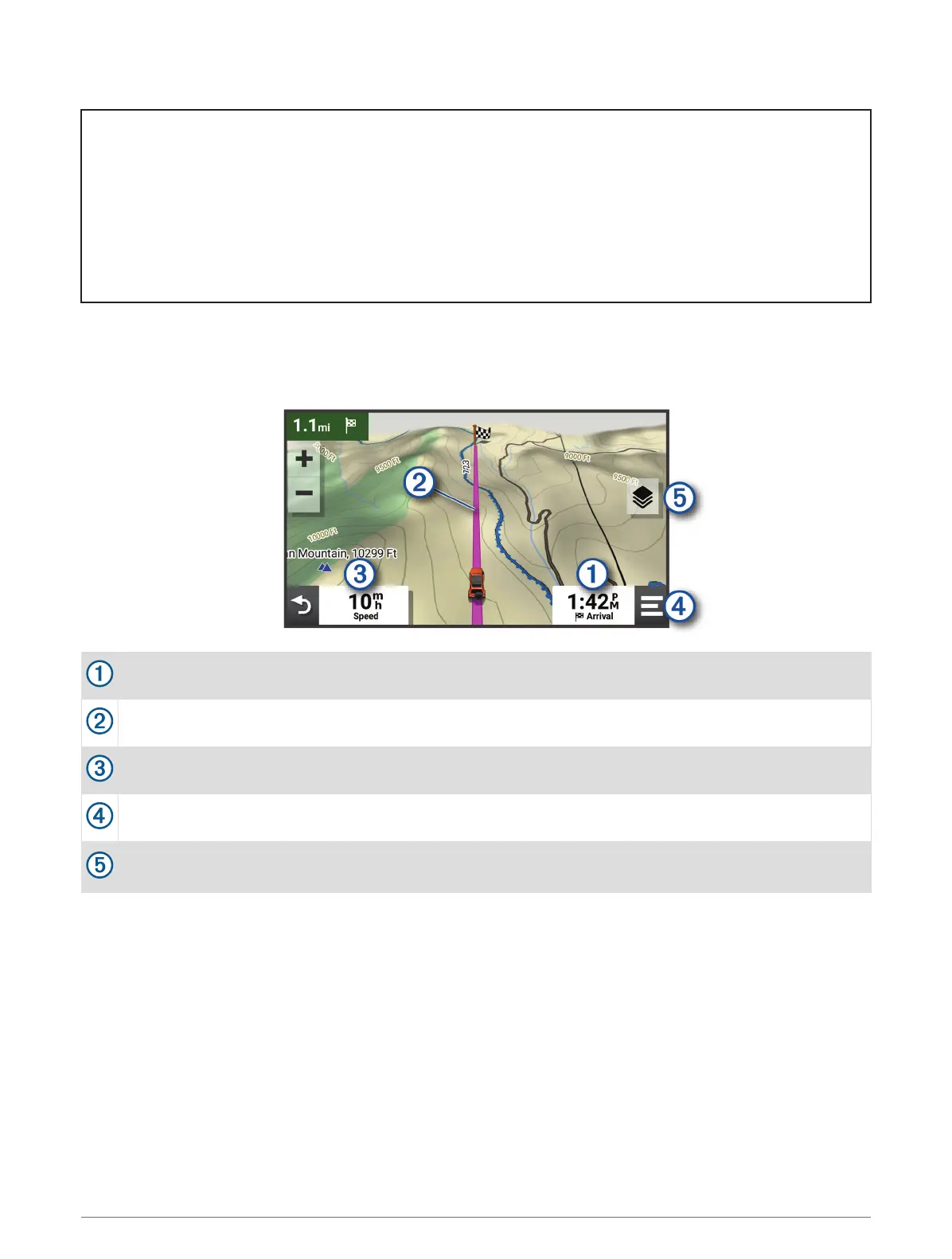
For areas without defined roads or trails, the device guides you to your destination using a straight line route.
You can set multiple waypoints to navigate a route through areas without roads.
Distance to the destination.
Route highlighted on the map.
Vehicle speed.
Map tools. Provides tools to show you more information about your route and surroundings.
Map layers. Allows you to change the map orientation and add topographic and BirdsEye imagery to your
map view.
Off-Road Navigation Features 21














 To Next Page