D400 SUBSTATION GATEWAY INSTRUCTION MANUAL GE INFORMATION 35
D400 Substation Gateway
Chapter 3: Setting Up
Communication Cards
Setting Up Communication Cards
This chapter describes the D400 communication cards and how to change the card
settings for the different configuration options. The communication cards are factory
installed in the D400 with default settings.
Communication cards
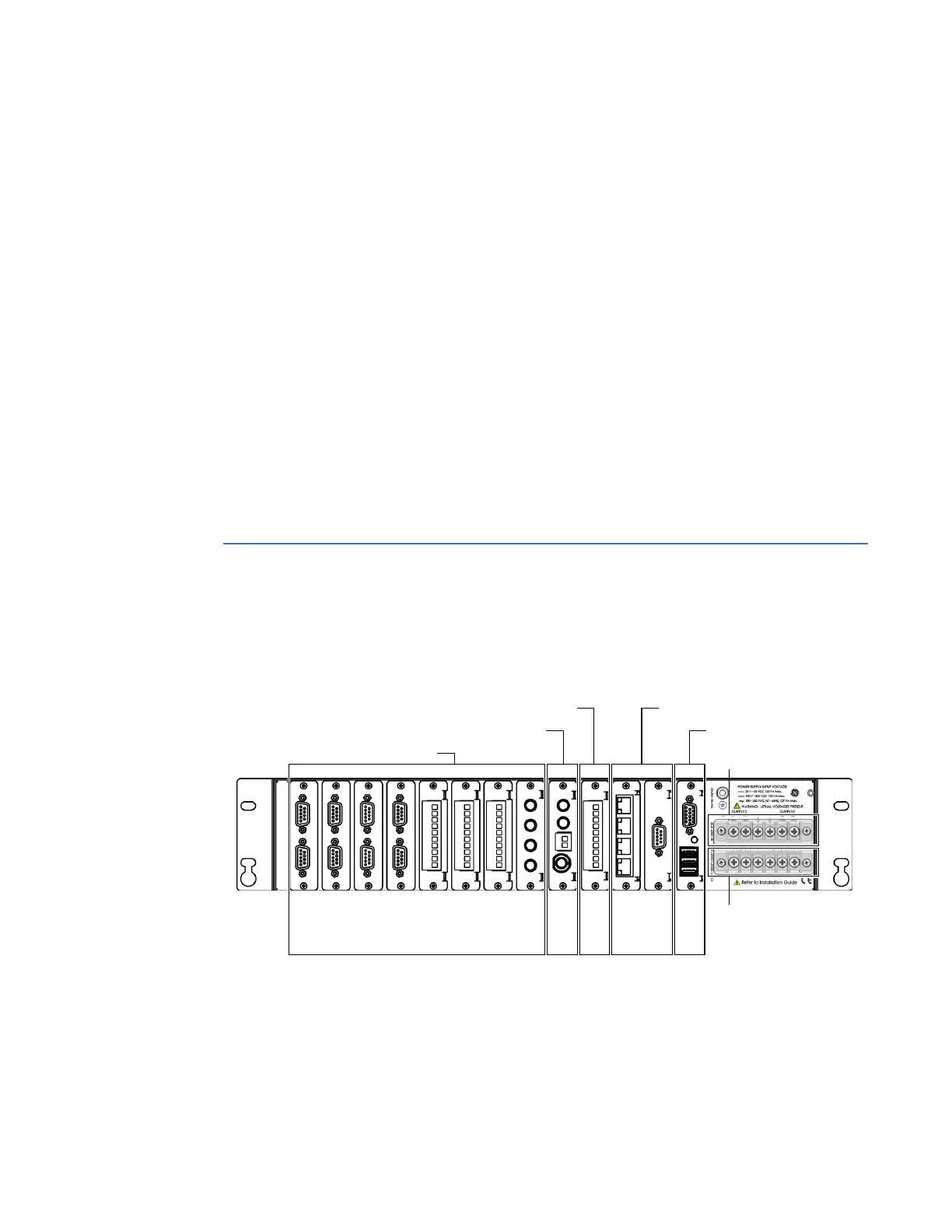
All communication cards plug into I/O adapter card slots at the rear of the D400 chassis.
The communication cards are powered from the backplane of the D400.
Figure 8: D400 I/O adapter card slots
Slot 1
Slot 2
Slot 3
Slot 4
Slot 5
Slot 6
Slot 7
Slot 8
Slot 9
Slot 10
Slot 11
Slot 12
Slot 13
Serial Communication Slots
IRIG-B Input Slot
IRIG-B Distribution Slot Network Slots
USB KVM Slot
Power Supply and
System Fail Alarms
External Power Source



 To Next Page