20
Audio CD/MP3 CD Operation
Playing an Audio CD/MP3 CD
Insert a disc into the disc slot and playback will
start automatically.
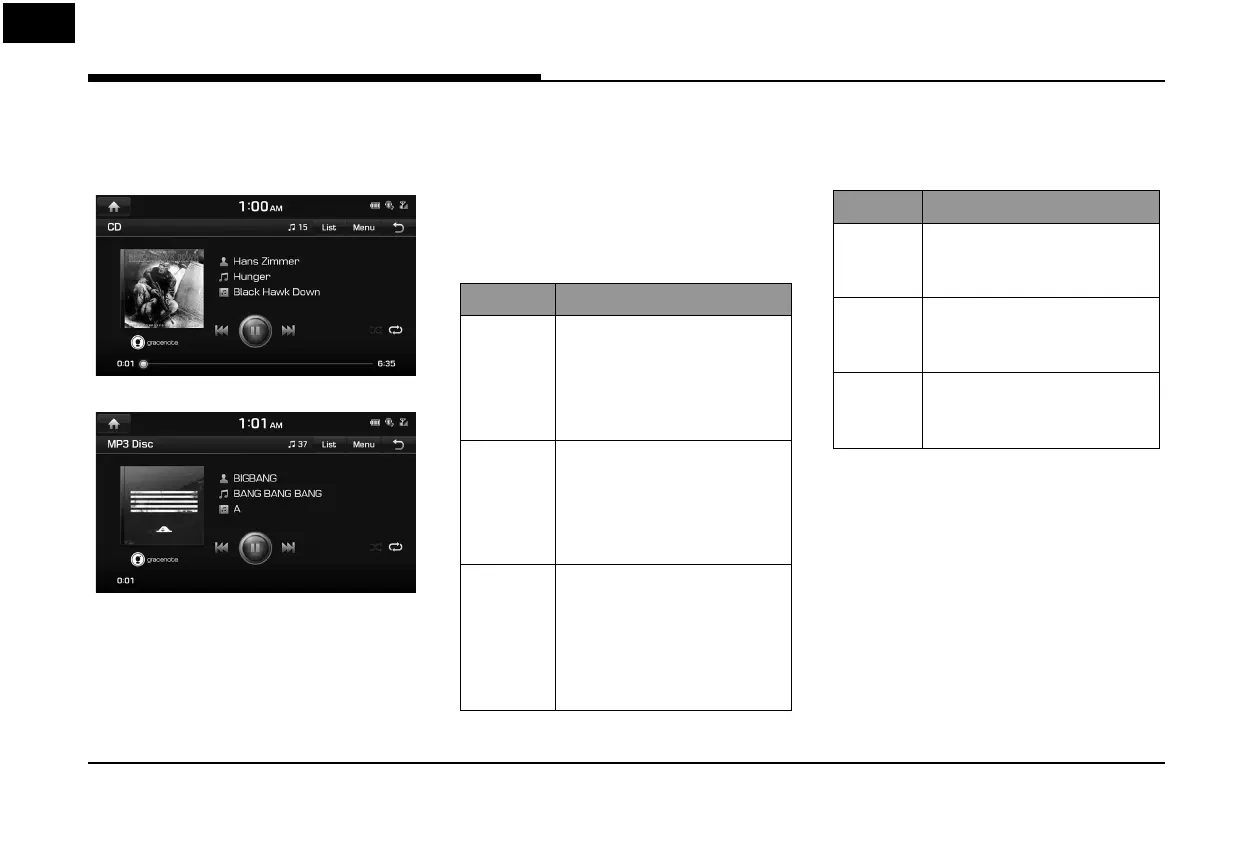
Audio CD
MP3 CD
,
Note
To play the Audio CD or MP3 CD while a
di erent source is playing, press [HOME] >
[Media] > [CD] or [MP3 Disc].
Pause
Press [
M
] on screen or with the controller.
Press [
d
] on screen or with the controller to
play it again.
Skip
You can play the previous or next track/ le.
Position Description
Screen • Press [
C
/
V
].
• Pressing [
C
] after 3
seconds of playback time
plays the current track/ le
from the beginning.
Head unit • Press [
S
SEEK/TRACK
W
].
• Pressing [
S
SEEK] after 3
seconds of playback time
plays the current track/ le
from the beginning.
Controller • Push the controller left or
right.
• Push the controller left after
3 seconds of playback time
plays the current track/ le
from the beginning.
Search
You can rewind/fast forward to a speci c point
of a track/ le.
Position Description
Screen Press and hold [
C
/
V
]
and then release at the point
you want.
Head unit Press and hold [
S
SEEK/TRACK
W
] and then release at the
point you want.
Controller Push and hold the controller
left or right and then release at
the point you want.
Audio CD/MP3 CD Operation



 To Next Page
 Loading...