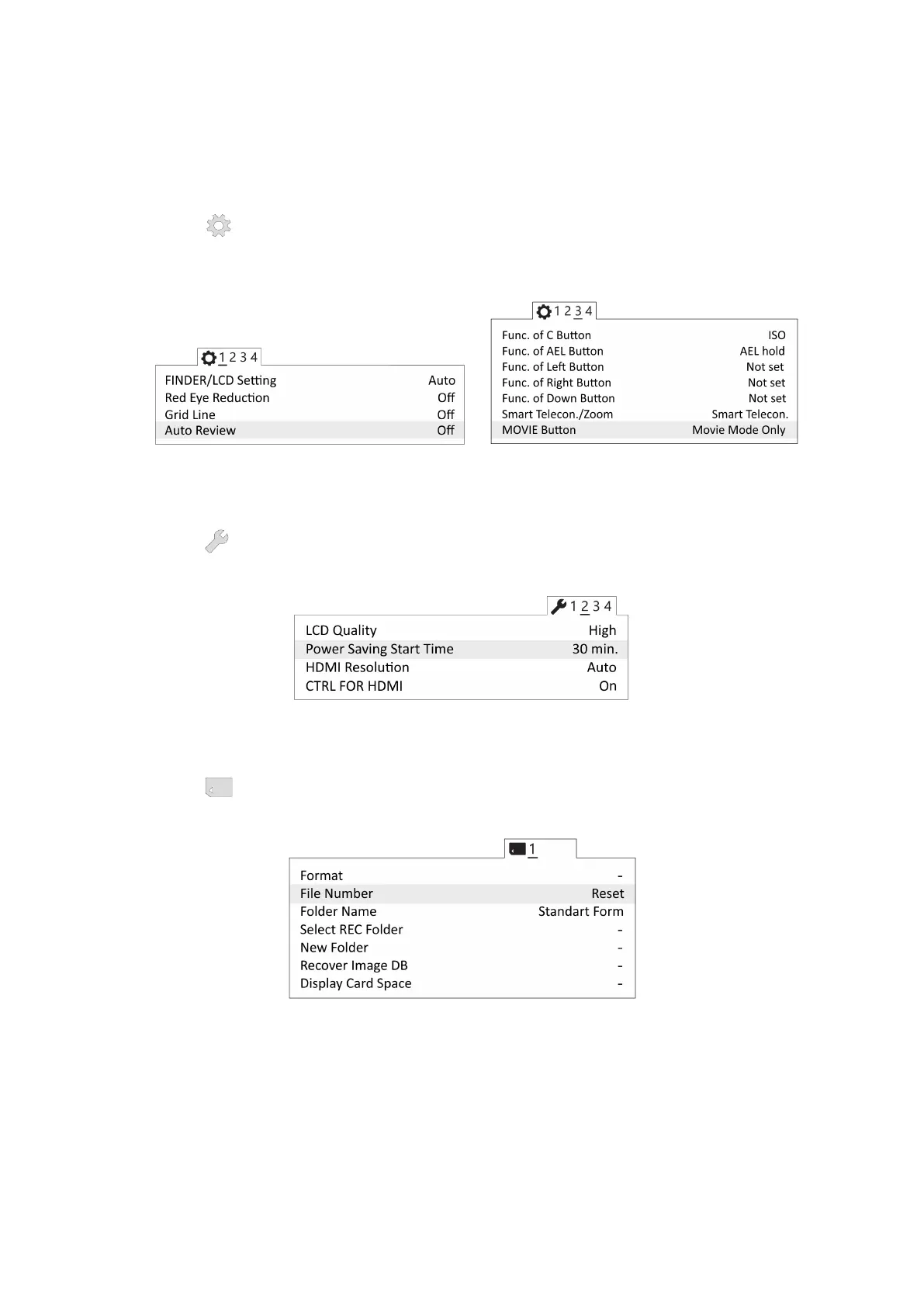
To set camera soft parameters, push MENU button, then select parameters according
to the following instructions.
• In User settings menu (tab 1) turn off Automatic preview and set MOVIE
Button — Movie mode only (tab 3).
Turn off automatic preview Movie mode only
• In Settings menu (tab 2) set Power saving time — 30 min.
Power saving time
• In Memory Card menu set select File № - Clear.
Clear le number
Other settings should not be changed from default values.
50



 To Next Page