UAV Connecting to Geoscan Planner
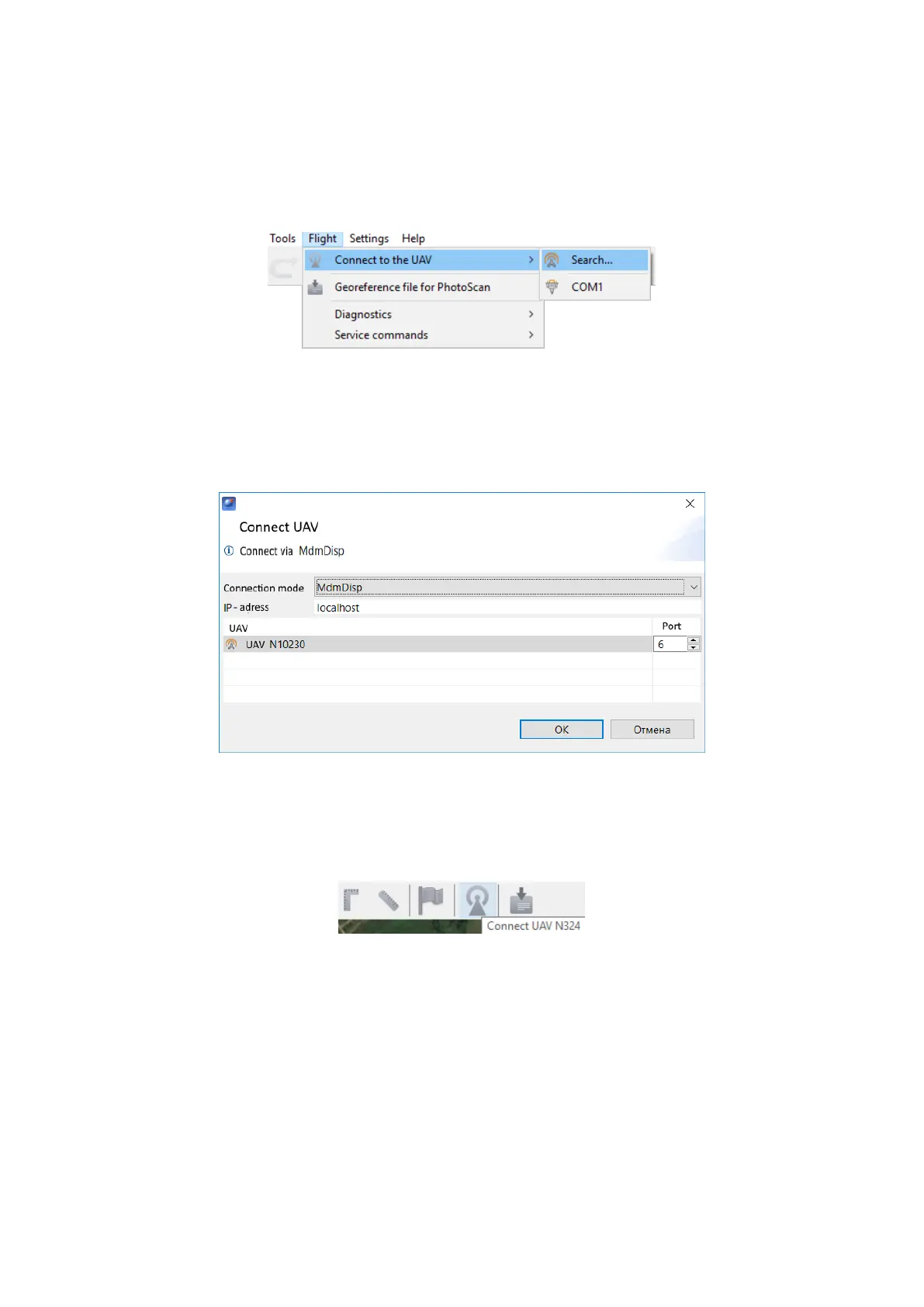
1) Select Connect to the UAV — Search… in Flight tab.
UAV connection
2) Select connection type in MdmDisp.
Set IP-adress — localhost.
In UAV list set UAV — Port 1.
Connection settings
The settings will be automatically saved. At the next connections turn on the UAV
power and use Connect UAV button on the toolbar.
Connect UAV button
The receiver will automatically detect UAV coordinates and display position on the
map.
84



 To Next Page