Sony A6000 Digital Camera
Main Parts
Please, carefully read Camera Operating Instructions
https:// www.sony.ru/ electronics/ support/ res/ manuals/ 4532/ 45320554M.pdf ,
to get full information about functions and control parts before change settings.
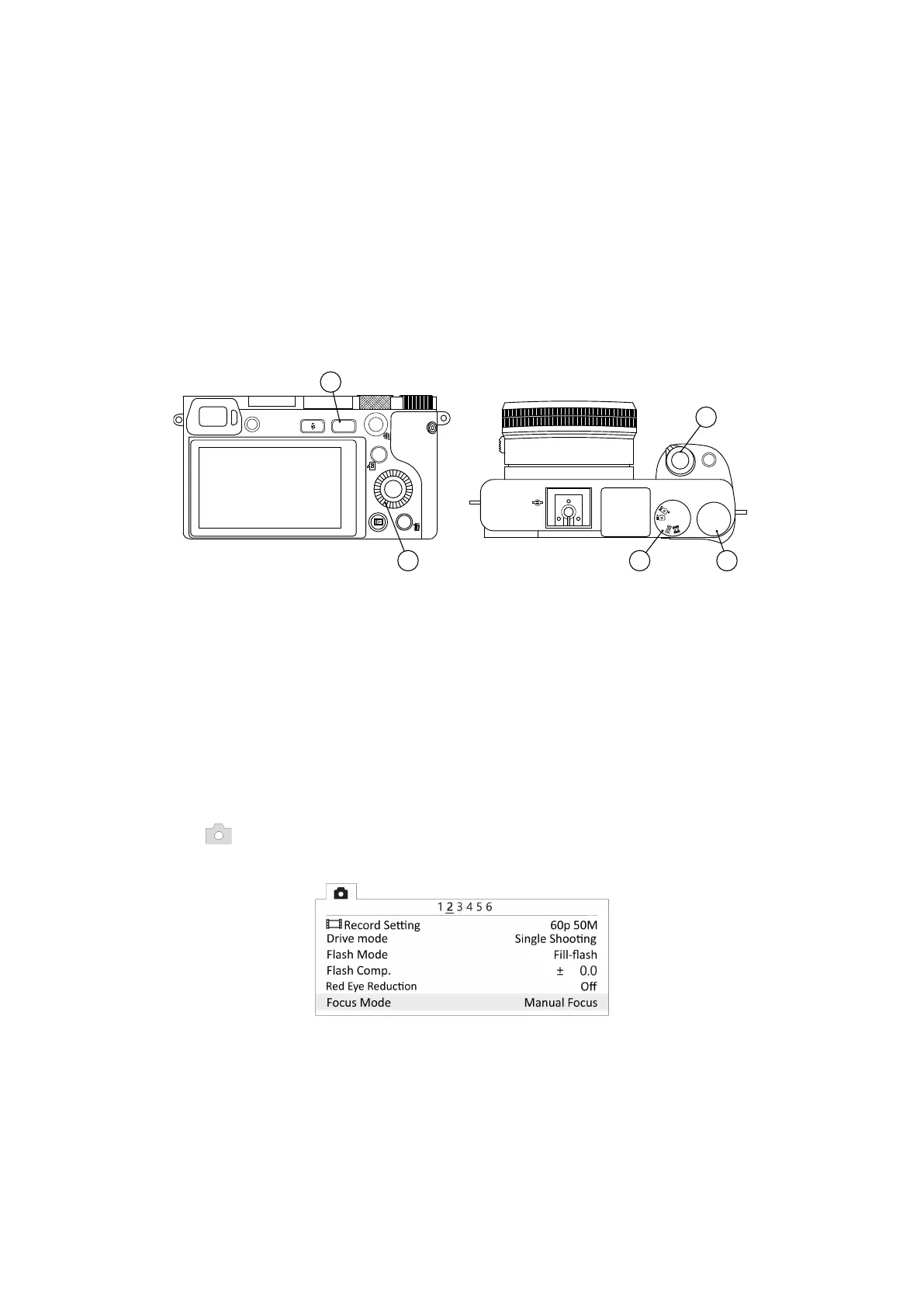
Basic camera control elements are shown on the picture:
AEL
24.3 MEGAPIXELS
AVCHD
DISP
ISO
Fn
MENU
3.5-5.6/16-50
OpticalSteadyShot
M
P
A
S
SCN
MR
α6000
ON OFF
C
1
C
2
1
3
4
2
5
1. ON\OFF Switcher 4. Control Wheel
2. Mode Dial 5. Menu Button
3. Control Dial
Camera Settings
Use the control wheel to set the following parameters:
• Switch Mode Dial (2) in S (Shutter priority) position.
• Set Exposition — 1/1000 and ISO — Auto by Control Wheel (4).
• In Still Shooting menu (tab 2) set Focus Mode - Manual focus.
Focus Mode
52



 To Next Page