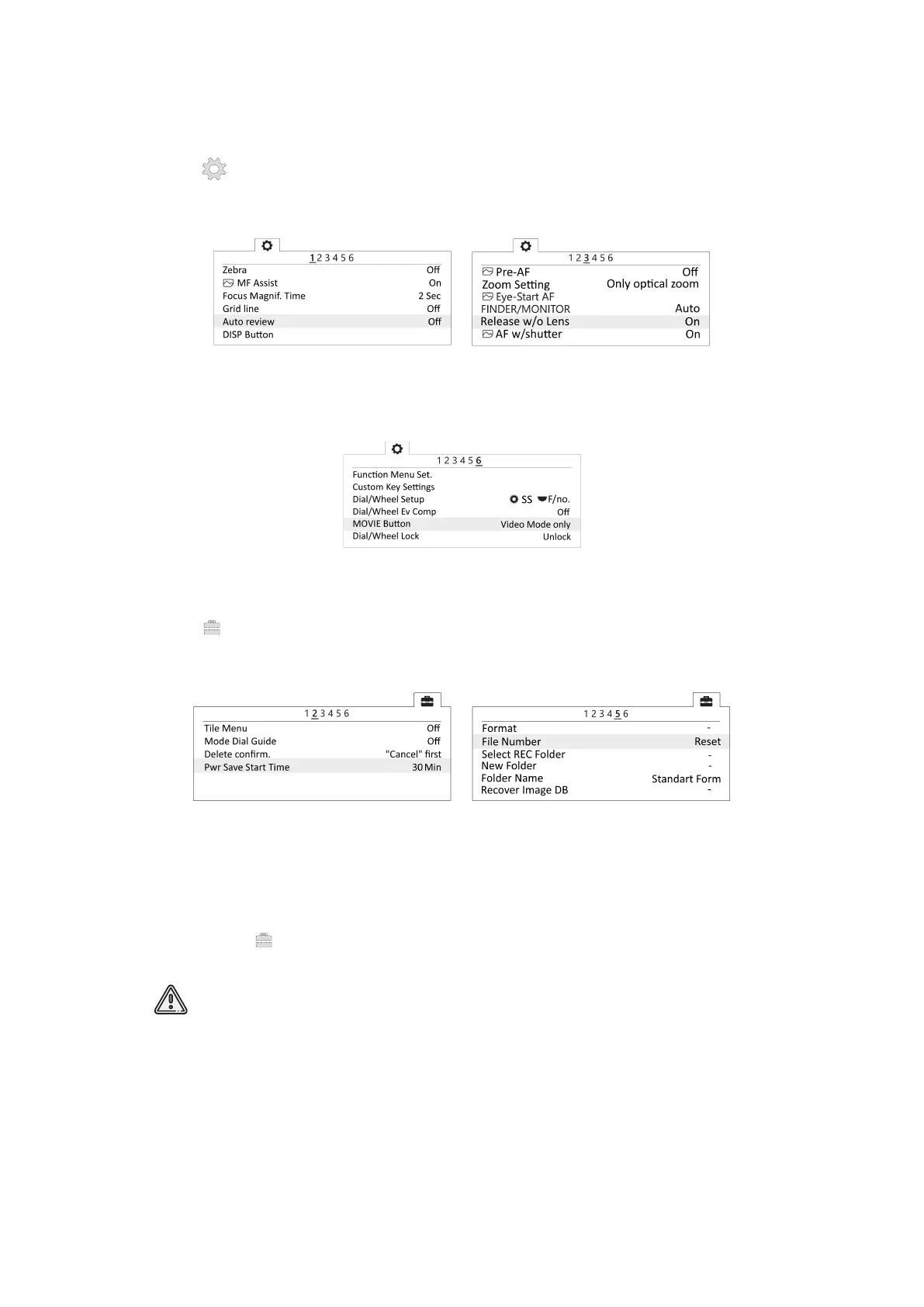
• In Custom Settings menu (tab 1) disable Automatic preview, turn on Lens-less Shut-
ter (tab 3) and set MOVIE button - Video mode only (tab 6).
Automatic preview off Turn on the shutter without a lens
Video mode only for Movie button
• In Setup menu set Start time energy saving - 30 min (tab 2) and set File Number -
Reset (tab 5).
Set the time to start energy saving Reset le number
SD card Formatting
Select MENU → (tab 5) [Setup] → Format
All data will be deleted!
53



 To Next Page