LiPo Battery
Control and Indication
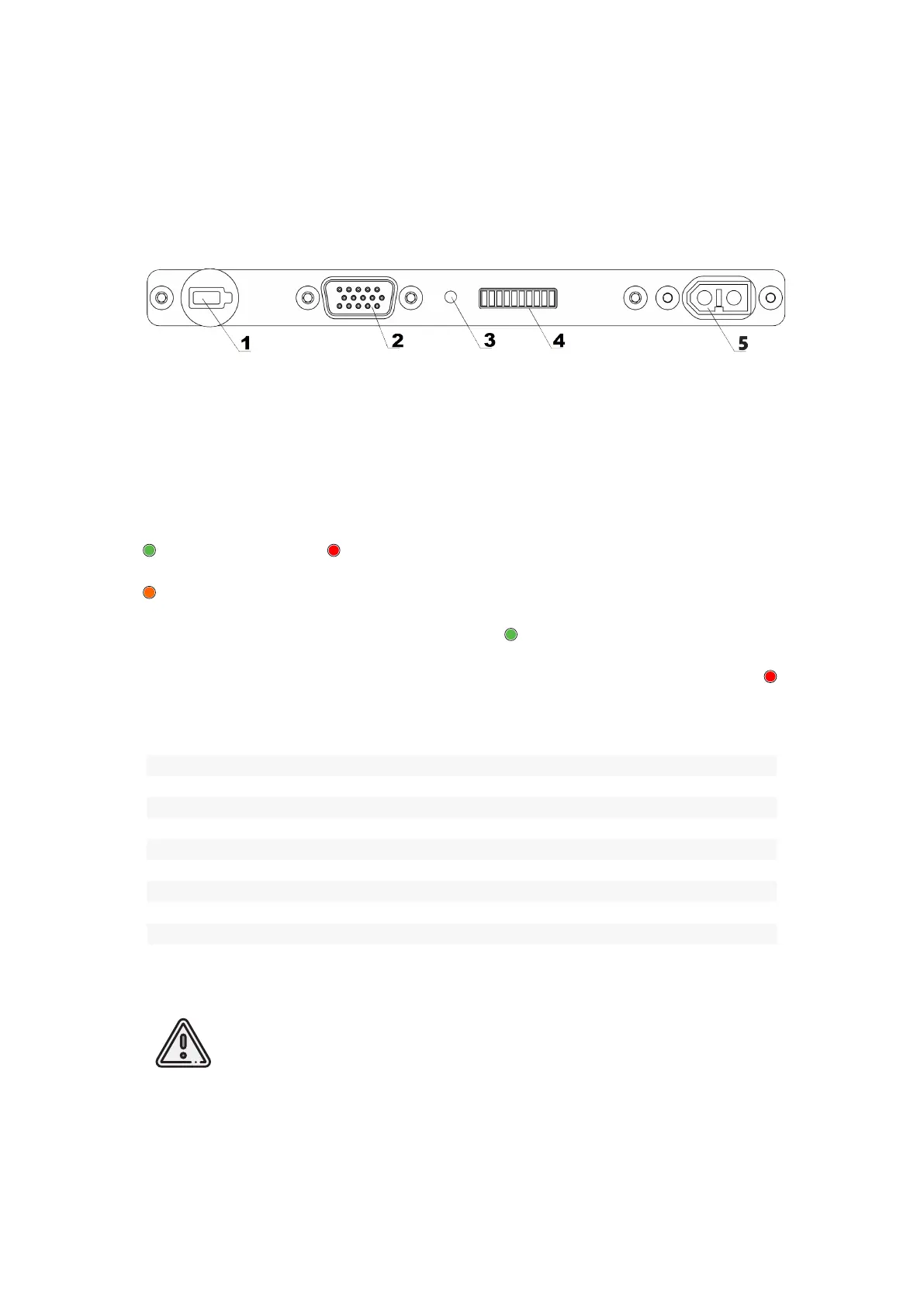
1. Control button 4. LED status bar
2. Balance port 5. Charge port
3. Status LED
Press Control button (1) to check battery status. Status LED (3) will light green and
will change color to red. (and orange for «Arctic» batteries).
Status LED color shows type of data, that indicated LED status bar (4):
Green — charge level. Red — temperature inside the battery.
Orange — remaining time of temperature holding for «Arctic» batteries.
Each bar’s LED indicates 10% of charge level in charge indication mode.
The table below shows LED sections number connection with temperature values :
Temperature Level Indication
LEDs Flash Mode Temperature, °С
I (1) ashes < 5
II (2) ashes 5-10
III (3) ashes 10-15
IIII (4) lights 15-20
IIIII (5) lights 20-25
IIIIII (6) lights 25-30
IIIIIII (7) ashes 30-35
IIIIIIII (8) ashes 35-40
IIIIIIIII (9) ashes 40-45
IIIIIIIIII (10) ashes >=45
Attention! Do not connect external power source to the battery, when
indication mode is activated.
68



 To Next Page