Pre-launch Check
1. Turn UAV on.
2. Wait 15 sec for camera system initialization.
3. Check that DLS and camera LEDs are ashes green.
Otherwise, check SD card le system.
4. Use Wi-Fi PC or phone to connect camera.
Wi-Fi spot: rededgeRMXXXX-XX. password: micasense.
5. Open 192.168.10.254 page in browser.
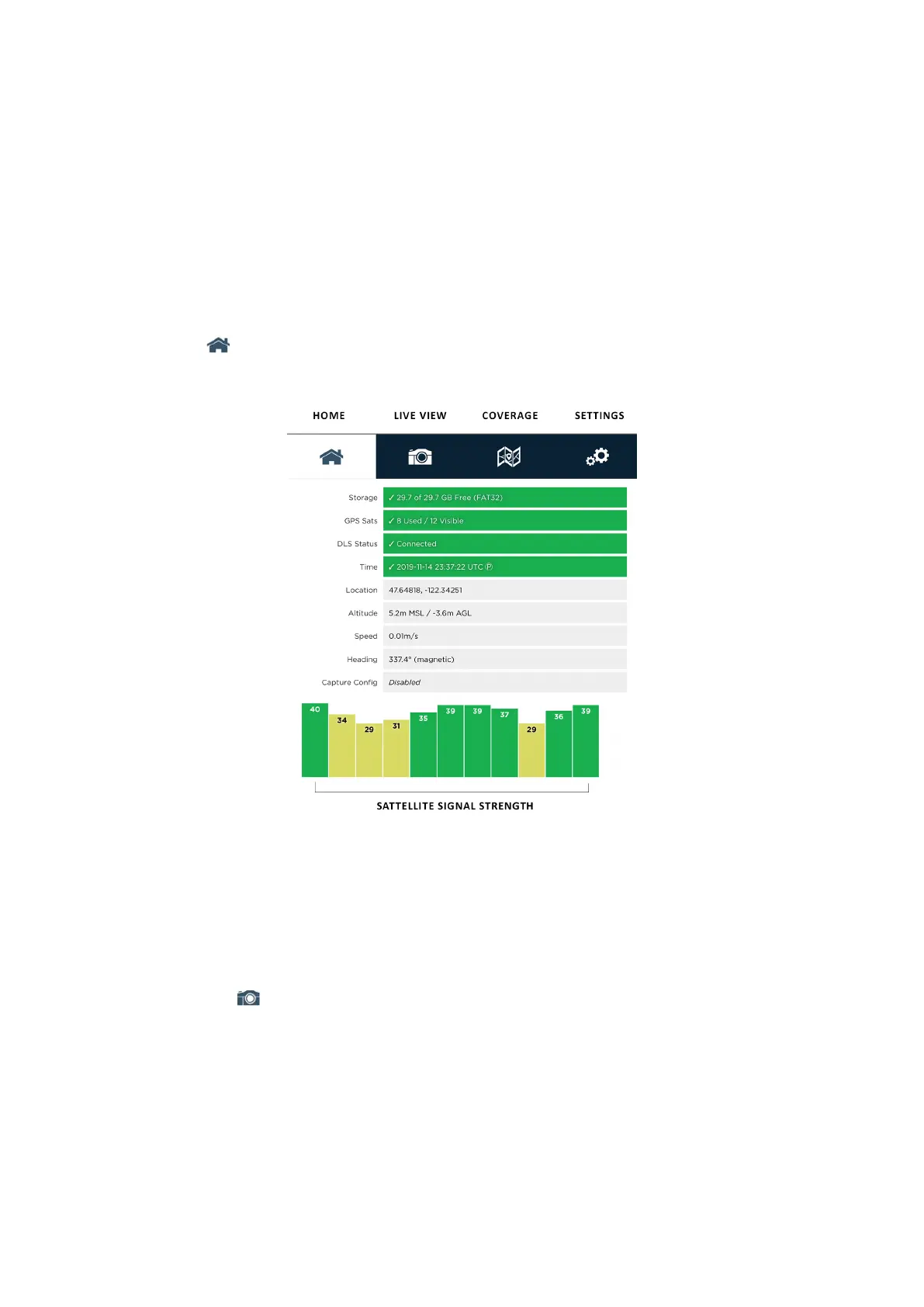
6. Open Home tab.
Home tab
7. Check that Storage eld highlights green, and SD card is empty.
Otherwise, turn camera off, format and reinstall SD card.
8. Make sure that DLS Status eld highlights green.
This eld shows DLS sensor connect.
If it highlightes red, turn camera off and check DLS sensor connect.
9. Switch to Live View tab.
10. Turn camera live view on by enable Streaming option.
Make sure that the streams from all bands are available.
Frame per second is 2.
56



 To Next Page