Using The Handheld Tester
1
PAGE 17
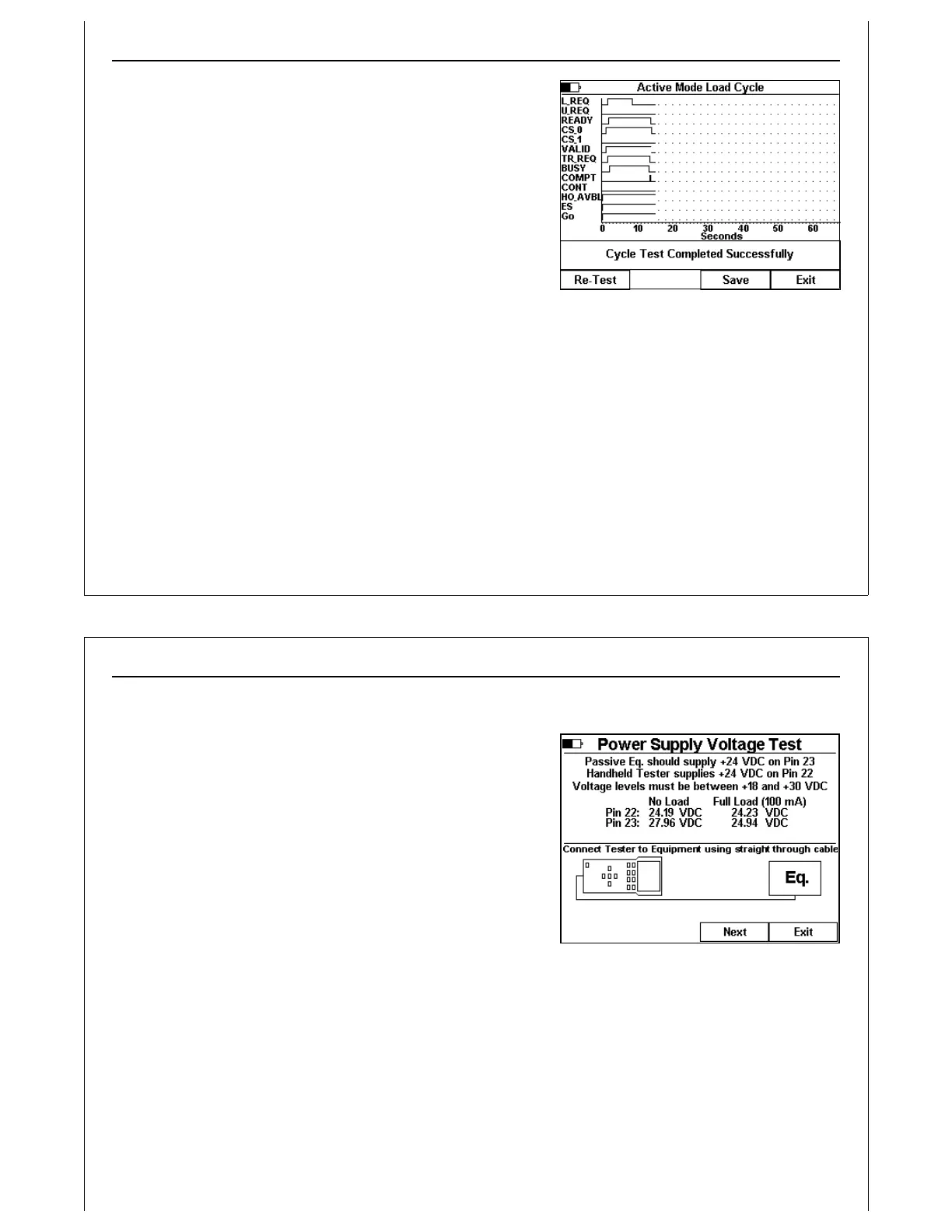
Figure 15 - Load Cycle Complete
Successful cycles are reported in the status window. The HHT
detects and reports any errors in the same status window.
After a test completes, successfully or with an error, a new set
of soft key icons is displayed. Press the Re-Test soft key to
re-run the current cycle test.
Press the Save soft key to save the Cycle Test results data (see
Paperless Storage System above). Cycle Tests results data
saved in the PSS include signal state change history (real-time
graph), cycle completion status and E84 Timeout settings.
Cycle Test results transferred to a computer can be analyzed
using the GCI E84 Analysis Application. The ASCII report
generated for Cycle Tests include the number of events
recorded, along with E84 Timeout settings, cycle type (Load / Unload) and completion status (error code
and message).
Press the Exit soft key to close the real time graph window, and return to the Standard Cycle Test Menu.
Using The Handheld Tester
1
PAGE 18
Figure 16 - Power Supply Voltage Test
Electrical Tests
Electrical Tests are available using Test Menu Option 2.
Power Supply Voltage Test
Use the power supply voltage test to verify that the load port
supplies the required power for a transceiver. The Power Supply
Voltage Test is only available in the direct connect
configuration.
The E84 Specification states that the passive equipment (load
port) must supply voltage on Pin 23 of the female DB-25
connector. It further specifies that the passive equipment
should leave pin 22 unconnected. The active equipment
supplies voltage on pin 22. The E84 Specification further states that the voltage level must remain with
+18 VDC and +30 VDC under both no-load and full-load conditions.
The HHT measures the voltage level on both pins, under no-load and full-load conditions. The voltage
measurements are displayed on the screen. To be compliant, all four measurements must remain
within the voltage limits.
Press the Next soft key to advance to the next screen.
Press the Exit soft key to return to the Main Test Menu.



 To Next Page