Using The Handheld Tester
1
PAGE 25
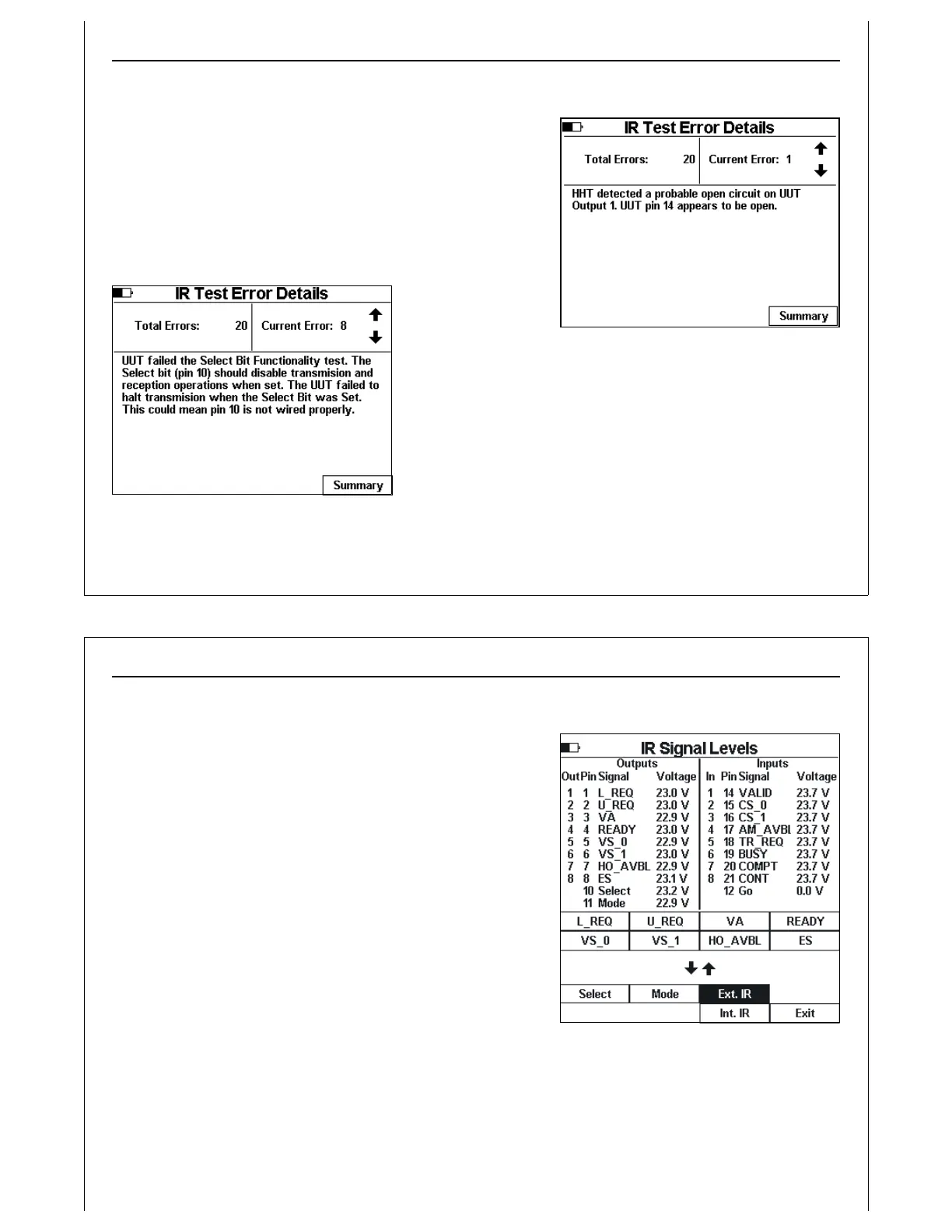
Figure 25 - IR Error Detail Screen
Figure 26 - IR Error Detail Screen
IR Error Detail Screen
The IR Test Error Details screen displays specific details about
each error that the IR Transceiver test detected. It reports opens
circuits, shorts circuits, and unexpected patterns.
Figure 25 and Figure 26 show example IR Test Error Detail
Screens.
Use the Up and Down Arrow keys to scroll through the error
list.
Press the Summary soft key to return to the Summary screen.
Using The Handheld Tester
1
PAGE 26
Figure 27 - IR Test Manul Mode
IR Test Manual Mode
Press the Manual soft key to enter IR Manual Mode.
IR Manual Mode shows HHT input and output voltage levels,
and provides two soft key pages used to set internal and
extern IR inputs.
Soft key page one displays transceiver input signal names.
Soft key page two displays transceiver control signal names,
Ext. IR, Int. IR and Exit soft keys.
Press the Ext. IR soft key to select the attached IR Transceiver.
When the external IR is selected, page one soft keys can be
used to set the attached IR Transceiver’s input signals.
Press the Int. IR soft key to select the HHT’s internal IR
Transceiver. When the internal IR is selected, page one soft
keys can be used to set the HHT’s IR Transceiver’s input signals.
Press the Exit soft key to return to the IR Test Summary Screen.



 To Next Page