Using The Handheld Tester
1
PAGE 45
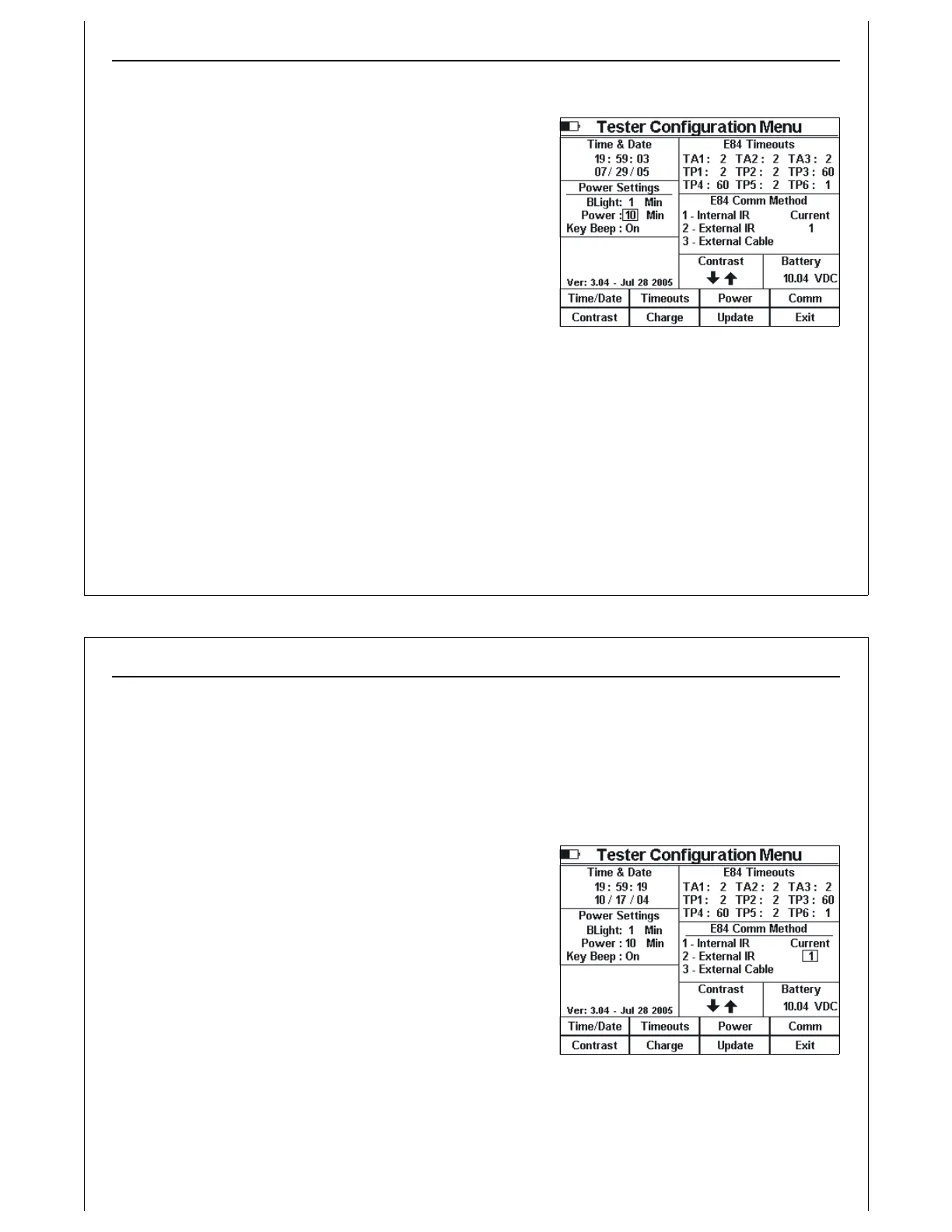
Figure 43 - Tester Configuration - Power
Settings
Setting Power Timeouts
Press the Power soft key to modify the E84 HHT Power timeouts.
The Power Settings section title is underlined to show that it is
selected.
A rectangle is drawn around the BLight timeout. Use the Up
and Down arrow keys to increment and decrement the BLight
timeout respectively. Use the Left and Right arrow keys to
navigate the rectangle to the Power timeout.
The BLight timeout determines the number of minutes of non-
use that pass before the HHT turns OFF it’s built in LCD back-light
to conserve power and battery life. When the back-light is OFF,
pressing any key will turn it back ON.
The Power timeout determines the number of minutes of non-use that must pass before the E84 HHT
powers itself off. The Power timeout is disabled during DLD Live Mode, and all Cycle, IR, Electrical and
Manual Test Screens to allow for extended analysis.
When the Power timeout decrements to 30 seconds, a warning message (PD: ##) is displayed at the
upper right hand corner of the screen. A warning beep accompanies the message. This warning
message shows the number of seconds remaining before auto-power off. The warning message is
updated at 20, 10, and 5-1 seconds, and is accompanied by a warning beep. Any keystroke will reset
the Power timeout and clear the warning message.
Using The Handheld Tester
1
PAGE 46
Figure 44 - Tester Configuration - Comm
Method
Both timeouts can be disabled by setting them to their highest value (60). When set at 60, the HHT
deactivates the timer.
The Key Beep option enables an audible beep whenever keys are pressed on the HHT’s keypad. Set this
option to OFF to turn off the audible beep.
Setting Default Communications Method
Press the Comm soft key to set the default E84
communications method. The E84 Comm Method section title
is underlined to show that it is selected.
A rectangle is drawn around the current configuration. Use the
Up and Down arrow keys to increment and decrement the
current configuration respectively.
The default E84 communications method is selected when
entering Cycle and Manual tests. Alternate E84
communications methods can be selected during each test.



 To Next Page